

- Updated: January 4, 2026
- 7 min read
Introducing TAWS: A Terminal‑Based UI for Managing AWS Resources
TAWS is a terminal‑based UI that lets developers, DevOps engineers, and cloud architects manage AWS resources directly from the command line, providing a fast, keyboard‑driven alternative to the traditional AWS Management Console.
TAWS: The New Open‑Source AWS Terminal UI Making Cloud Management Faster
In the fast‑moving world of cloud infrastructure, speed and visibility are paramount. The TAWS project (Terminal UI for AWS) delivers a sleek, real‑time, terminal‑based interface that empowers developers, DevOps engineers, cloud architects, and IT professionals to navigate, observe, and act on AWS resources without leaving their shell. Built in Rust and inspired by the popular GitHub repository, TAWS combines the power of the AWS CLI with a modern TUI (text user interface) to streamline AWS resource management.
Project Overview
TAWS is an open source cloud tool released under the MIT license. It watches your AWS accounts in real time, automatically refreshing the view when resources change. The UI follows a Vim‑like navigation model, allowing power users to move through services, filter results, and execute actions with a single keystroke.
- Supports more than 94 resource types across 60+ AWS services.
- Multi‑profile and multi‑region capabilities let you switch contexts instantly.
- Real‑time updates and fuzzy‑search autocomplete reduce the need for manual CLI commands.
- Keyboard‑driven actions such as start, stop, or terminate EC2 instances directly from the UI.
While the AWS Management Console offers a graphical experience, TAWS brings the same depth of insight to the terminal, making it ideal for remote sessions, CI/CD pipelines, or any environment where a GUI is impractical.
Key Features & Benefits
Feature Matrix
| Feature | Benefit |
|---|---|
| Multi‑Profile Support | Easily switch between AWS accounts without re‑authenticating. |
| Multi‑Region Navigation | Manage resources across any AWS region from a single pane. |
| Real‑Time Updates | Instantly see new instances, buckets, or policies as they appear. |
| Keyboard‑Driven Commands | Accelerate workflows with Vim‑style shortcuts. |
| JSON/YAML Detail Views | Inspect raw resource definitions without leaving the UI. |
| Smart Autocomplete | Fuzzy matching reduces typing errors and speeds up resource selection. |
For teams already using Enterprise AI platform by UBOS, TAWS can complement AI‑driven automation by feeding real‑time resource data into workflow scripts built in the Workflow automation studio. This synergy enables automated scaling, cost‑optimization alerts, and compliance checks that are triggered directly from the terminal UI.
Why Developers Love TAWS
- Speed: No mouse, no context switches – everything is keyboard‑first.
- Consistency: Same experience on macOS, Linux, and Windows.
- Extensibility: Built with Rust, it can be compiled for any platform and integrated with custom scripts.
- Security: Relies on existing AWS credential mechanisms, preserving your IAM policies.
Installation & Quick‑Start Guide
Prerequisites
- Valid AWS credentials configured via
aws configureor environment variables. - Read‑only or admin IAM permissions (Describe*, List*).
- Rust 1.70+ if you plan to build from source.
Binary Installation (macOS / Linux)
# macOS Apple Silicon
curl -sL https://github.com/huseyinbabal/taws/releases/latest/download/taws-aarch64-apple-darwin.tar.gz | tar xz
sudo mv taws /usr/local/bin/

# Linux x86_64
curl -sL https://github.com/huseyinbabal/taws/releases/latest/download/taws-x86_64-unknown-linux-gnu.tar.gz | tar xz
sudo mv taws /usr/local/bin/
Windows Installation
Download the taws-x86_64-pc-windows-msvc.zip from the GitHub releases page, extract, and add taws.exe to your PATH.
Building from Source
# Clone the repo
git clone https://github.com/huseyinbabal/taws.git
cd taws

# Build
cargo build --release

# Run
./target/release/taws
First Run
Launch TAWS with your default profile:
tawsOr specify a profile and region:
taws --profile production --region us-west-2Essential Keyboard Shortcuts
j / ↓– Move downk / ↑– Move up:– Open resource picker (e.g.,:ec2for EC2 instances)r– Refresh current views– Start selected EC2 instanceS– Stop selected EC2 instanceT– Terminate selected EC2 instancep– Switch AWS profileR– Switch AWS regionq / Ctrl‑C– Exit TAWS
Recent Updates & Community Activity
Since its initial release in early 2025, TAWS has seen rapid adoption. The v1.0.0 release (January 2026) introduced native support for IAM, Route 53, and CloudFront across all regions, plus a revamped fuzzy‑search engine. Community contributions have added over 30 new resource types, pushing the total supported services past the 94‑type milestone.
The project’s GitHub issues board shows a healthy mix of feature requests (e.g., bulk tagging, cost‑analysis widgets) and bug reports that are resolved within days. Weekly community calls on Discord keep contributors aligned, and a growing set of wiki pages document advanced usage patterns.
For organizations looking to embed TAWS into broader automation pipelines, the Web app editor on UBOS can generate custom wrappers that invoke TAWS commands via the OpenAI ChatGPT integration, enabling natural‑language prompts like “Show me all running EC2 instances in us‑east‑1”.
Visual Illustration
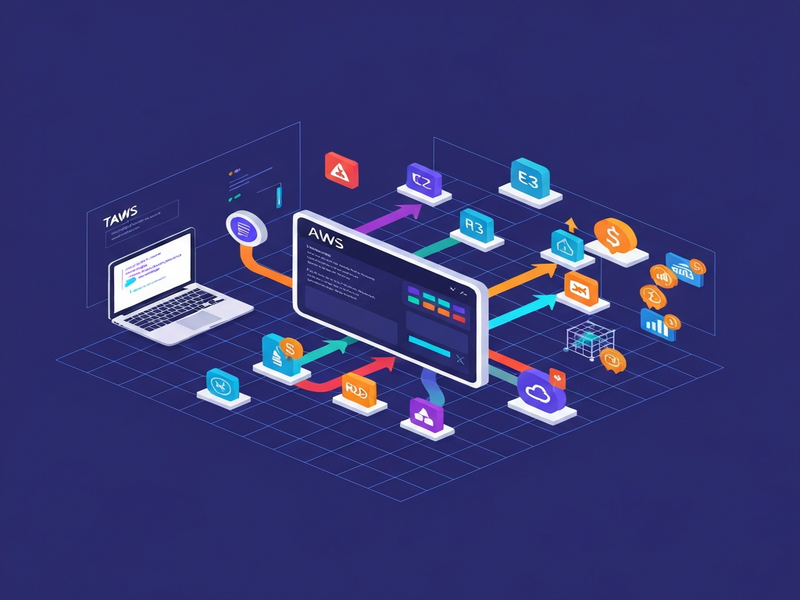
Below is a snapshot of TAWS in action, highlighting the resource picker, real‑time refresh, and detailed JSON view. The image was generated using UBOS’s AI image capabilities.
Get the Code – GitHub Repository
The full source code, release binaries, and contribution guidelines are hosted on GitHub. Visit the official TAWS GitHub repository to download the latest version, report issues, or submit pull requests.
Related UBOS Resources for Cloud Professionals
While TAWS handles interactive terminal management, UBOS offers a suite of complementary tools that can extend your cloud workflow:
- UBOS homepage – Overview of the platform’s AI‑driven capabilities.
- UBOS platform overview – Deep dive into the modular architecture.
- About UBOS – Meet the team behind the AI stack.
- UBOS partner program – Opportunities for SaaS vendors to integrate.
- UBOS for startups – Accelerate product launches with AI.
- UBOS solutions for SMBs – Cost‑effective AI automation.
- AI marketing agents – Generate copy, ads, and social posts automatically.
- UBOS pricing plans – Transparent subscription tiers.
- UBOS portfolio examples – Real‑world case studies.
- UBOS templates for quick start – Ready‑made AI apps you can deploy in minutes.
Explore specific templates that align with cloud‑centric use cases:
- AI SEO Analyzer – Optimize documentation for search engines.
- AI Article Copywriter – Generate technical blogs automatically.
- Web Scraping with Generative AI – Pull configuration data from public endpoints.
- AI Video Generator – Create tutorial videos for internal training.
- AI Audio Transcription and Analysis – Convert meeting recordings into actionable tickets.
- AI Chatbot template – Build a support bot for AWS queries.
- Customer Support with ChatGPT API – Automate ticket triage.
- Multi-language AI Translator – Localize infrastructure docs.
- Translate Natural Language to SQL – Query CloudWatch logs with plain English.
- Factual Answering AI with ChatGPT API – Get instant answers about AWS limits.
- Grammar Correction AI – Polish internal documentation.
- Summarize for a 2nd Grader – Simplify complex cloud concepts for new hires.
- AI Language Model Tutorial Chatbot – Teach teams how to use LLMs safely.
- Video AI Chat Bot – Interactive video guides for AWS services.
- Help Me Write AI – Draft release notes for infrastructure changes.
- AI Image Generator – Produce architecture diagrams on the fly.
- AI Email Marketing – Notify stakeholders about deployment status.
By combining TAWS with these UBOS templates, you can create a fully automated, AI‑enhanced cloud operations hub that spans from terminal interaction to intelligent reporting.
Conclusion & Next Steps
TAWS fills a critical gap for DevOps teams that need a fast, keyboard‑centric view of their AWS environment. Its open‑source nature, real‑time updates, and extensive resource coverage make it a compelling alternative to both the AWS CLI and the web console. When paired with UBOS’s AI‑driven automation suite, you can turn raw terminal data into proactive, self‑healing cloud workflows.
Ready to try TAWS? Download the latest binary and start exploring your cloud resources from the comfort of your terminal. For a deeper AI‑powered automation experience, visit the UBOS homepage and discover how the platform can extend TAWS with intelligent agents, workflow orchestration, and ready‑made templates.
Join the community, contribute a feature, or simply star the project on GitHub – every interaction helps shape the future of terminal‑based cloud management.