

- Updated: January 31, 2026
- 6 min read
Why Destroying Terraform Resources Is So Hard – A Deep Dive
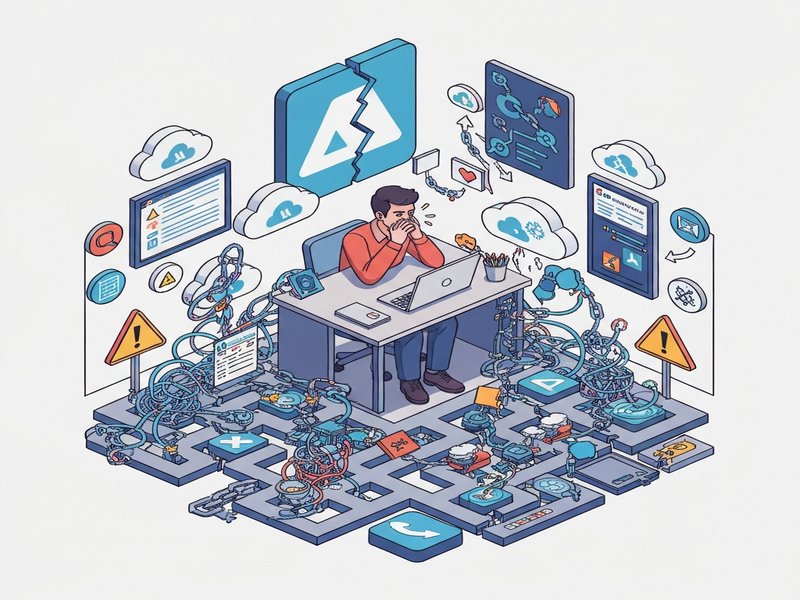
Destroying resources with Terraform is often painful because of deletion protection, hidden dependencies, and active workloads that block a clean Terraform destroy operation.
Why Terraform Resource Deletion Feels Like a Roadblock
Every DevOps engineer has faced the moment when a terraform destroy command stalls, throws cryptic errors, or simply refuses to delete a cloud asset. The frustration isn’t just about a stubborn CLI—it’s a symptom of how cloud providers safeguard critical data and how infrastructure as code (IaC) interacts with those safeguards. For a deeper dive into the original discussion, see the original analysis that sparked this conversation.
Common Challenges When Destroying Terraform Resources
1. Deletion Protection Mechanisms
Most cloud services expose a “deletion protection” flag to prevent accidental loss. AWS S3 buckets, RDS instances, and Azure storage accounts can be locked down with policies that require explicit disabling before removal. Terraform respects these settings, so a terraform destroy will halt until the protection is cleared manually or via a separate Terraform run that flips the flag.
2. Hidden Resource Dependencies
IaC graphs are only as complete as the code you write. Implicit dependencies—like a Lambda function referencing an IAM role that isn’t declared in the same module—can cause Terraform to attempt deletion out of order. The engine then reports “resource still in use” errors, forcing you to untangle the dependency chain manually.
3. Ongoing Processes and State Drift
Active workloads (e.g., a running EC2 instance processing jobs, a database with open connections, or a Kubernetes pod still serving traffic) will reject termination requests. Additionally, state drift—when the real-world configuration diverges from the Terraform state file—creates mismatches that Terraform cannot reconcile without human intervention.
Step‑by‑Step Manual Cleanup Guide
When automation hits a wall, a disciplined “ClickOps” approach can save time and prevent accidental data loss. Follow these MECE‑structured steps:
- Identify the blocker. Run
terraform plan -destroyand capture the exact error messages. Look for keywords like “protected”, “in use”, or “dependency”. - Disable deletion protection. Use the provider’s console or CLI to turn off protection. For example, in AWS you can run
aws s3api put-bucket-versioning --bucket my-bucket --versioning-configuration Status=Suspendedbefore deletion. - Resolve dependencies. Trace the resource graph with
terraform graph | dot -Tpng -o graph.png(or view it in the UBOS platform overview) and manually delete dependent resources in the correct order. - Stop active workloads. Gracefully shut down services—drain traffic from load balancers, stop background jobs, and close database connections. This often requires a quick script or a manual console action.
- Refresh state. After each manual step, run
terraform refreshto sync the state file with reality, preventing “resource not found” errors later. - Run destroy again. With protections lifted and dependencies cleared, re‑execute
terraform destroy. Verify that the plan now shows only the intended resources. - Clean up residual artifacts. Some services leave behind orphaned items (e.g., S3 object versions, EBS snapshots). Use provider‑specific cleanup tools or the AI SEO Analyzer to audit for leftovers.
When to Move From Manual to Automated Cleanup
If you find yourself repeating the above steps across environments, it’s time to embed the cleanup logic into your pipeline. Automation should be considered when:
- Frequency exceeds once per sprint. Repeated manual effort indicates a systemic issue.
- Compliance requirements demand audit trails. Automated scripts can log each action for governance.
- Multi‑environment consistency is critical. A single source of truth (your Terraform code) should drive deletions across dev, staging, and prod.
- Cost optimization is a priority. Lingering resources can accrue charges; automated teardown prevents waste.
Below are proven patterns to embed into your CI/CD workflow:
- Pre‑destroy hooks. Use
terraform destroy -target=<resource>to isolate problematic resources, then run a custom script that disables protection and drains workloads. - Idempotent cleanup modules. Create reusable Terraform modules that first set
deletion_protection = falseand then callaws_s3_bucket_objectto purge bucket contents. - Integration with observability. Leverage OpenAI ChatGPT integration to generate on‑the‑fly scripts based on error logs.
- Post‑destroy verification. Run a lightweight scan (e.g., using the AI Article Copywriter to summarize any remaining resources) to confirm a clean slate.
Leveraging UBOS for Smarter Terraform Workflows
UBOS offers a suite of tools that can streamline both the manual and automated phases of cloud resource cleanup. Here’s how you can integrate them into your DevOps toolkit:
Unified Dashboard for State Management
The UBOS homepage provides a centralized view of your Terraform state files, making drift detection a click away. Pair this with the Workflow automation studio to design custom pre‑destroy pipelines without writing code from scratch.
Template‑Driven Cleanup
Jump‑start your automation with ready‑made templates from the UBOS templates for quick start. For example, the “AI Chatbot template” can be repurposed to interactively guide engineers through the deletion steps, while the “AI SEO Analyzer” can audit leftover resources post‑destroy.
AI‑Powered Recommendations
Integrate the ChatGPT and Telegram integration to receive real‑time alerts when a destroy fails, and get AI‑generated remediation steps directly in your Slack or Teams channel.
Voice‑First Operations
For on‑call engineers, the ElevenLabs AI voice integration can read out the status of pending deletions, allowing you to act hands‑free during incident response.
Data‑Intensive Cleanups
If you’re dealing with vector stores or embeddings, the Chroma DB integration helps you purge large datasets safely before tearing down the underlying compute resources.
Best‑Practice Checklist for Terraform Destroy Operations
| Checklist Item | Why It Matters |
|---|---|
Run terraform plan -destroy first |
Shows exactly what will be removed and highlights blockers. |
| Disable deletion protection via console or script | Prevents silent failures caused by provider safeguards. |
| Check for dependent resources | Ensures proper order of deletion and avoids orphaned assets. |
| Drain active workloads | Stops runtime errors from services still processing data. |
| Refresh state after each manual step | Keeps Terraform’s view of reality in sync. |
| Automate repeatable patterns | Reduces toil and improves consistency across environments. |
Conclusion: Turn Frustration into Opportunity
Destroying resources with Terraform doesn’t have to be a dreaded “click‑and‑pray” moment. By understanding the three core challenges—deletion protection, hidden dependencies, and active workloads—you can apply a systematic, MECE‑based approach that blends manual precision with automation where it counts.
For teams looking to accelerate this journey, UBOS offers a holistic ecosystem: from the About UBOS story that emphasizes reliability, to the UBOS pricing plans that fit startups and enterprises alike. Explore the UBOS for startups or the UBOS solutions for SMBs to see how a unified platform can reduce the operational overhead of both provisioning and tearing down infrastructure.
Ready to make your Terraform destroy operations painless? Dive into the Enterprise AI platform by UBOS and start building intelligent, self‑healing pipelines today.
Have questions or want a personalized walkthrough? Contact us and let our experts help you turn Terraform pain points into productivity gains.