

- Updated: February 2, 2026
- 5 min read
Termux: Android Terminal Emulator Brings Linux to Mobile Devices
Termux is a powerful Android terminal emulator that brings a full Linux environment to your mobile device, enabling developers, sysadmins, and tech enthusiasts to code, automate, and run scripts directly on Android.
Why Termux Matters for Mobile Development
In the era of on‑the‑go computing, having a native Linux on Android means you no longer need a laptop to test shell scripts, compile code, or manage servers. Termux delivers a real command‑line experience, complete with package management, SSH, Python, Node.js, and even AI‑ready tools. For developers building mobile apps or automating workflows, this transforms a phone into a portable development workstation.
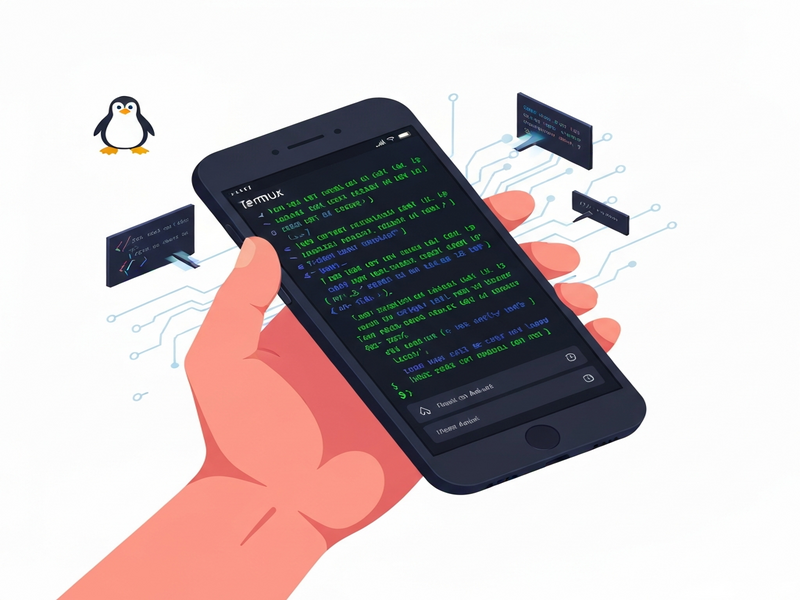
Feature Overview: What Termux Offers
- Full Linux distribution: Access to a Debian‑based environment with
aptandpkgpackage managers. - Extensible plugins: Telegram integration on UBOS, OpenAI ChatGPT integration, and more.
- Multi‑language support: Python, Ruby, Node.js, Go, Rust, and even AI frameworks like TensorFlow Lite.
- Background services: Use
Termux:Bootto run scripts at device startup. - File system access: Seamless read/write to internal storage, external SD cards, and cloud mounts.
- Secure execution: Sandboxed environment respects Android’s permission model, reducing risk of system‑wide compromise.
Recent Updates & Community Highlights (2025‑2026)
The Termux team released v0.118.3 in May 2025, introducing critical security patches and a new termux:float plugin for overlay windows. Community contributors have added over 200 new packages, including Chroma DB integration for vector search and ElevenLabs AI voice integration for speech synthesis.
On the official GitHub repository, the “issues” tab shows a surge of requests for AI‑driven tooling, prompting the maintainers to prioritize termux:api extensions that expose Android sensors directly to Python and JavaScript. The community also celebrates the UBOS partner program, which now lists several Termux‑based projects as certified partners.
Benefits of Using Termux for Mobile Development
1. True Cross‑Platform Consistency
Because Termux mirrors a Debian environment, scripts you write on a desktop will run unchanged on Android. This eliminates “it works on my machine” bugs and accelerates CI/CD pipelines that target mobile back‑ends.
2. Rapid Prototyping with AI Agents
Integrating AI marketing agents or the ChatGPT and Telegram integration lets you prototype chat‑bots, data parsers, and voice assistants directly on the device, without a cloud round‑trip.
3. Automation Anywhere
Combine Termux with the Workflow automation studio to schedule backups, scrape web data, or trigger CI jobs from your phone. The termux:tasker plugin bridges Termux with Tasker, giving you pixel‑perfect automation.
4. Cost‑Effective Development Stack
All core packages are free and open source. When paired with the UBOS pricing plans, you can spin up cloud‑backed AI services for as little as $0/month, keeping the mobile side completely offline.
Step‑by‑Step: Installing Termux and Getting Started
- Download the APK: For the most stable experience, grab the latest release from UBOS homepage or directly from the GitHub releases page. Avoid third‑party mirrors that may use unsigned keys.
- Install the app: Enable “Install unknown apps” for your browser, then open the APK. Accept the permissions; Termux will request storage access to read/write files.
- Initialize the environment: Launch Termux and run
pkg update && pkg upgradeto fetch the latest package lists. - Install essential packages:
pkg install python git curl wget vimgives you a solid base for most development tasks. - Enable plugins (optional): Install
termux-apifor sensor access,termux-widgetfor home‑screen shortcuts, andtermux:bootto run scripts on boot. - Connect to cloud services: Use
sshorgitto clone repositories, or integrate with ChatGPT and Telegram integration for remote command execution.
Once installed, you can open the Web app editor on UBOS to create a UI that talks to your Termux scripts via HTTP, turning your phone into a full‑stack development platform.
Leverage UBOS Resources to Supercharge Your Termux Projects
UBOS provides a suite of tools that complement Termux’s command‑line power:
- UBOS platform overview – a low‑code environment for deploying AI models alongside Termux scripts.
- UBOS for startups – fast‑track your MVP with pre‑built templates like AI Article Copywriter or AI SEO Analyzer.
- UBOS solutions for SMBs – integrate Termux‑based automation into existing business workflows.
- Enterprise AI platform by UBOS – scale your Termux‑driven pipelines to thousands of devices.
- UBOS templates for quick start – jump‑start projects with ready‑made Dockerfiles, CI configs, and UI components.
- UBOS portfolio examples – see real‑world case studies where Termux powers edge AI, IoT, and remote debugging.
Conclusion: Termux as the Backbone of Mobile‑First Development
Termux bridges the gap between desktop Linux and Android, giving developers a portable, secure, and extensible environment. Its recent updates, vibrant community, and seamless integration with UBOS’s AI‑centric ecosystem make it an indispensable tool for anyone building, testing, or automating on the go. Whether you’re a solo coder, a startup founder, or an enterprise sysadmin, installing Termux today unlocks a world of possibilities—right from the palm of your hand.
© 2026 UBOS Technologies. All rights reserved.