

- Updated: November 27, 2025
- 6 min read
Offline AI Knowledge Base Powered by Docker and Llama 3 Now Available
Answer: The production‑ready offline AI knowledge base built with Docker, Llama 3, ChromaDB, and Streamlit delivers a fully containerized, on‑premise Retrieval‑Augmented Generation (RAG) system that lets you query your private documents without ever sending data to the cloud.
Introduction – Why an Offline AI Knowledge Base Matters
Enterprises and developers are increasingly demanding AI solutions that keep sensitive data behind the firewall. The GitHub repository for the Local AI Knowledge Base answers that call by providing a production‑ready, 100 % offline RAG stack. Built on Docker, Meta’s Llama 3, ChromaDB, and Streamlit, this solution lets you ingest PDFs, Markdown, or plain‑text files, generate embeddings locally, and chat with your knowledge base in real time—no API keys, no monthly fees, and zero data leakage.
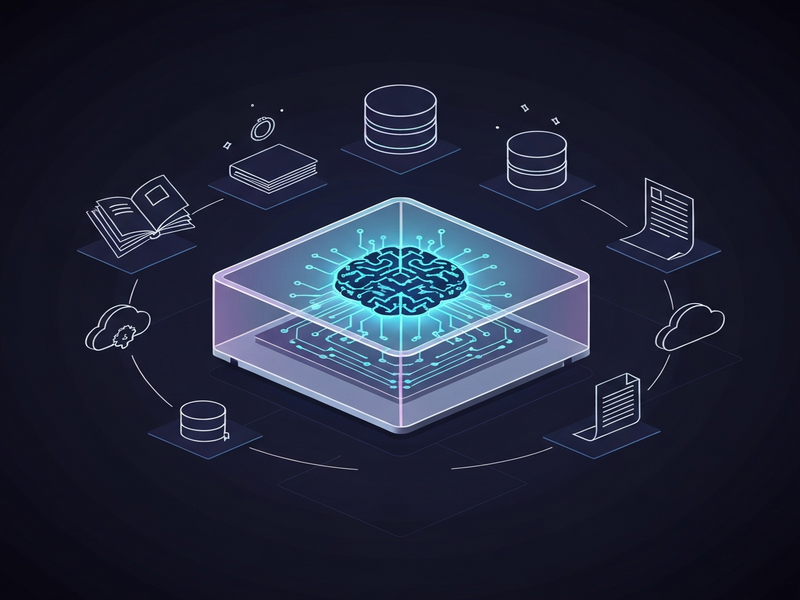
Solution Overview – Core Technologies in Harmony
Docker – The Deployment Engine
Docker isolates every component—LLM inference, embedding service, vector store, and UI—into its own container. With a single docker‑compose up -d command you spin up a reproducible environment that works on Windows (WSL2), macOS, or any Linux distro. This eliminates “dependency hell” and guarantees that the same binary versions run in development, staging, and production.
Llama 3 (via Ollama) – Local Large Language Model
Ollama serves the Meta Llama 3 8B model directly on your machine, leveraging CUDA when an NVIDIA GPU is present. Because the model never leaves the host, inference latency drops dramatically and you retain full control over model updates and prompts.
ChromaDB – Persistent Vector Store
ChromaDB stores the high‑dimensional embeddings generated from your documents. It offers fast similarity search, automatic persistence to disk, and a simple Python API that integrates seamlessly with the Streamlit backend.
Streamlit – Interactive Front‑End
Streamlit provides a clean, web‑based chat interface that feels like a modern AI assistant. Users can upload files, ask questions, and view retrieved passages—all without leaving the browser. The UI is fully customizable, making it easy to brand the experience for internal teams.
Key Features and Benefits
- 100 % Privacy: All data, embeddings, and model inference stay on your hardware. No external API calls.
- GPU Acceleration: Native CUDA support for Llama 3 speeds up response times from minutes to seconds.
- Smart Document Ingestion: Automatic parsing, chunking, and vectorization of PDFs, TXT, and Markdown files.
- Context‑Aware Chat: The system retains conversation history and retrieves the most relevant passages from the vector store.
- One‑Click Deployment: Docker Compose bundles everything; a single command launches the full stack.
- Scalable Architecture: Add more containers (e.g., additional LLMs or replica databases) without rewriting code.
- Cost‑Effective: No recurring cloud fees; you only pay for the hardware you already own.
Technical Requirements and Step‑by‑Step Setup
Hardware Recommendations
| Component | Minimum Spec | Recommended |
|---|---|---|
| OS | Linux (Ubuntu 20.04+) or Windows 10/11 (WSL2) | Ubuntu 22.04 LTS or Windows 11 with WSL2 |
| RAM | 8 GB | 16 GB + |
| GPU | N/A (CPU‑only works, slower) | NVIDIA RTX 3060 (8 GB VRAM) or better |
| Disk | 20 GB free | SSD with 100 GB free for vector store growth |
Installation Steps
- Install Docker Engine: Follow the official Docker docs for your OS.
- Clone the Repository:
git clone https://github.com/PhilYeh1212/Local-AI-Knowledge-Base-Docker-Llama3.git - Navigate & Build:
cd Local-AI-Knowledge-Base-Docker-Llama3 && docker-compose build - Start the Stack:
docker-compose up -d. All services (Ollama, ChromaDB, Streamlit) will be up in seconds. - Upload Documents: Open
http://localhost:8501in a browser, drag‑and‑drop your PDFs or .txt files. - Ask Questions: Type natural‑language queries; the system retrieves relevant chunks and generates answers using Llama 3.
Customization Hooks
Because each component is containerized, you can swap the embedding model, replace ChromaDB with another vector store, or even mount a different LLM image. The docker‑compose.yml file is fully commented for quick edits.
Use Cases and Potential Impact
- Enterprise Knowledge Management: Securely index internal manuals, compliance documents, and code repositories for instant retrieval.
- R&D Labs: Researchers can query experimental logs and scientific papers without exposing proprietary data.
- Customer Support Teams: Build a private FAQ bot that draws from product guides and support tickets.
- Regulated Industries: Finance, healthcare, and legal firms meet data‑sovereignty requirements while still leveraging LLM power.
- Start‑up Prototyping: Quickly spin up a local AI assistant for internal demos, saving months of cloud‑cost budgeting.
Call to Action – Extend Your AI Stack with UBOS
If you’re ready to accelerate AI adoption beyond a single knowledge base, explore the broader UBOS ecosystem:
- Visit the UBOS homepage to learn how the platform unifies AI services.
- Get a high‑level view of the UBOS platform overview and see where a local knowledge base fits.
- Leverage AI marketing agents to auto‑generate content from your newly indexed data.
- Join the UBOS partner program for co‑selling and technical support.
- Check the UBOS pricing plans for flexible, usage‑based licensing.
- Kick‑start new projects with UBOS templates for quick start, including RAG‑ready templates.
- Automate workflows with the Workflow automation studio to trigger document ingestion pipelines.
- Build custom front‑ends using the Web app editor on UBOS, perfect for branding your internal chatbot.
- Scale to enterprise scale with the Enterprise AI platform by UBOS, which adds monitoring, RBAC, and multi‑tenant support.
- Startups can benefit from UBOS for startups – a low‑cost entry point with generous compute credits.
- SMBs looking for a turnkey solution should explore UBOS solutions for SMBs.
- Finally, see the AI knowledge base offering that bundles ChromaDB, Llama 3, and Streamlit into a managed service.
Conclusion – Your Path to Private, Production‑Ready AI
By combining Docker, Llama 3, ChromaDB, and Streamlit, the open‑source Local AI Knowledge Base delivers a battle‑tested, offline RAG architecture that meets the strictest data‑privacy standards while remaining easy to deploy. Whether you are a DevOps engineer looking to containerize AI workloads, a startup seeking rapid prototyping, or an enterprise needing on‑premise compliance, this stack provides a solid foundation that can be extended with UBOS’s broader AI services.
Take the first step today: clone the repository, spin up the containers, and experience a truly private AI assistant. When you’re ready to scale, UBOS offers a suite of complementary tools to turn your local knowledge base into a full‑fledged AI‑driven knowledge platform.