

- Updated: March 29, 2026
- 6 min read
Google Agent vs Googlebot: Understanding the Technical Boundary Between AI‑Driven Access and Search Crawling
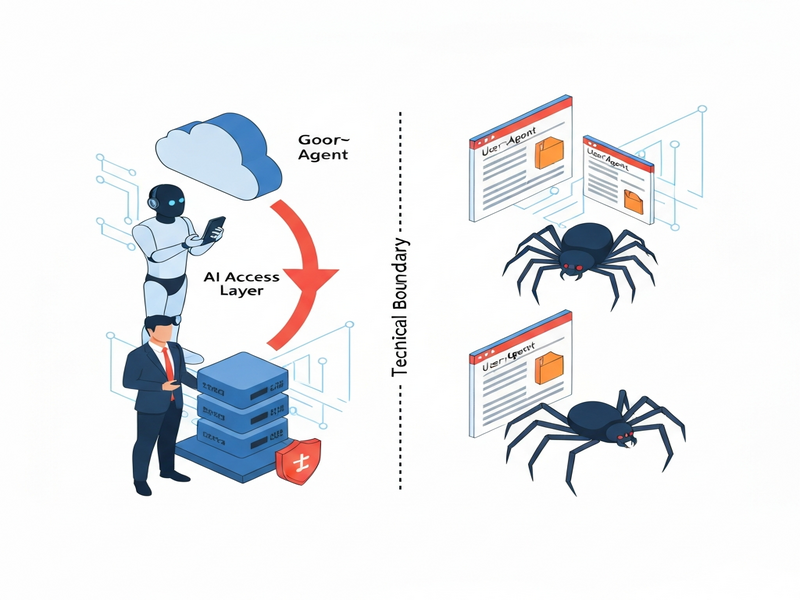
Google Agent is a user‑triggered fetcher that retrieves web content on behalf of Google’s AI products, while Googlebot remains the autonomous crawler that indexes the web for search.
Google Agent vs. Googlebot: Why the Distinction Matters in 2024
In the past year Google has rolled out a series of AI‑driven features—Gemini, Bard, and the new Search Generative Experience (SGE). Behind the scenes a new user‑agent appears in server logs: Google‑Agent. For SEO specialists, developers, and AI enthusiasts this is more than a naming quirk; it signals a shift from the classic, schedule‑driven crawling model to a real‑time, user‑prompted fetching model. Understanding the technical boundary between Google Agent and Googlebot is essential for protecting your site’s visibility, managing load, and complying with emerging best practices.
This article breaks down the two agents, highlights the practical implications for SEO, web indexing, and AI access, and cites the latest official statements from Google. Along the way we’ll weave in relevant resources from the UBOS homepage and other parts of the UBOS ecosystem that can help you automate compliance and monitoring.
What Is Google Agent?
Google Agent is a user‑triggered fetcher that Google’s AI products (Gemini, Bard, and the upcoming Gemini‑Assist) use to pull a specific URL when a user asks a question that requires up‑to‑date web content. Unlike Googlebot, which crawls pages on a schedule determined by crawl budget and ranking signals, Google Agent fires only when a human initiates a request.
The agent identifies itself with a distinct User‑Agent string, for example:
Mozilla/5.0 (Linux; Android 6.0.1; Nexus 5X Build/MMB29P) AppleWebKit/537.36 (KHTML, like Gecko) Chrome/124.0.0.0 Mobile Safari/537.36 (compatible; Google-Agent)
Because the request is considered a “proxy” for a real user, Google Agent does not obey robots.txt directives. This behavior is documented in Google’s developer guides and is a core reason why the agent can surface fresh content in AI‑generated answers even when a site blocks traditional crawlers.
For developers who need to differentiate traffic, Google publishes the IP ranges used by its AI fetchers in a JSON file that can be imported into firewalls or log‑analysis pipelines. Treating Google Agent as a legitimate user request—rather than a generic bot—prevents accidental blocking of AI‑driven traffic.
How Google Agent Differs From Googlebot
The table below summarizes the core technical differences:
| Aspect | Googlebot (Crawler) | Google Agent (Fetcher) |
|---|---|---|
| Trigger | Scheduled, algorithm‑driven | User‑prompted in real time |
| Purpose | Build and refresh the search index | Fetch content for AI answer generation |
| Robots.txt | Strictly obeys | Ignored (acts as a browser) |
| IP Range | Stable Google data‑center blocks | Dynamic, published via JSON |
| Rate‑limiting impact | Managed via crawl budget | Bursty, mirrors user traffic spikes |
In short, Googlebot is the “search engine’s eyes,” while Google Agent is the “search engine’s ears” listening to a user’s request. This distinction reshapes how you should think about web indexing versus AI access.
Technical Implications for SEO and Developers
The emergence of Google Agent introduces several new considerations:
- Robots.txt is no longer a shield for AI‑driven fetches. Sensitive data must be protected with authentication, token checks, or IP‑based allowlists.
- Load spikes can be unpredictable. Because fetches align with user queries, a viral piece of content may trigger a sudden surge of Google‑Agent requests, stressing origin servers.
- Crawl budget remains relevant for Googlebot, but you now need a separate “AI fetch budget” strategy—monitoring request rates and setting appropriate
429 Too Many Requestsresponses when necessary. - Structured data still matters. While Google Agent bypasses robots.txt, it still parses
JSON‑LD,Microdata, andOpenGraphtags to generate concise answers. Keep your schema up‑to‑date. - Log analysis must differentiate agents. Use the unique User‑Agent string or the published IP ranges to separate Googlebot traffic from Google Agent traffic in analytics dashboards.
Practical steps you can take today:
- Update your
.htaccessor server config to allow authenticated access for Google Agent while still blocking unauthenticated scrapers. - Integrate the Workflow automation studio to automatically flag spikes in Google‑Agent traffic and trigger alerts.
- Leverage the Web app editor on UBOS to create a lightweight dashboard that visualizes fetcher vs. crawler requests in real time.
- Consider using the UBOS templates for quick start to spin up a “Google Agent monitor” micro‑service in minutes.
For SaaS platforms and e‑commerce sites, the Enterprise AI platform by UBOS offers built‑in rate‑limiting policies that can be tuned per‑endpoint, ensuring that AI fetches never overwhelm critical APIs.
Official Statements From Google
Google’s documentation on the Google‑Agent (accessed September 2024) clarifies three key points:
“Google‑Agent is a proxy for a real user. It does not respect
robots.txtbecause the request originates from a user‑initiated action, not from an autonomous crawler.”
“All Google‑Agent requests are logged with a distinct User‑Agent header and can be identified via the published IP ranges.”
“Developers should treat Google‑Agent as a standard browser request and apply the same security and privacy controls they would for any human visitor.”
These statements reinforce the earlier technical analysis: the agent is a user‑triggered fetcher, not a crawler, and therefore requires a different compliance approach.
Future Outlook: What’s Next for Google Agent?
Google’s roadmap suggests that Agent‑based fetching will become more granular. Anticipated developments include:
- Per‑query throttling. Google may expose a quota API allowing site owners to set limits on how many Agent fetches can be served per minute.
- Context‑aware caching. To reduce latency, Google Agent could request cached snapshots of pages that have been pre‑rendered for AI consumption.
- Enhanced privacy controls. Future releases may let publishers opt‑out of Agent fetches for certain content types while still allowing Googlebot indexing.
Preparing now positions your site to benefit from these features. For example, the UBOS AI news feed already highlights emerging best practices, and the UBOS partner program offers early‑access to beta tools that can automate compliance with upcoming Agent policies.
Conclusion
Google Agent and Googlebot serve complementary but distinct roles in Google’s ecosystem. While Googlebot continues to build the backbone of the search index, Google Agent bridges the gap between a user’s query and the freshest web content, bypassing traditional robots.txt rules. For SEO professionals and developers, the shift means re‑thinking protection strategies, monitoring traffic patterns, and leveraging automation platforms—such as the UBOS pricing plans that scale with your traffic needs.
By treating Google Agent as a legitimate, user‑driven request, you can maintain site performance, safeguard sensitive data, and stay ahead of the AI‑driven search future. Keep an eye on Google’s official blog for updates, and consider integrating UBOS solutions like the AI marketing agents to automate content generation that aligns with both crawler and fetcher expectations.
Stay informed, stay compliant, and let your site thrive in the era of AI‑augmented search.
Andrii Bidochko
CTO UBOS
Andrii Bidochko is an AI entrepreneur and researcher focused on AI agents, reinforcement learning, and autonomous systems. He writes about the technologies shaping the future of machine intelligence, from frontier models and agent architectures to real-world AI applications.