

- Updated: February 22, 2026
- 6 min read
FreeBSD 15 Introduces New Network Bridges with Native VLAN Support
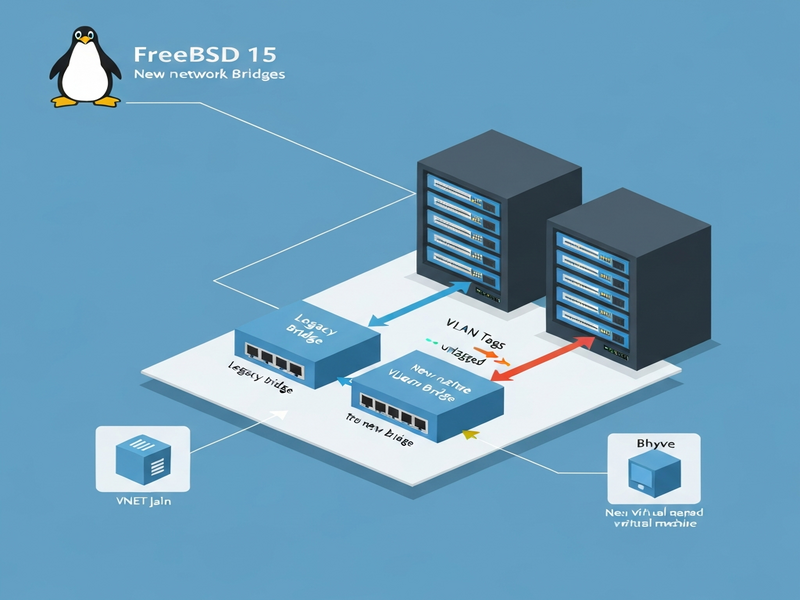
Answer: FreeBSD 15 introduces a brand‑new network bridge implementation with native VLAN support, allowing a single bridge to handle multiple tagged and untagged VLANs, simplifying configuration and delivering higher throughput compared with the legacy bridge design.
Why FreeBSD 15’s Bridge Upgrade Matters to Sysadmins
System administrators and network engineers have long wrestled with the cumbersome bridge + VLAN setups that FreeBSD required before version 15. The new bridge code not only removes the need for per‑VLAN bridge instances but also aligns the OS’s behavior with that of a hardware switch, making it a natural fit for modern data‑center and edge deployments.
If you’re already exploring automation platforms, you might wonder how this ties into broader orchestration. The UBOS homepage showcases a unified AI‑driven environment where network changes can be scripted, version‑controlled, and rolled out across fleets with a single click.
FreeBSD 15’s New Bridge Implementation & Native VLAN Support
The core of the upgrade lives in the net.link.bridge subsystem. Key highlights include:
- Native VLAN filtering: Use the
vlanfilterflag on a bridge to declare which VLAN IDs are allowed on each member interface. - Single‑bridge design: One bridge can host dozens of VLANs, eliminating the “bridge per VLAN” pattern.
- Layer‑3 address deprecation: Member interfaces can no longer hold IP addresses, mirroring real‑world switch ports. The
net.link.bridge.member_ifaddrssysctl will disappear in FreeBSD 16. - Performance gains: Packet processing is now O(1) per packet, regardless of the number of members, which is a noticeable improvement for 10 GbE environments.
The new bridge also integrates seamlessly with the UBOS platform overview, where you can define bridge resources as part of a declarative YAML manifest and let the platform provision them automatically.
Legacy Bridge vs. FreeBSD 15 Bridge: A Side‑by‑Side Comparison
| Feature | Pre‑15 (Legacy) | FreeBSD 15 (New) |
|---|---|---|
| VLAN handling | Separate bridge per VLAN | Single bridge with vlanfilter |
| Member IP address | Allowed (layer‑3) | Deprecated (layer‑2 only) |
| Configuration complexity | High – many rc.conf entries | Low – one line per interface |
| Scalability | Degrades with >10 members | Linear performance, even at 10 GbE |
For teams already using Workflow automation studio, the new bridge model means fewer steps in your automation pipelines, reducing the chance of human error.
Practical Example: VNET Jail Networking with the New Bridge
VNET jails benefit the most from the simplified bridge. Below is a ready‑to‑use shell script that creates an epair device, attaches it to bridge0, and assigns an untagged VLAN. The script respects the new -vlanhwfilter requirement.
# /usr/local/sbin/vnet_bridge.sh
#!/bin/sh
set -eu

JAIL_NAME=$1
BRIDGE=$2
VLAN_ID=$3

# Create epair with hardware VLAN filter enabled
EP=$(ifconfig -D epair create -vlanhwfilter up)
EP_NUM=$(echo ${EP##epair} | tr -d 'a')
# Rename for readability
ifconfig epair${EP_NUM}a name e0a_${JAIL_NAME}
ifconfig epair${EP_NUM}b name e0b_${JAIL_NAME}

# Attach the 'a' side to the bridge with VLAN tagging
ifconfig ${BRIDGE} addm e0a_${JAIL_NAME} tagged ${VLAN_ID}
# Disable IPv6 on the member (layer‑3 not allowed)
ifconfig e0a_${JAIL_NAME} inet6 ifdisabled -auto_linklocal -accept_rtadv no_radr
Use the script in jail.conf like this:
webapp {
    exec.prestart += "/usr/local/sbin/vnet_bridge.sh ${name} bridge0 20";
    vnet;
    vnet.interface = "e0b_${name}";
}
The approach eliminates the need for the old jib helper script and works out‑of‑the‑box with the UBOS templates for quick start, letting you spin up a fully‑networked jail in seconds.
bhyve Virtual Machines: Bridging Strategies in FreeBSD 15
While VNET jails have a clean path, bhyve VMs still require a bit of manual wiring because the current vm-bhyve tooling does not yet expose the new vlanfilter flag. The recommended workflow is:
- Create tap interfaces for each VM ahead of time.
- Attach each tap to
bridge0with the appropriate VLAN tag. - Reference the tap device in the VM’s
vm-bhyveconfig.
Example /etc/rc.local snippet:
# Create tap for VM “db01” on VLAN 30
ifconfig tap200 create up
ifconfig bridge0 addm tap200 tagged 30
And the corresponding vm-bhyve entry:
loader="grub"
cpu="2"
memory="4G"
network0_type="virtio-net"
network0_switch="bridge0"
network0_device="tap200"
network0_mac="52:54:00:12:34:56"
For teams that want to automate this process, the UBOS partner program offers pre‑built modules that generate tap devices and bridge rules from a single JSON definition.
Extending FreeBSD Networking with AI‑Driven Tools
The networking improvements are a perfect canvas for AI‑assisted operations. Below are a few UBOS‑hosted AI services you can layer on top of your FreeBSD bridge:
- AI SEO Analyzer – automatically audits your public‑facing services for search‑engine friendliness.
- AI Article Copywriter – generates documentation for new network policies.
- AI Image Generator – creates network diagrams on demand.
- AI Video Generator – produces quick walkthrough videos for onboarding engineers.
If you need conversational interfaces for your infrastructure, consider the ChatGPT and Telegram integration or the OpenAI ChatGPT integration. These bots can query the bridge status, push configuration changes, or alert you when a VLAN goes down—all from a secure chat channel.
For voice‑first environments, the ElevenLabs AI voice integration can read out network health metrics, while the Chroma DB integration stores historical bridge statistics for fast similarity searches.
Next Steps for Your FreeBSD Infrastructure
The new bridge implementation is production‑ready in FreeBSD 15‑RELEASE. To get started:
- Upgrade your nodes to FreeBSD 15 or install a fresh instance.
- Define a single
bridge0with the requiredvlanfilterflags. - Leverage the Web app editor on UBOS to version‑control your
rc.confand jail definitions. - Integrate AI assistants (ChatGPT, Telegram, voice) for ongoing monitoring.
- Review the original FreeBSD 15 bridge announcement for deeper technical details.
Need a hands‑off solution? Explore the UBOS pricing plans and pick a tier that includes managed networking. For startups, the UBOS for startups bundle offers a free tier with unlimited bridge configurations. SMBs can benefit from the UBOS solutions for SMBs, while enterprises may consider the Enterprise AI platform by UBOS for full‑scale automation.
Finally, browse the UBOS portfolio examples to see how other organizations have modernized their network stacks with the same technology.
Stay ahead of the curve—upgrade to FreeBSD 15, simplify your VLAN topology, and let AI do the heavy lifting.
Andrii Bidochko
CTO UBOS
Andrii Bidochko is an AI entrepreneur and researcher focused on AI agents, reinforcement learning, and autonomous systems. He writes about the technologies shaping the future of machine intelligence, from frontier models and agent architectures to real-world AI applications.