

- Updated: February 25, 2026
- 6 min read
Django Control Room – Open‑Source Admin Tools for Django
Django Control Room is a centralized, plug‑in‑driven dashboard that brings all of your Django admin panels into one modern interface, letting developers monitor Redis, Celery, cache, URLs and more without leaving the admin site.
Django Control Room: The New Hub for Django Admin Tools
Since its debut on GitHub, Django Control Room has quickly become the go‑to open‑source solution for developers who need a single pane of glass over their Django projects. In this article we break down what the project offers, why it matters for DevOps and SaaS teams, and how you can get started in minutes.
What Is Django Control Room?
Django Control Room is an extensible Django app that sits alongside django.contrib.admin. It aggregates “admin panels”—self‑contained modules that expose diagnostics, metrics, or management UI—into a unified dashboard. Think of it as the “Control Center” for your Django ecosystem, similar to how a car’s infotainment system consolidates navigation, media, and vehicle health.
Core Idea
- Centralization: No more hopping between
/admin/pages; all panels appear under a single “Control Room” menu. - Plug‑in Architecture: Panels are discovered via Python entry‑points, making third‑party extensions as easy to install as any PyPI package.
- Security First: Only staff or super‑users can access the dashboard, and each panel is cryptographically verified to prevent hijacking.
Key Features
The project ships with a set of official panels that cover the most common operational concerns for Django applications.
Central Dashboard
The dashboard provides a clean, responsive UI built with Tailwind CSS. It supports dark mode out of the box, making it pleasant for night‑time debugging sessions.
Official Panels
- Redis Panel: Inspect connections, view key statistics, and monitor memory usage.
- Cache Panel: Browse cache backends, see hit/miss ratios, and purge entries on demand.
- URL Panel: Browse URL patterns, test resolvers, and validate routing logic.
- Celery Panel: Track worker status, pending tasks, and task execution times.
- Signals Panel (coming soon): Debug Django signal flow in real time.
Plugin System
Developers can publish their own panels using the dj_control_room.panels entry‑point. A cookiecutter template (cookiecutter-dj-control-room-plugin) scaffolds a ready‑to‑publish package, complete with tests and Docker support.
Secure Package Verification
Every official panel is signed and verified at install time, preventing malicious code from masquerading as a legitimate panel.
Installation & Quick‑Start
Getting Django Control Room up and running takes under five minutes for most projects.
# Install the core package
pip install dj-control-room

# Install with all official panels
pip install "dj-control-room[all]"
Step‑by‑Step Guide
- Add
'dj_control_room'and any panel apps toINSTALLED_APPSinsettings.py. - Include each panel’s URLs and the Control Room URL in your project’s
urls.py. - Run migrations:
python manage.py migrate. - Start the development server and navigate to
/admin/dj-control-room/.
For a visual walkthrough, see the Django tutorial on UBOS, which demonstrates the same installation pattern for a different UBOS‑powered app.
Security & Configuration Highlights
Security is baked into every layer of Django Control Room.
- Staff‑Only Access: The dashboard respects
is_staffandis_superuserflags, ensuring only authorized personnel can view sensitive metrics. - Panel Registration Controls: Use
DJ_CONTROL_ROOM_SETTINGSto hide panels from the main admin sidebar or to expose them only within the Control Room. - Package Verification: Official panels are signed; any tampering triggers a warning at import time.
Example configuration snippet:
DJ_CONTROL_ROOM_SETTINGS = {
    "REGISTER_PANELS_IN_ADMIN": False,
    "PANEL_ADMIN_REGISTRATION": {
        "dj_redis_panel": True,
        "dj_cache_panel": False,
    },
}
Community Reception
Since its launch, Django Control Room has attracted attention on Hacker News, where developers praised its “plug‑and‑play” nature and the clarity of its UI. The repository now boasts over 150 stars and a growing list of contributors, indicating strong open‑source momentum.
Beyond the core community, the project aligns with broader trends in the Django ecosystem, such as the rise of Enterprise AI platforms that require robust observability. By providing a ready‑made monitoring layer, Control Room reduces the operational overhead for teams building AI‑driven SaaS products.
Visual Showcase
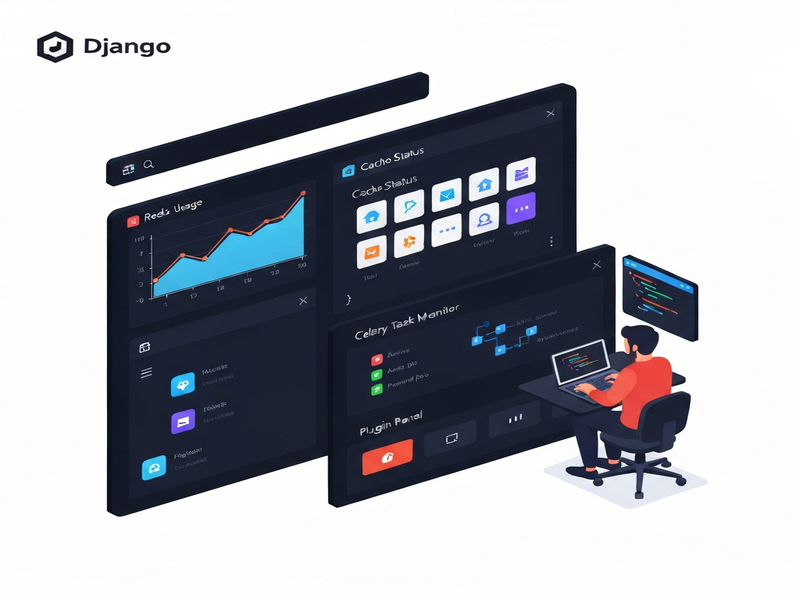
The screenshot above (hosted on UBOS) illustrates the dark‑mode dashboard with panels for Redis, Cache, URLs, and Celery neatly arranged in a side navigation bar.
External Resources
The official source code, documentation, and issue tracker live on GitHub. You can clone the repository, file bugs, or submit pull requests directly:
Further Reading on UBOS
UBOS offers a suite of complementary tools that can extend the value of Django Control Room in real‑world projects:
- Telegram integration on UBOS – receive real‑time alerts from your Django panels straight to a Telegram bot.
- ChatGPT and Telegram integration – turn panel data into conversational insights.
- OpenAI ChatGPT integration – automate routine admin tasks with natural language commands.
- Chroma DB integration – store vector embeddings generated from your Django logs for fast similarity search.
- ElevenLabs AI voice integration – add spoken alerts for critical Redis memory spikes.
- UBOS platform overview – learn how UBOS orchestrates AI agents, workflow automation, and low‑code app building.
- Workflow automation studio – create automated pipelines that react to events captured by Control Room panels.
- UBOS templates for quick start – bootstrap a new Django project with pre‑configured Control Room and monitoring panels.
- UBOS pricing plans – explore hosted options if you prefer a managed environment for your dashboards.
Use Cases for Developers & DevOps Engineers
Below are three concrete scenarios where Django Control Room shines:
1. Real‑Time Cache Debugging
When a high‑traffic SaaS product experiences cache‑miss spikes, the Cache Panel instantly reveals hit ratios and lets you purge stale keys without leaving the admin UI.
2. Celery Task Bottleneck Identification
Long‑running background jobs can be visualized in the Celery Panel, where you can filter by queue, inspect task arguments, and even retry failed jobs directly.
3. Secure Multi‑Tenant Monitoring
For platforms serving multiple customers, the Redis Panel can be scoped per tenant, allowing you to enforce quota limits and detect abusive patterns before they affect other users.
Conclusion & Call‑to‑Action
In a landscape where Django applications power everything from internal tools to AI‑driven SaaS platforms, having a single, secure, and extensible dashboard is no longer a luxury—it’s a necessity. Django Control Room delivers that capability out of the box, while its plug‑in architecture ensures you can grow the tool alongside your product.
If you’re ready to streamline your Django operations, visit the UBOS homepage to explore complementary services, or jump straight to the GitHub repository and start installing today.
© 2026 UBOS Technologies. All rights reserved.
Andrii Bidochko
CTO UBOS
Andrii Bidochko is an AI entrepreneur and researcher focused on AI agents, reinforcement learning, and autonomous systems. He writes about the technologies shaping the future of machine intelligence, from frontier models and agent architectures to real-world AI applications.