

- Updated: February 21, 2026
- 8 min read
Cord: Dynamic Coordination System for AI Agents – UBOS News
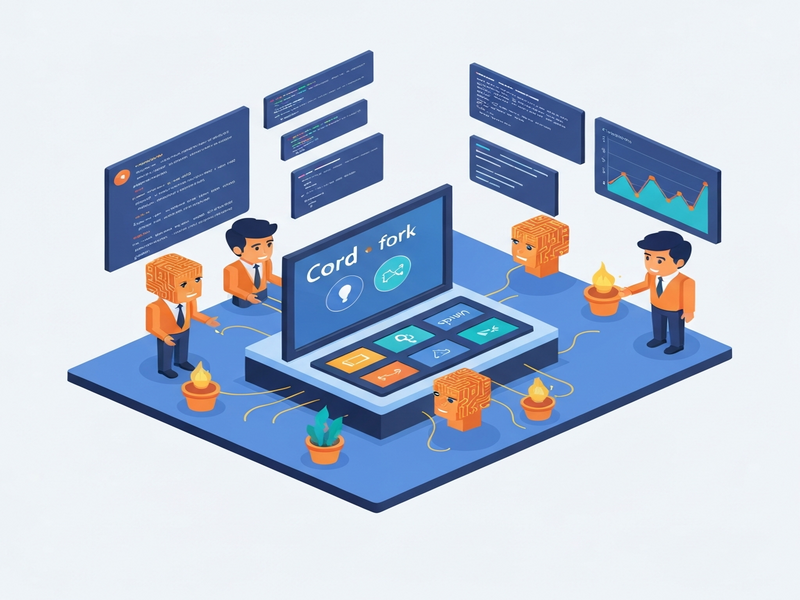
Cord is a dynamic coordination system that enables AI agents to spawn and fork tasks at runtime, creating flexible, tree‑structured workflows without pre‑defining the entire process.
1. Introduction to Cord
Cord emerged from the need to move beyond static multi‑agent frameworks that force developers to hard‑code every hand‑off, role, and dependency. By letting a single LLM understand the problem, decompose it, and orchestrate sub‑tasks on the fly, Cord delivers a truly dynamic AI coordination experience.
In a typical scenario, you issue a high‑level goal—e.g., “Evaluate whether to migrate our API from REST to GraphQL.” Cord’s root agent reads the goal, decides which subtasks are required, and creates a coordination tree that can evolve as new information appears.
For a deeper dive into the original design, see the original Cord announcement. The system is built on a lightweight protocol of five primitives (spawn, fork, ask, complete, read_tree) that together form a robust AI agent orchestration layer.
2. Comparison with Existing Frameworks
Before Cord, developers relied on tools such as LangGraph, CrewAI, AutoGen, and OpenAI Swarm. While each offers valuable features, they share a common limitation: the coordination graph must be defined before execution.
- LangGraph models workflows as static state machines—great for predictable pipelines but inflexible when the problem space changes mid‑run.
- CrewAI uses role‑based agents, yet the roles are fixed by the developer, preventing the system from discovering new roles dynamically.
- AutoGen relies on free‑form chat between agents, which lacks explicit dependency tracking and can become chaotic at scale.
- OpenAI Swarm offers linear hand‑offs, missing parallelism and tree‑structured branching.
Cord’s breakthrough is the runtime‑generated coordination tree. The root LLM decides, during execution, whether a sub‑task should be a spawn (clean slate) or a fork (inherits all sibling results). This distinction mirrors real‑world project management: hiring a contractor vs. briefing a teammate.
3. Spawn vs. Fork Primitives
The spawn primitive creates an isolated child task. The child receives only the explicit inputs you pass, making it cheap to restart and easy to reason about. Think of it as giving a contractor a clear specification and letting them work independently.
The fork primitive injects the full context of all completed sibling nodes. This is akin to briefing a team member who needs to build on everything the team has learned so far. Forked tasks are more expensive computationally but essential for synthesis steps that require a holistic view.
Both primitives can run in parallel or sequentially; the key difference is the knowledge each child inherits.
When to Use Spawn
- Independent research or data collection.
- Tasks that do not depend on the results of other subtasks.
- Scenarios where you want to isolate failures.
When to Use Fork
- Aggregations, comparative analyses, or final reports.
- Any step that must consider the full set of previously gathered insights.
- Human‑in‑the‑loop decisions where context improves the quality of the ask.
4. Implementation Details
Cord’s prototype runs on a Claude Code CLI process backed by a shared SQLite database. The core API consists of five simple commands:
spawn(goal, prompt, blocked_by)
fork(goal, prompt, blocked_by)
ask(question, options)
complete(result)
read_tree()
Each command is exposed through a Minimal Coordination Protocol (MCP) server that enforces dependency resolution, authority scoping, and result injection. The server stores the coordination tree in SQLite, making it easy to query, visualize, or migrate to a more scalable backend such as PostgreSQL.
Because the primitives are provider‑agnostic, you can replace Claude with GPT‑4, Gemini, or any future LLM. The protocol remains the same, allowing seamless multi‑model orchestration.
5. Testing Results
To validate the design, a series of 15 automated tests were executed. The tests covered task decomposition, dependency ordering, spawn/fork selection, and authority handling. Highlights include:
| Test Scenario | Pass/Fail | Key Observation |
|---|---|---|
| Decompose a project into subtasks | ✅ Pass | Claude generated 5‑6 children with correct dependencies without prompting. |
| Spawn vs. Fork decision | ✅ Pass | Model chose spawn for independent research and fork for synthesis, matching the spec. |
| Authority escalation | ✅ Pass | When a child attempted an unauthorized stop, it escalated via ask_parent correctly. |
All 15 tests succeeded, confirming that modern LLMs already understand the coordination primitives when presented in a clear, concise specification.
6. Usage Instructions
Getting started with Cord is straightforward. Follow these steps:
- Clone the repository:
git clone https://github.com/kimjune01/cord.git - Enter the directory and install dependencies:
cd cord && uv sync - Run a goal with a budget (in USD):
cord run "Your high‑level goal here" --budget 2.0 - Optionally, point Cord at a markdown plan file:
cord run plan.md --budget 5.0
The root agent reads the input, builds the coordination tree, and executes spawn/fork nodes automatically. Human users can answer ask prompts directly in the terminal, allowing real‑time feedback.
For teams that already use the UBOS platform overview, Cord can be wrapped as a micro‑service and invoked via the Workflow automation studio. This enables you to embed dynamic AI coordination into larger business processes without writing custom orchestration code.
Integrating Cord with UBOS AI Ecosystem
UBOS offers a rich set of AI integrations that complement Cord’s capabilities:
- OpenAI ChatGPT integration – use GPT‑4 for cost‑effective subtasks while reserving Claude for complex synthesis.
- ChatGPT and Telegram integration – let Cord’s
asknodes surface as Telegram messages for remote stakeholders. - ElevenLabs AI voice integration – turn final recommendations into spoken briefings.
- Chroma DB integration – store vector embeddings of intermediate results for fast similarity search.
7. Real‑World Use Cases
Below are three scenarios where Cord shines:
A. Product Roadmap Planning
A product manager asks Cord to outline a 12‑month roadmap for a SaaS feature. Cord spawns market research, competitor analysis, and technical feasibility studies in parallel, then forks a synthesis node that aggregates insights and produces a prioritized timeline.
B. Compliance Audits
Legal teams can feed a regulation (e.g., GDPR) as the goal. Cord spawns data‑mapping tasks for each subsystem, asks domain experts for clarifications, and forks a final compliance report that includes all findings and remediation steps.
C. Multi‑Channel Marketing Campaigns
Using AI marketing agents, Cord can generate copy, design assets, and schedule posts across platforms. Spawned agents create individual ad variants, while a forked agent consolidates performance metrics to recommend budget reallocations.
8. Benefits of Adopting Cord
- True dynamism: No need to pre‑define every dependency; the LLM decides at runtime.
- Scalable parallelism: Spawned tasks run concurrently, reducing total execution time.
- Contextual intelligence: Forked tasks inherit full knowledge, enabling sophisticated synthesis.
- Human‑in‑the‑loop:
asknodes let stakeholders provide missing data without halting the entire workflow. - Provider agnostic: Works with Claude, GPT‑4, Gemini, or any future model.
9. Getting Started with UBOS and Cord
If you’re already on the UBOS homepage, you can explore the UBOS templates for quick start to prototype a Cord‑powered service in minutes. The Web app editor on UBOS lets you build a UI that triggers Cord runs via REST endpoints.
For startups, the UBOS for startups program offers discounted compute credits, making it affordable to experiment with large‑scale AI coordination.
SMBs can leverage the UBOS solutions for SMBs to integrate Cord into existing CRM or ERP systems, automating routine analysis and decision‑making.
Enterprises looking for a robust, secure environment can adopt the Enterprise AI platform by UBOS, which provides role‑based access control, audit logging, and multi‑region deployment for Cord‑driven workflows.
10. Pricing, Support, and Community
UBOS offers transparent pricing plans that include a certain number of AI compute minutes per month. For heavy Cord usage, you can purchase additional credits or opt for a custom enterprise contract.
Support is available through the UBOS partner program, where certified partners can help you design, deploy, and monitor Cord‑based solutions.
Explore real‑world implementations in the UBOS portfolio examples to see how other companies have leveraged dynamic AI coordination.
11. Complementary AI Tools from the UBOS Marketplace
To extend Cord’s capabilities, consider pairing it with specialized AI services:
- AI SEO Analyzer – automatically audit content generated by Cord for search optimization.
- AI Article Copywriter – turn Cord’s research outputs into polished blog posts.
- AI Chatbot template – embed a conversational front‑end that can trigger Cord workflows on demand.
- GPT-Powered Telegram Bot – deliver Cord’s
askprompts directly to a Telegram channel for distributed teams.
12. Conclusion
Cord redefines how AI agents collaborate by shifting coordination logic from static developer‑written graphs to dynamic, LLM‑driven trees. The clear distinction between spawn and fork primitives gives developers fine‑grained control over context propagation while preserving the flexibility to parallelize work.
When combined with the broader UBOS ecosystem—its low‑code Web app editor, Workflow automation studio, and a marketplace of ready‑made AI tools—Cord becomes a powerful engine for building next‑generation AI‑first products.
Whether you are a startup founder, an AI developer, or a tech enthusiast eager to experiment with autonomous agents, Cord offers a practical, scalable path to orchestrate complex AI workflows without the overhead of manual graph design.
© 2026 UBOS. All rights reserved.