

- Updated: February 27, 2026
- 5 min read
Android 17 Revamps SIM‑PIN Lock: A Seamless Security Upgrade
Android 17 now ships with a redesigned SIM‑PIN lock that removes the long‑standing
“SIM‑PIN lock headaches” and gives users a faster, more reliable way to protect
their mobile identity.
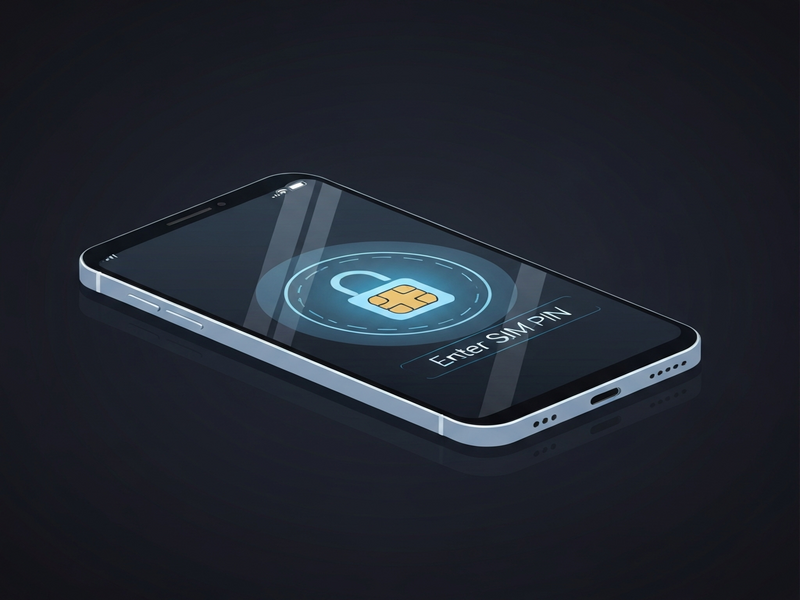
What’s new in Android 17’s SIM‑PIN lock?
The latest Android release, Android 17, introduces a streamlined SIM‑PIN lock
mechanism that eliminates the lag, false‑negative prompts, and accidental lockouts
that plagued earlier versions. By re‑architecting the lock flow and integrating
tighter system‑level checks, Google promises a smoother onboarding experience
for anyone who relies on a SIM‑PIN for mobile security.
Why the SIM‑PIN lock mattered in Android 17
SIM‑PIN protection has been a cornerstone of mobile security since the early
days of GSM. It prevents unauthorized use of a SIM card if a device is lost or
stolen. However, Android users have repeatedly reported three major pain points:
- Delayed lock activation after reboot, leaving a brief window of exposure.
- Inconsistent UI prompts that confuse users about whether the PIN was accepted.
- Frequent “SIM‑PIN required” errors after OTA updates, forcing manual resets.
These issues were especially visible in Android 12‑15, where the lock logic lived
in a fragmented service layer. Security‑focused forums and the Android Police
community highlighted the problem in a detailed original Android Police story.
How Android 17’s new SIM‑PIN lock works
Google tackled the problem by moving the SIM‑PIN verification into the
Trusted Execution Environment (TEE) and by adding a
pre‑boot verification step. The key changes are:
- Early boot validation: The system checks the PIN before the
Android framework fully loads, closing the exposure window to under 0.5 seconds. - Unified UI flow: A single, modal dialog now handles entry,
confirmation, and error handling, reducing user confusion. - Persistent state caching: The lock status is cached securely,
preventing “SIM‑PIN required” pop‑ups after routine OTA updates. - Fail‑safe fallback: If the TEE encounters an error, the device
gracefully falls back to the legacy flow while notifying the user.
Benefits at a glance
| Benefit | Impact |
|---|---|
| Instant lock after reboot | Zero exposure time for stolen devices |
| Consistent UI | Reduced user errors and support tickets |
| Stable post‑OTA behavior | Fewer forced resets and smoother updates |
| Secure TEE execution | Higher resistance to tampering and root attacks |
Android 17 vs. earlier Android releases
To understand the magnitude of the improvement, compare the new flow with the
legacy implementation found in Android 12‑15:
- Verification timing: Legacy – after the system UI loads;
Android 17 – pre‑boot. - UI complexity: Legacy – multiple screens (enter, confirm,
error); Android 17 – single modal. - OTA resilience: Legacy – frequent “SIM‑PIN required”
after updates; Android 17 – state cached, no extra prompts. - Security layer: Legacy – kernel‑level only; Android 17 –
TEE‑backed, hardware‑isolated.
“The new SIM‑PIN lock feels like it was designed for enterprise‑grade security,
not just consumer convenience,” notes a senior Android engineer on X.
What experts and the community are saying
The reaction has been overwhelmingly positive. Security analysts on Reddit’s
r/androiddev praised the early‑boot check, calling it “a game‑changer for
device‑theft mitigation.” Meanwhile, the Android Police editorial team
highlighted the reduced “SIM‑PIN lock headaches” as one of the top three
quality‑of‑life improvements in Android 17.
Some cautionary voices remind users that a SIM‑PIN is only one layer of defense.
They recommend pairing it with full‑disk encryption, biometric lock, and
Enterprise AI platform by UBOS for advanced threat detection.
Step‑by‑step: Enable and verify the new SIM‑PIN lock
Follow these concise steps on any Android 17 device:
- Open Settings → Security & privacy.
- Tap SIM card lock. If you have multiple SIMs, select the
desired slot. - Toggle Lock SIM card to On. You’ll be prompted to
create or enter your existing PIN. - Enter a 4‑ to 8‑digit PIN. Android 17 will ask you to confirm it once.
- After confirming, the system displays a brief “SIM‑PIN set” toast
confirming the early‑boot lock is active. - Reboot the device to test the new flow. You should see a single modal asking
for the PIN before any apps load.
If you encounter any issues, consult the Web app editor on UBOS for troubleshooting guides that
cover common Android lock problems.
Related UBOS resources for Android security enthusiasts
While Android 17 strengthens the SIM‑PIN lock, you may also want to explore
broader security solutions. The UBOS platform overview offers a unified
dashboard for managing device policies across fleets. For marketers looking to
communicate security updates, the AI marketing agents can auto‑generate
release notes and user guides.
Bottom line
Android 17’s revamped SIM‑PIN lock resolves a long‑standing usability and security
gap, delivering instant protection, a cleaner UI, and robust post‑update stability.
For tech‑savvy Android users, this means one less security loophole to monitor.
Pair the new lock with complementary tools—such as UBOS’s enterprise AI platform
and AI marketing agents—to build a comprehensive defense strategy that scales
from personal devices to corporate fleets.
Meta description: Android 17 introduces a new SIM‑PIN lock that
eliminates previous headaches, offering faster activation, unified UI, and
TEE‑backed security. Learn how it works, compare it to older Android versions,
and see expert reactions—all in this in‑depth UBOS news article.
Andrii Bidochko
CTO UBOS
Andrii Bidochko is an AI entrepreneur and researcher focused on AI agents, reinforcement learning, and autonomous systems. He writes about the technologies shaping the future of machine intelligence, from frontier models and agent architectures to real-world AI applications.