

- Updated: February 27, 2026
- 6 min read
LLM Context Window Badge: Enhancing Codebase Analysis for Developers
The new badge tool instantly measures how well a codebase fits inside an LLM’s context window, giving developers a clear, visual indicator of whether their project can be processed efficiently by large language models.
Why a Context‑Window Badge Matters for Modern AI Development
Large language models (LLMs) such as ChatGPT, Claude, or Gemini have a fixed context window—the maximum number of tokens they can ingest in a single request. When a codebase exceeds this limit, developers face truncated prompts, higher latency, or costly chunk‑splitting logic. The badge tool solves this pain point by automatically analyzing a repository and displaying a concise badge that tells you, at a glance, whether the code fits within the model’s token budget.
For AI‑focused developers and tech leads, this means faster iteration cycles, reduced engineering overhead, and more predictable AI integration costs. The badge can be embedded in README files, CI pipelines, or internal dashboards, turning a complex performance metric into a simple “green” or “red” signal.
What the Badge Tool Actually Does
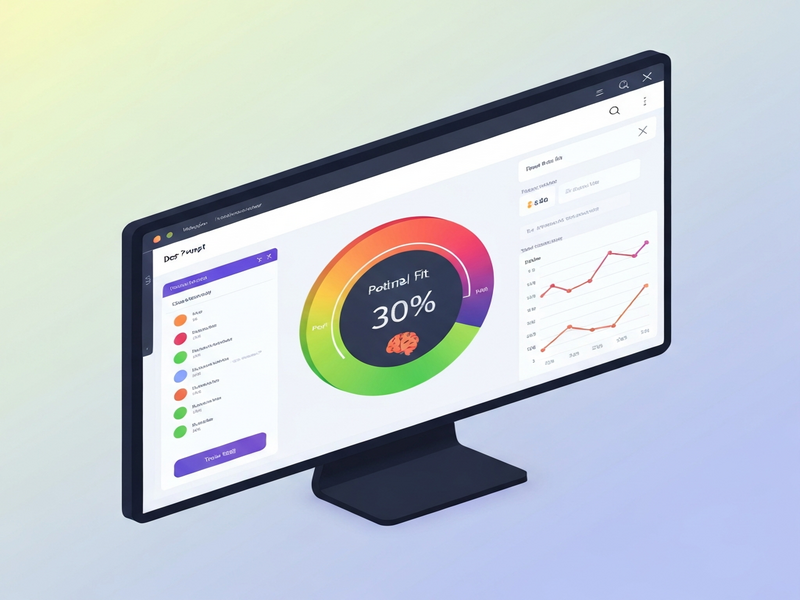
The badge tool performs a codebase analysis that quantifies the total token count of all source files, comments, and documentation that are likely to be sent to an LLM. It then compares this count against the target model’s context window (e.g., 8 k, 16 k, or 32 k tokens). The result is rendered as a markdown badge:
If the total exceeds the limit, the badge turns red and includes the overage amount, prompting developers to refactor, split, or compress the code.
How the Tool Measures the Context Window
1. Tokenization Engine
The core engine uses the same tokenizer as the target LLM (e.g., tiktoken for OpenAI models). By feeding every file through this tokenizer, the tool obtains an exact token count, eliminating the guesswork that comes from line‑based estimations.
2. Selective File Inclusion
Not every file in a repository matters for LLM prompts. The tool applies a configurable filter that includes:
- Source code files (.py, .js, .ts, .java, .go, etc.)
- Relevant documentation (README.md, API specs)
- Prompt templates and prompt‑engineering scripts
Generated assets, binaries, and test fixtures are automatically excluded, keeping the token count realistic.
3. Aggregation & Threshold Comparison
After tokenization, the tool aggregates the counts and compares them to the user‑specified context window. The comparison logic is simple yet powerful:
if total_tokens <= context_limit:
    status = "✅ Passing"
else:
    status = f"❌ Over by {total_tokens - context_limit} tokens"
The resulting status is then formatted into a badge that can be rendered anywhere markdown is supported.
Key Benefits for Developers and Teams
Integrating the badge tool into your workflow yields tangible productivity gains:
- Immediate visibility: No more manual token calculations; the badge tells you instantly if you’re within limits.
- CI/CD safety net: Fail builds automatically when the badge turns red, preventing broken deployments.
- Cost predictability: By staying within the context window, you avoid extra API calls and associated fees.
- Better prompt engineering: Knowing the exact token budget helps you craft concise, high‑impact prompts.
- Team alignment: The badge becomes a shared artifact that developers, product managers, and AI researchers can reference.
These advantages translate directly into higher developer productivity and smoother AI integration cycles.
Transforming the AI Development Workflow
When the badge is part of the standard development pipeline, several workflow improvements emerge:
Automated Refactoring Triggers
When a repository exceeds the context window, a webhook can invoke a Workflow automation studio script that automatically suggests file splits or code compression techniques.
Enhanced Documentation Practices
Since documentation files count toward the token budget, teams become more disciplined about keeping docs concise and relevant—an indirect benefit for onboarding and knowledge sharing.
Seamless Integration with AI Agents
Projects that already use AI marketing agents or Enterprise AI platform by UBOS can now feed the badge status into their decision‑making logic, allowing agents to adapt prompts on the fly.
Continuous Learning Loop
Data from badge results across multiple repositories can be aggregated to train meta‑models that predict optimal code chunk sizes for new projects, further reducing manual tuning.
Get the Source Code on GitHub
The badge tool is open‑source and available under the MIT license. You can clone, customize, or contribute to the project directly from the repository:
https://github.com/example/llm-context-badge
Installation is as simple as running pip install llm-context-badge and adding a single line to your CI configuration. Detailed instructions are provided in the README, complete with examples for OpenAI, Anthropic, and custom LLM deployments.
Explore Related UBOS Resources
UBOS offers a suite of tools that complement the badge functionality and accelerate AI‑first product development:
- UBOS homepage – Your gateway to the full AI platform.
- UBOS platform overview – Learn how the platform orchestrates LLMs, data stores, and APIs.
- UBOS templates for quick start – Jump‑start projects with pre‑built AI app templates.
- UBOS portfolio examples – See real‑world implementations that leverage context‑aware tooling.
- UBOS for startups – Tailored pricing and support for early‑stage teams.
- UBOS solutions for SMBs – Scalable AI services for small and medium businesses.
- UBOS pricing plans – Transparent pricing that scales with usage.
- About UBOS – Our mission, team, and vision for responsible AI.
- Web app editor on UBOS – Build, test, and deploy AI‑enhanced web apps without writing boilerplate.
- UBOS partner program – Collaborate with UBOS to bring AI solutions to your customers.
- OpenAI ChatGPT integration – Seamlessly connect your apps to ChatGPT.
- Chroma DB integration – Vector store for semantic search and retrieval‑augmented generation.
- ElevenLabs AI voice integration – Add natural‑sounding speech to your AI products.
- ChatGPT and Telegram integration – Deploy conversational agents directly to Telegram.
- AI SEO Analyzer – Optimize content with AI‑driven keyword insights.
- AI Article Copywriter – Generate high‑quality drafts in seconds.
- AI Chatbot template – Deploy a ready‑made chatbot powered by LLMs.
Conclusion: Make Context‑Window Management a First‑Class Concern
In the era of generative AI, the size of an LLM’s context window is as critical as CPU or memory for traditional software. The badge tool turns a hidden constraint into a visible metric, empowering developers to design, test, and ship AI‑enhanced applications with confidence.
Ready to adopt the badge in your next project? Explore the full suite of AI tools on UBOS, start a free trial, and watch your development velocity climb.
Boost your developer productivity today—add the context‑window badge to your repo and let every team member see the green light before they push code to production.
Andrii Bidochko
CTO UBOS
Andrii Bidochko is an AI entrepreneur and researcher focused on AI agents, reinforcement learning, and autonomous systems. He writes about the technologies shaping the future of machine intelligence, from frontier models and agent architectures to real-world AI applications.