

- Updated: February 19, 2026
- 6 min read
Control Home Assistant with LoRa Radio – A New Approach
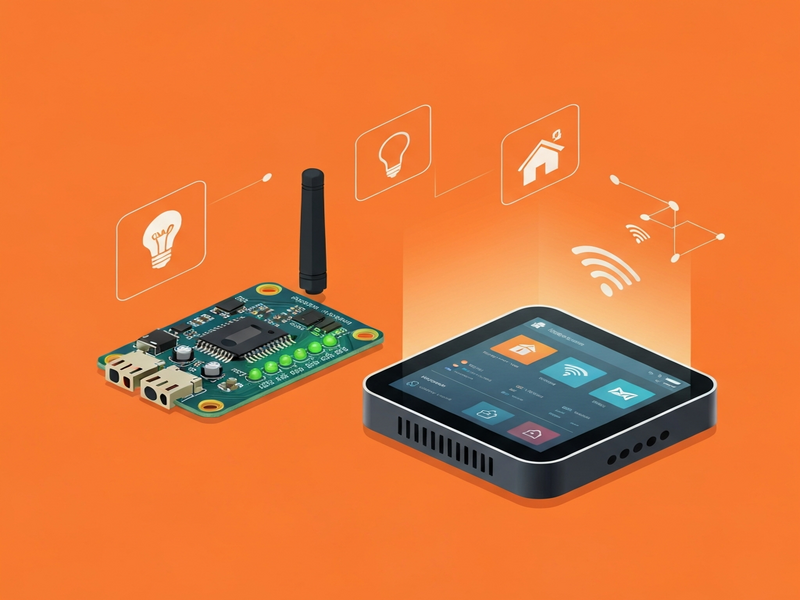
Controlling Home Assistant with a LoRa radio is a viable, low‑power solution that lets tech‑savvy homeowners and IoT enthusiasts manage smart‑home devices over long distances without relying on Wi‑Fi or cellular networks.
Reddit Sparks a Fresh Debate on LoRa‑Based Home Automation
A recent thread on the original Reddit discussion has ignited interest among hobbyists who want to bypass traditional Wi‑Fi constraints. The community shared real‑world experiments, wiring diagrams, and code snippets that demonstrate how a LoRa radio can become the backbone of a resilient smart‑home network.
In this article we break down the key takeaways, explore the technical advantages of LoRa, compare it with other connectivity options, and show you how to get started—whether you’re a DIY enthusiast or a small‑business owner looking to prototype a low‑power IoT solution.
What Is LoRa Radio Control for Home Assistant?
LoRa (Long Range) is a low‑power wide‑area network (LPWAN) technology that operates in unlicensed sub‑GHz bands. It excels at transmitting small packets of data over distances of several kilometers while consuming milliwatts of power. When paired with Home Assistant, LoRa can act as a bridge between sensors, actuators, and the central automation engine.
The typical architecture looks like this:
- LoRa end‑devices (temperature sensors, door contacts, relays) send payloads to a LoRa gateway.
- The gateway forwards the data to Home Assistant via MQTT or HTTP.
- Home Assistant processes the payload, triggers automations, and optionally sends commands back through the gateway.
Because LoRa packets are tiny (max 255 bytes), the bandwidth is limited, but that’s perfect for most home‑automation telemetry, which rarely exceeds a few bytes per reading.
Benefits & Real‑World Use‑Cases
Adopting LoRa for Home Assistant brings several distinct advantages:
Low‑Power Operation
Battery‑powered sensors can run for years on a single AA cell, reducing maintenance overhead.
Extended Range
Typical indoor range exceeds 1 km; outdoor line‑of‑sight can reach 5 km+, far beyond Wi‑Fi.
Network Resilience
LoRa operates on unlicensed spectrum, so it’s immune to ISP outages and congestion.
Cost‑Effective Scaling
Adding new sensors costs only the device price—no extra routers or repeaters needed.
Typical Use‑Cases
- Remote garden moisture monitoring for irrigation control.
- Garage door status and remote actuation without exposing Wi‑Fi credentials.
- Outdoor lighting schedules where power outlets are scarce.
- Multi‑property monitoring for landlords managing several rental units.
Reddit Thread: Step‑by‑Step Summary
The Reddit community distilled their experiment into a clear workflow. Below is a concise recap that you can follow:
- Hardware Selection – Users chose the Raspberry Pi Zero W + Dragino LoRa Hat as the gateway and inexpensive Adafruit Feather LoRa 32‑bit boards for end‑devices.
- Gateway Setup – The gateway runs packet‑forwarder and forwards data to The Things Network (TTN) which then relays to an MQTT broker.
- MQTT Integration – Home Assistant’s
mqttintegration subscribes to the TTN topic (e.g.,v3/+/devices/+/up) and decodes the JSON payload. - Automation Creation – Users built automations in Home Assistant’s UI to turn lights on/off based on motion sensor payloads received via LoRa.
- Bidirectional Control – By publishing to the TTN downlink topic, the gateway can send commands back to actuators (e.g., open a valve).
- Security Considerations – The community emphasized using App‑EUI/Dev‑EUI keys and enabling TLS on the MQTT broker to protect the data stream.
- Testing & Debugging – The
mosquitto_subcommand line tool proved invaluable for real‑time payload inspection.
All participants agreed that the biggest hurdle was mastering the LoRa payload format, but once decoded, the integration felt “seamless” with Home Assistant’s existing ecosystem.
LoRa vs. Wi‑Fi, Zigbee, and Thread
| Feature | LoRa | Wi‑Fi | Zigbee | Thread |
|---|---|---|---|---|
| Range | 1‑5 km+ | 10‑30 m (indoor) | 10‑100 m | 10‑100 m |
| Power Consumption | µW‑mW (years on battery) | Hundreds of mW | Low‑mW | Low‑mW |
| Data Rate | 0.3‑27 kbps | Up to 600 Mbps | 250 kbps | 250 kbps |
| Network Complexity | Simple star topology | Requires router/AP | Mesh possible | Mesh possible |
For low‑bandwidth, long‑range, battery‑operated scenarios, LoRa clearly outperforms Wi‑Fi, Zigbee, and Thread. However, if you need high‑throughput video streams or real‑time audio, Wi‑Fi remains the better choice.
Leveraging UBOS for a Faster LoRa‑Powered Smart Home
While the Reddit thread focused on DIY hardware, many users ask how to accelerate development with a platform that abstracts the plumbing. UBOS platform overview offers a low‑code environment that can ingest LoRa‑derived MQTT topics and instantly generate automations.
Key UBOS features that complement a LoRa setup include:
- Workflow automation studio – Drag‑and‑drop triggers based on MQTT payloads.
- Web app editor on UBOS – Build custom dashboards for LoRa sensor data without writing code.
- AI marketing agents – Use AI to suggest optimal automation patterns based on usage trends.
- UBOS pricing plans – Flexible tiers that let hobbyists start free and scale as the network grows.
Startups and SMBs can also benefit from the UBOS for startups and UBOS solutions for SMBs programs, which provide dedicated support for IoT deployments.
Ready‑Made Templates to Jump‑Start Your LoRa Projects
UBOS’s template marketplace hosts dozens of AI‑enhanced apps that can be repurposed for LoRa data. A few that align well with home‑automation scenarios are:
- AI SEO Analyzer – Optimize your local network’s web UI for better discoverability.
- AI Article Copywriter – Auto‑generate documentation for your LoRa sensor fleet.
- AI Video Generator – Create tutorial videos that walk users through sensor installation.
- AI YouTube Comment Analysis tool – Mine community feedback on LoRa projects for improvement ideas.
These templates reduce development time dramatically, letting you focus on hardware integration rather than boilerplate code.
Beyond Basics: AI‑Powered Enhancements
Once your LoRa network is stable, consider enriching it with AI services that UBOS already supports:
- OpenAI ChatGPT integration – Turn raw sensor data into natural‑language status reports.
- Chroma DB integration – Store vector embeddings of sensor patterns for anomaly detection.
- ElevenLabs AI voice integration – Broadcast audible alerts through smart speakers when a LoRa sensor triggers.
- ChatGPT and Telegram integration – Receive AI‑summarized daily digests of your home’s health via Telegram.
These integrations transform a simple telemetry pipeline into an intelligent assistant that can predict failures, suggest energy‑saving actions, and even converse with you about your home’s status.
Take the Next Step Toward a LoRa‑Enabled Smart Home
If you’re ready to prototype a LoRa‑backed Home Assistant system, start with the hardware guide above, then spin up a free UBOS account to leverage the low‑code automation studio. Explore the UBOS portfolio examples for inspiration, and don’t forget to browse the UBOS templates for quick start to accelerate development.
Stay updated on the latest LoRa and Home Assistant breakthroughs by following the Home Assistant subreddit. For enterprise‑grade deployments, the Enterprise AI platform by UBOS offers managed services, SLA‑backed connectivity, and dedicated support.
Ready to build? Visit the UBOS homepage and launch your LoRa‑powered automation today.
Andrii Bidochko
CTO UBOS
Andrii Bidochko is an AI entrepreneur and researcher focused on AI agents, reinforcement learning, and autonomous systems. He writes about the technologies shaping the future of machine intelligence, from frontier models and agent architectures to real-world AI applications.