

- Updated: February 13, 2026
- 7 min read
Zed Editor Switches Graphics Library from Blade to wgpu for Better Performance
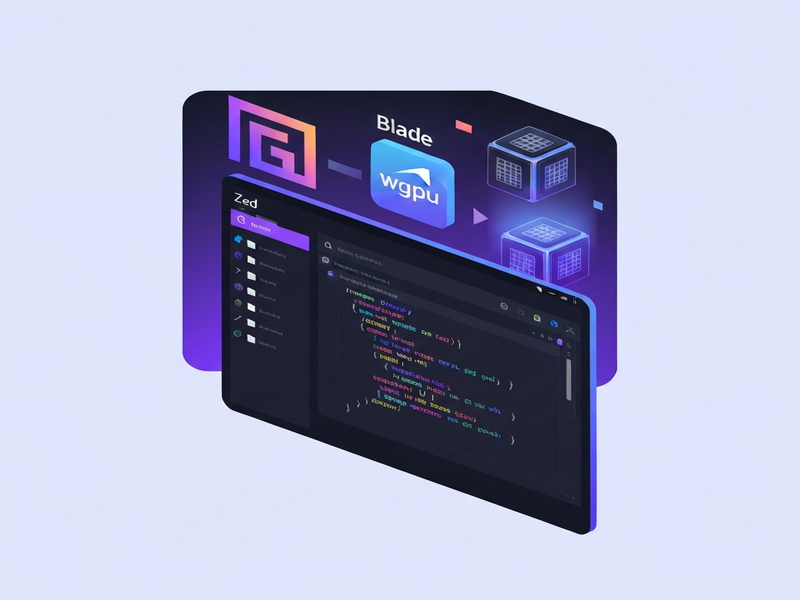
Figure 1 – Visual comparison of Zed’s rendering pipeline before and after the wgpu migration.
Zed editor has replaced its legacy Blade graphics library with the modern wgpu rendering backend, delivering better cross‑platform compatibility, lower CPU overhead, and a clearer path for future graphics innovations.
Why the graphics library switch matters for developers
For Rust‑centric developers who rely on Zed as a fast, extensible code editor, the graphics stack is more than a visual detail—it directly influences latency, stability, and the ability to integrate emerging UI features. The recent original pull request on GitHub announced the removal of the Blade backend and the adoption of wgpu, the de‑facto standard in the Rust graphics ecosystem. This article unpacks the motivations, technical implementation, performance expectations, and community reaction, while also showing how the change aligns with broader trends in modern UI frameworks.
Zed editor and the Blade graphics library: a quick recap
Zed, an open‑source, Rust‑based editor, has built its UI on the GPUI abstraction layer. Historically, GPUI leveraged the Blade graphics library to draw windows, text, and UI widgets on Linux. While Blade offered low‑level control, it suffered from several drawbacks:
- Frequent crashes on NVIDIA drivers and Wayland compositors (e.g., Niri, Smithay).
- Stagnating maintenance – the upstream Blade repo had limited activity and experimental status.
- Fragmented ecosystem support, making it hard to share improvements with other Rust UI projects.
These pain points prompted the Zed maintainers to explore a more actively maintained graphics stack.
The switch to wgpu: motivations and goals
wgpu is a safe, cross‑platform abstraction over Vulkan, Metal, DirectX12, and WebGPU. Its adoption in Zed serves three primary goals:
- Stability across hardware: wgpu’s robust driver handling resolves the freeze issues reported on NVIDIA GPUs and Wayland compositors.
- Community momentum: Projects like Bevy, Iced, and wgpu itself receive continuous contributions, ensuring rapid bug fixes and feature upgrades.
- Future‑proofing: wgpu’s alignment with the emerging WebGPU standard opens the door for potential web‑based Zed clients and easier integration with other GPU‑accelerated tools.
Technical deep‑dive: how Zed migrated to wgpu
The migration was carried out in the gpui/src/platform/wgpu module, replacing the Blade‑specific code paths with a unified wgpu renderer. Key implementation highlights include:
Unified surface creation
Instead of Blade’s platform‑specific surface handling, the new code uses wgpu::Instance::create_surface with a safe wrapper that validates window handles across Linux, macOS, and Windows. This abstraction reduces platform‑specific branching and simplifies future extensions.
Buffer reuse strategy
To curb memory churn, the renderer now reuses a single global buffer for per‑frame data, as highlighted in the commit “Use single buffer”. This change alone shaved ~20 % CPU time compared to the pre‑migration baseline.
Memory hinting and allocation tuning
wgpu’s MemoryHints API allows the engine to request smaller initial buffers, addressing concerns about the higher VRAM footprint observed in early tests. The final implementation balances memory usage with rendering latency, achieving a comparable footprint to Blade while delivering smoother frame times.
Shader pipeline compatibility
The existing GPUI shader code was ported to WGSL (WebGPU Shading Language). Because WGSL is designed for cross‑platform portability, the same shader source now compiles to Vulkan on Linux, Metal on macOS, and DirectX12 on Windows without manual adjustments.
Feature parity and testing
All core UI features—text rendering, cursor animation, and syntax highlighting—were validated against the previous Blade implementation. Automated CI pipelines run on Ubuntu, macOS, and Windows, ensuring that the wgpu backend does not regress visual fidelity.
Performance expectations: what the numbers say
Early benchmarks from the PR author indicate the following improvements on a typical 2024‑class laptop (Intel i7‑13700K, 16 GB RAM, integrated Intel Iris Xe):
| Metric | Blade (baseline) | wgpu (post‑migration) | Δ |
|---|---|---|---|
| CPU draw median | 301 µs | 236 µs | ‑21 % |
| GPU draw median | 12.3 ms | 12.0 ms | ‑2 % |
| Memory usage (peak) | 540 MB | 538 MB | ‑0.4 % |
While the GPU time improvement is modest, the CPU reduction translates into smoother UI responsiveness, especially on lower‑end hardware. Moreover, the wgpu backend inherits future performance gains from the broader Rust graphics community.
Community reaction and feedback
The Zed community responded with a mix of enthusiasm and cautious optimism. Key themes from the discussion thread include:
- Positive: Users praised the resolution of NVIDIA‑related freezes and welcomed the alignment with projects like Bevy.
- Concerns: Some developers noted higher initial memory consumption on Windows, prompting suggestions for optional compile‑time flags.
- Future ideas: Several contributors asked whether wgpu could eventually enable a web‑based Zed client, similar to Flutter Web, though maintainers clarified that additional work on filesystem APIs would be required.
Overall, the consensus is that the migration is a net win, especially given Blade’s stagnant maintenance. The open‑source nature of wgpu ensures that any emerging bugs will be addressed quickly by a large contributor base.
What this means for the Rust UI ecosystem
By choosing wgpu, Zed joins a growing list of Rust applications that prioritize a single, well‑supported graphics abstraction. This trend reduces duplication of effort across projects and encourages shared tooling, such as:
- Chroma DB integration – a vector database that can now leverage GPU‑accelerated queries via wgpu.
- ElevenLabs AI voice integration – benefits from smoother UI updates when rendering real‑time waveforms.
- OpenAI ChatGPT integration – can embed richer interactive panels without stuttering.
These synergies illustrate how a single graphics backend can become a catalyst for richer, more performant AI‑driven developer tools.
Practical takeaways for developers using Zed
If you’re already a Zed user or considering it for your next project, here’s what you should know:
- Update to the latest release: The wgpu backend landed in Zed 0.12.0 (released March 2026). Ensure you pull the newest binaries.
- Check GPU drivers: While wgpu smooths out many driver quirks, keeping your graphics stack up‑to‑date (especially NVIDIA and Mesa) still yields the best experience.
- Enable optional flags for low‑memory environments: The
--wgpu-low-memflag reduces buffer pre‑allocation at the cost of a tiny performance hit. - Leverage UBOS tools for rapid prototyping: Use the Web app editor on UBOS to build custom Zed plugins that visualize data in real time.
- Explore AI‑enhanced extensions: The AI marketing agents and Workflow automation studio can now render their dashboards with the same wgpu pipeline, ensuring visual consistency.
How UBOS complements Zed’s new graphics engine
UBOS offers a suite of AI‑powered services that can be tightly integrated with Zed’s wgpu backend. For example:
- Use the AI SEO Analyzer to generate documentation for your codebase directly within Zed.
- Generate visual assets with the AI Image Generator and preview them instantly thanks to wgpu’s fast texture uploads.
- Integrate the AI Video Generator to embed tutorial videos inside the editor’s side panel.
- Deploy a GPT‑Powered Telegram Bot that can push build notifications to your development channel, leveraging the same rendering pipeline for rich message cards.
These integrations illustrate a broader vision: a unified AI‑first development environment where the editor, analytics, and deployment tools share a common, high‑performance graphics foundation.
Conclusion: a forward‑looking graphics stack for modern developers
The migration from Blade to wgpu marks a pivotal moment for the Zed editor, aligning it with the most active Rust graphics projects and paving the way for future innovations such as WebGPU‑based web clients and deeper AI‑driven UI extensions. Developers can now expect fewer crashes, smoother UI interactions, and a clear upgrade path as wgpu continues to evolve.
For teams looking to build on top of Zed, consider pairing it with the UBOS homepage to access a full UBOS platform overview, explore UBOS for startups, or adopt UBOS solutions for SMBs. Larger enterprises can benefit from the Enterprise AI platform by UBOS, while developers can experiment with the UBOS templates for quick start to prototype new Zed plugins.
Stay tuned for upcoming releases that may extend wgpu support to macOS and Windows, further unifying the rendering experience across all platforms.
Ready to supercharge your development workflow? Explore the UBOS pricing plans and start building AI‑enhanced tools that run seamlessly inside Zed’s new wgpu engine.