

- Updated: December 16, 2025
- 5 min read
Android Auto Gets Major Navigation Upgrade with Redesigned UI and New Features
The Android Auto navigation upgrade delivers a brand‑new interface, faster route calculations, richer map details, and deeper voice‑assistant integration, instantly improving the in‑car driving experience.
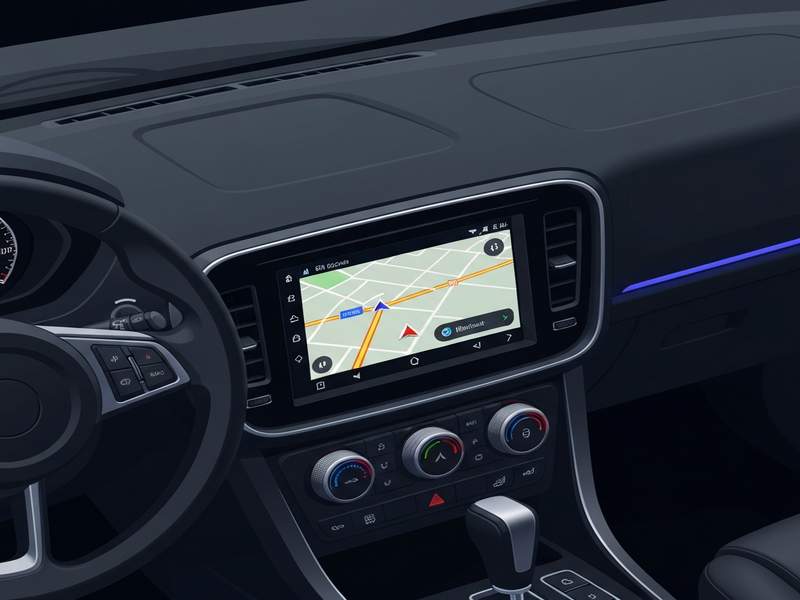
Android Auto Gets a Navigation Overhaul – What Drivers Need to Know
If you’ve been waiting for Android Auto to feel as responsive as your smartphone, the latest Android Auto navigation upgrade finally delivers. The update, first reported by Android Police, introduces a suite of enhancements that make finding your destination smoother, safer, and more intuitive.
Tech‑savvy drivers and automotive enthusiasts will appreciate how the new features blend seamlessly with existing car infotainment systems, while developers can leverage the changes to build richer, AI‑powered experiences on platforms like UBOS platform overview.
Key Features of the Android Auto Navigation Upgrade
- Redesigned UI: A cleaner, card‑based layout that prioritises turn‑by‑turn arrows and lane guidance.
- Instant Route Recalculation: Real‑time traffic data now updates routes in under two seconds.
- Enhanced Voice Interaction: Deeper integration with Google Assistant, allowing natural‑language queries like “Find the cheapest gas near me”.
- Dynamic Map Layers: On‑demand satellite, terrain, and traffic overlays without leaving the navigation screen.
- Multi‑Stop Planning: Add up to eight stops in a single trip, with smart ordering based on traffic.
- Offline Map Support: Pre‑download maps for areas with poor connectivity, keeping navigation reliable on long drives.
Why the Upgrade Matters for Drivers
The new navigation engine isn’t just a visual refresh—it directly impacts safety and convenience:
- Reduced Distraction: Larger, high‑contrast icons keep eyes on the road.
- Faster Decision‑Making: Instant rerouting means less time stuck in traffic.
- Better Fuel Efficiency: Optimised routes cut unnecessary mileage.
- Seamless Voice Control: Hands‑free commands lower the risk of accidents.
- Customisable Experience: Drivers can toggle map layers and stop limits to suit personal preferences.
For fleet managers, these improvements translate into measurable cost savings and higher driver satisfaction, especially when combined with AI‑driven analytics from platforms like the Enterprise AI platform by UBOS.
Android Auto Navigation: Then vs. Now
| Aspect | Previous Version | Current Upgrade |
|---|---|---|
| UI Design | Compact list view, limited lane guidance | Card‑based layout with enlarged arrows and lane hints |
| Route Recalculation | 5‑10 seconds delay | Under 2 seconds, AI‑enhanced traffic prediction |
| Voice Commands | Basic “Navigate to…” | Contextual queries, multi‑stop handling, natural language |
| Map Layers | Static, required separate screen | Dynamic overlays accessible on‑the‑fly |
| Offline Support | Limited, manual download | Automatic pre‑fetch for upcoming routes |
The side‑by‑side comparison shows a clear leap in usability, speed, and AI integration—making the new Android Auto navigation a must‑have for anyone who spends time behind the wheel.
Step‑by‑Step: Enabling the New Navigation Features
Getting the upgrade is straightforward. Follow these steps to ensure your car’s infotainment system runs the latest version:
- Connect your Android phone to the vehicle via USB or wireless Android Auto.
- Open the Google Play Store on your phone and search for “Android Auto”.
- If an update is available, tap Update. The navigation upgrade is bundled with the latest app version.
- After installation, launch Android Auto and navigate to Settings → Navigation.
- Toggle “Enable New Navigation UI” and confirm any permission prompts.
- Restart Android Auto; the new interface should appear automatically.
For vehicles that support OTA (over‑the‑air) updates, the upgrade may appear under the car’s system settings without requiring a phone update. Check your manufacturer’s support page for details.
Leveraging UBOS for Custom Android Auto Experiences
Developers can extend the navigation upgrade with AI‑driven features using UBOS’s low‑code ecosystem. Here are a few ideas:
- Integrate OpenAI ChatGPT integration to provide contextual travel tips.
- Use the Chroma DB integration for fast retrieval of saved favourite locations.
- Add voice‑enhanced prompts via the ElevenLabs AI voice integration for a more natural assistant.
- Deploy a custom AI Chatbot template that answers road‑trip queries in real time.
Start building with the Web app editor on UBOS and accelerate development using UBOS templates for quick start. Whether you’re a startup (UBOS for startups) or an SMB (UBOS solutions for SMBs), the platform scales to your needs.
Further Reading & Resources
Stay up‑to‑date with the latest Android Auto news on the UBOS news page and explore deeper technical insights on the UBOS technology hub.
If you’re interested in how AI can transform automotive experiences, check out our AI marketing agents and the UBOS partner program for collaboration opportunities.
Explore real‑world implementations in the UBOS portfolio examples and see pricing options on the UBOS pricing plans page.
Ready to Upgrade Your Drive?
The Android Auto navigation upgrade is a game‑changer for anyone who values safety, speed, and smart assistance on the road. Update today, explore the new UI, and consider extending its capabilities with UBOS’s AI‑powered tools.
Got questions or want to share your experience? Join the conversation on our About UBOS community page, or start building your own custom navigation companion using the Workflow automation studio. Your next road trip could be smarter than ever before.