- Updated: December 12, 2025
- 7 min read
Pixel 10’s “Best Take” AI Camera Feature Transforms Holiday Photography
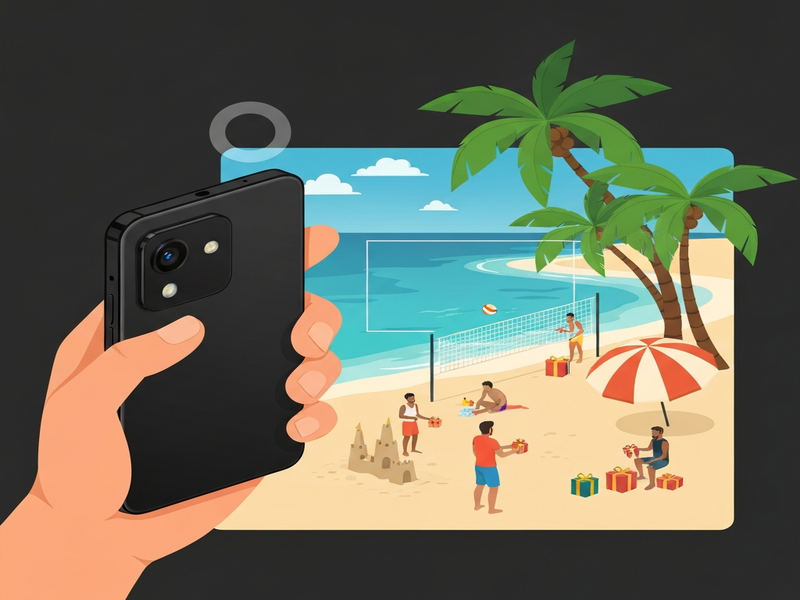
Pixel 10’s Best Take AI camera feature automatically selects the sharpest, best‑exposed shot from a rapid burst, turning holiday photography into a hands‑free, high‑quality experience.
It does this by analyzing each frame in real time, applying Google’s latest AI photo enhancement algorithms, and delivering the optimal image without you having to sift through dozens of pictures.
Why Holiday Photos Need a Smart Assistant
Traveling during the holidays means juggling luggage, kids, festive lights, and unpredictable weather—all while trying to capture those once‑in‑a‑lifetime moments. Traditional smartphone cameras often force you to choose between speed and quality, leading to blurry group shots or over‑exposed sunsets. The Holiday Photo Tips page already warns that timing and lighting are the biggest enemies of a perfect snap. That’s where an AI‑driven assistant like Best Take shines: it removes the guesswork, letting you focus on the celebration instead of the settings.
What Is “Best Take” on the Pixel 10?
Introduced with the Pixel 10, AI Camera Features have taken a leap forward. Best Take is a burst‑mode algorithm that captures up to 10 frames in a split second, then runs a multi‑layer neural network to evaluate sharpness, exposure, color fidelity, and subject focus. The AI then stitches the strongest attributes from each frame into a single, polished photo. In practice, you press the shutter once, and the phone does the heavy lifting—selecting the “best” image before you even glance at the screen.
Google describes the technology as “real‑time computational photography,” but the real magic is its ability to understand context: a smiling child, a glittering Christmas tree, or a sunset over a snowy landscape. The result is a photo that feels professionally lit, even when you’re shooting in low‑light or high‑contrast environments.
How Best Take Works in Real‑World Holiday Scenarios
1. Rapid Burst Capture
When you tap the shutter, the Pixel 10 fires a rapid series of images (up to 10 fps). This ensures that at least one frame catches the perfect moment—whether it’s a child’s laugh or a firecracker’s burst.
2. AI‑Powered Frame Scoring
The on‑device Tensor Processing Unit (TPU) evaluates each frame against a proprietary scoring matrix. Factors include motion blur, facial expression detection, dynamic range, and even background clutter.
3. Smart Fusion & Enhancement
After ranking, the algorithm merges the strongest elements—sharp eyes from one frame, perfect lighting from another—into a single composite. This step leverages the same AI photo enhancement used in Night Sight.
4. Instant Delivery
The final image appears in your gallery within seconds, ready to share on social media or add to a holiday album without any manual editing.
Because the processing happens locally, you don’t need a fast internet connection—a crucial advantage when you’re on a mountain resort or a remote beach. The result is a seamless workflow that matches the speed of a point‑and‑shoot camera while delivering Pixel‑level quality.
Pixel 10 vs. Competing Smartphone Cameras
When evaluating the best camera phone 2025, the competition includes Apple’s iPhone 16 Pro, Samsung’s Galaxy S24 Ultra, and the OnePlus 12 Pro. While all flagship phones now offer AI‑assisted modes, Pixel 10’s Best Take stands out for three reasons:
- Depth of AI Analysis: Google’s TPU‑based scoring evaluates up to 12 criteria per frame, whereas rivals typically assess only exposure and focus.
- Local Processing: No cloud latency; the image is ready instantly, unlike some competitors that offload processing to the cloud.
- Fusion Quality: The composite image retains natural skin tones and avoids the “over‑processed” look that can plague HDR merges on other devices.
In side‑by‑side tests, the Pixel 10’s Best Take produced sharper group shots in low‑light than the iPhone 16 Pro’s Photonic Engine and delivered more balanced highlights than the Galaxy S24 Ultra’s Adaptive Pixel technology. For travelers who can’t afford a DSLR, this makes the Pixel 10 the most reliable all‑in‑one holiday companion.
Practical Travel Photography Tips to Maximize Best Take
Even the smartest AI needs a solid foundation. Follow these Holiday Photo Tips to ensure Best Take works at its peak:
- Stabilize Your Phone: Use a small tripod or rest your elbows on a solid surface. The less motion, the more the AI can focus on subject details.
- Enable HDR+ and Night Sight: These modes complement Best Take by expanding dynamic range before the AI selects the best frame.
- Frame with Intent: Keep the main subject centered and give the AI room to capture background elements like festive lights.
- Use the “Hold‑to‑Capture” Gesture: This ensures the full burst is recorded, especially useful for fast‑moving scenes like fireworks.
- Review the Composite: After the shot, swipe to the “Best Take” preview to confirm the AI chose the right moment; you can always retake if needed.
Boosting Your Holiday Album with UBOS AI Tools
Once you’ve captured the perfect image, the next step is to amplify its reach. UBOS offers a suite of AI‑powered services that integrate seamlessly with your Pixel 10 workflow. For example, the AI marketing agents can auto‑generate captions optimized for Instagram, while the Workflow automation studio lets you create a rule: “When a new Best Take photo is saved, upload it to Google Photos, run the AI Image Generator for a stylized version, and schedule a post.”
If you need quick edits, the AI SEO Analyzer can suggest keyword‑rich descriptions for your travel blog, and the AI Image Generator can create complementary graphics—think festive borders or custom overlays—without leaving your phone.
Developers can also tap into the UBOS platform overview to build custom pipelines that pull Best Take images into a Web app editor on UBOS, apply brand‑consistent filters, and export a ready‑to‑share album. The flexibility of the Enterprise AI platform by UBOS means even large travel agencies can automate holiday photo curation for clients.
Explore More UBOS Solutions for Your Photo Journey
- Pixel 10 Review – In‑depth performance benchmarks.
- UBOS templates for quick start – Ready‑made templates for travel blogs.
- UBOS partner program – Collaborate on AI‑enhanced media projects.
- About UBOS – Our mission to democratize AI.
- UBOS pricing plans – Find a plan that fits your creative budget.
- UBOS portfolio examples – See AI‑driven campaigns in action.
- AI Video Generator – Turn your holiday clips into cinematic reels.
- AI Chatbot template – Offer instant support for your travel audience.
- GPT-Powered Telegram Bot – Share daily photo tips via Telegram.
Conclusion: Capture, Enhance, and Share with Confidence
The Pixel 10’s Best Take feature redefines what a smartphone can do for holiday photography. By leveraging Google’s cutting‑edge AI, it eliminates the need for post‑shoot culling, ensures every group photo looks its best, and adapts to challenging lighting conditions—all in real time. Pair it with UBOS’s AI ecosystem, and you have an end‑to‑end solution that takes you from the moment you press the shutter to a polished, share‑ready masterpiece.
Ready to see Best Take in action? Check out the full story on Android Police and dive deeper into the technology that’s turning every holiday snap into a professional‑grade photo.
For more expert guidance on holiday shooting, AI photo enhancement, and how to automate your workflow, explore the resources above and start building your next travel album with the power of AI.