

- Updated: February 23, 2026
- 6 min read
WhatsApp Launches Account Password Feature for Enhanced Security
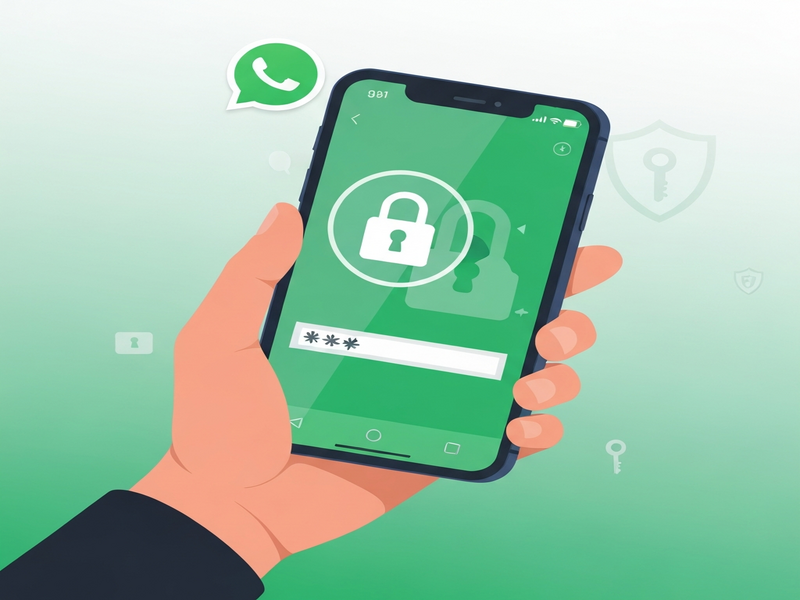
WhatsApp’s new account‑password feature adds a second layer of protection that requires a user‑defined password whenever the account is verified on a new device, strengthening account protection beyond the existing end‑to‑end encryption.
Why WhatsApp Is Adding an Account‑Password Feature
In an era where smartphones are both personal assistants and repositories of sensitive data, a lost or stolen device can expose private conversations, photos, and contacts. While WhatsApp already secures messages with end‑to‑end encryption, that encryption only protects data in transit. If an attacker gains physical access to a phone, they can bypass the encryption by simply opening the app. The new WhatsApp account password is designed to close that gap, ensuring that even if the device falls into the wrong hands, the account remains locked.
How the Account‑Password Feature Works
The feature is built into the app’s existing verification flow. When you set up a password, WhatsApp stores a cryptographic hash locally; the clear‑text password never leaves the device. The next time you try to verify your number on a new phone or after reinstalling the app, you’ll be prompted to enter this password before the verification code can be used.
Step‑by‑Step User Experience
- Open Settings → Account → Security and tap “Set Account Password”.
- Enter a strong password (minimum 8 characters, mixed case, numbers, symbols).
- Confirm the password; WhatsApp will store a secure hash.
- When you reinstall WhatsApp or switch devices, after entering the SMS verification code you’ll see a new “Enter Account Password” screen.
- Only after the correct password is entered will the app complete the verification and restore your chat history.
What Happens If You Forget the Password?
If you forget the password, WhatsApp offers a recovery flow that requires you to verify ownership via the original phone number and a one‑time email link (if you have linked an email address). This ensures that password recovery does not become a backdoor for attackers.
Security Benefits Compared to Existing Encryption
End‑to‑end encryption guarantees that only the sender and recipient can read messages while they travel across the network. However, it does not protect against:
- Physical access to an unlocked device.
- Malware that extracts data from a compromised phone.
- Social engineering attacks that trick users into sharing verification codes.
The account‑password feature mitigates these risks by adding a knowledge‑based factor to the authentication process. In practice, this means:
- Device‑level isolation: Even if the phone is unlocked, the app remains inaccessible without the password.
- Reduced attack surface: Attackers cannot simply reinstall the app and claim the number.
- Enhanced mobile privacy: Users gain confidence that their chats stay private even after a device loss.
Potential Concerns and Early User Feedback
Any new security layer can raise usability questions. Early adopters have highlighted a few points:
Usability Friction
Some users worry about remembering an additional password, especially those who already rely on biometric unlocks. WhatsApp addresses this by allowing biometric fallback (fingerprint or Face ID) after the password is entered once per device.
Recovery Complexity
Forgotten passwords can be stressful. The recovery flow, while secure, adds steps that may confuse less‑tech‑savvy users. Community forums suggest providing clearer in‑app guidance and optional password hints.
Performance Overhead
Because the password hash is stored locally and verification occurs offline, there is negligible impact on app launch time. Benchmarks from early beta builds show less than 0.2 seconds added latency.
“We’ve listened to user demand for an extra safeguard that works even when a device is lost. The account‑password feature is a natural extension of WhatsApp’s privacy‑first philosophy.” – WhatsApp Press Team
How This Update Fits Into the Broader Messaging Landscape
Competitors such as Signal and Telegram already offer passcode locks for the app itself, but WhatsApp’s implementation is unique because it ties the password to the account verification process, not just the app UI. This means the protection follows the user across devices, aligning with the growing trend of “account‑centric security”.
Comparison Table
| Feature | Signal | Telegram | |
|---|---|---|---|
| App‑level PIN | No (now account password) | Yes | Yes |
| Password tied to account verification | Yes | No | No |
| Biometric fallback | Yes | Yes | Yes |
| End‑to‑end encryption | Yes | Yes | Partial (cloud‑based chats) |
What This Means for Mobile Privacy Enthusiasts
For tech‑savvy users who prioritize mobile privacy, the new password feature is a welcome addition. It aligns with best practices such as:
- Multi‑factor authentication (MFA) for critical accounts.
- Zero‑knowledge storage of credentials.
- Seamless integration with device‑level biometrics.
Combined with WhatsApp’s existing end‑to‑end encryption, the platform now offers a more comprehensive defense‑in‑depth strategy.
How Businesses Can Leverage the Update
Enterprises that rely on WhatsApp for customer support or internal communications can now enforce stricter security policies. For example, a company can require all agents to set an account password and enable biometric fallback, reducing the risk of data leakage if a device is lost.
UBOS, a leading Enterprise AI platform by UBOS, already integrates with WhatsApp Business API. Adding the account‑password requirement to the onboarding workflow can be automated through the Workflow automation studio, ensuring compliance without manual oversight.
Getting Started: A Quick Checklist
Follow this concise checklist to enable the new feature on your device:
- Update WhatsApp to the latest version from the Play Store or App Store.
- Navigate to Settings → Account → Security.
- Tap “Set Account Password” and create a strong, unique password.
- Enable biometric fallback for convenience.
- Test the flow by logging out and re‑installing the app on a secondary device.
Related Resources from UBOS
While you’re securing your WhatsApp account, you might also explore how AI can further protect your digital communications:
- AI marketing agents that monitor brand mentions and flag suspicious activity.
- UBOS templates for quick start to build secure chat‑bot integrations.
- UBOS partner program for developers interested in creating privacy‑focused solutions.
- Web app editor on UBOS for building custom dashboards that track security events.
- UBOS pricing plans that include enterprise‑grade encryption modules.
- UBOS portfolio examples showcasing successful security implementations.
- AI Chatbot template for automated user support on WhatsApp Business.
- AI Email Marketing to complement secure messaging campaigns.
External Reference
For the original announcement and technical deep‑dive, see the Android Police coverage: WhatsApp adds account password for extra security.
Conclusion & Call to Action
The introduction of a dedicated WhatsApp account password marks a significant step forward in messaging app security. By requiring a password during account verification, WhatsApp extends its privacy guarantees from the network layer to the device layer, offering users a robust shield against loss, theft, and unauthorized access.
If you value mobile privacy and want to stay ahead of emerging threats, enable the feature today and consider integrating additional AI‑driven security tools from the UBOS homepage. Secure your conversations, protect your data, and enjoy peace of mind knowing that your messages remain private—no matter where your device goes.
Andrii Bidochko
CTO UBOS
Andrii Bidochko is an AI entrepreneur and researcher focused on AI agents, reinforcement learning, and autonomous systems. He writes about the technologies shaping the future of machine intelligence, from frontier models and agent architectures to real-world AI applications.