

- Updated: February 2, 2026
- 5 min read
Starlink Mesh: Satellite Internet Mesh Networking Setup Guide and Benefits
Starlink Mesh is a mesh‑networking extension for Starlink satellite internet that combines multiple Starlink terminals into a single, seamless home Wi‑Fi system, delivering stronger broadband coverage and higher reliability across large or multi‑story spaces.
Why Starlink Mesh Matters for Modern Home Connectivity
Satellite internet has moved from a niche solution for remote areas to a mainstream broadband alternative. However, a single satellite dish can struggle to provide consistent signal strength throughout a sprawling home or office. Starlink Mesh solves this problem by linking multiple Starlink terminals, creating a unified mesh network that distributes internet traffic intelligently. For tech‑savvy consumers who demand low latency, high throughput, and reliable home Wi‑Fi, Mesh technology is a game‑changer.
What Is Starlink Mesh and How Does It Work?
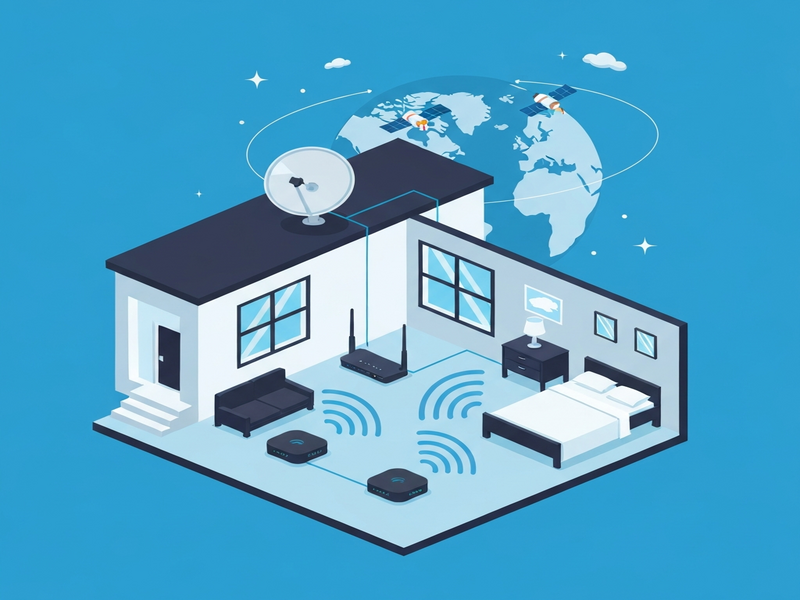
At its core, Starlink Mesh uses the same low‑earth‑orbit (LEO) satellite constellation that powers the original Starlink service. Each Mesh node—essentially a Starlink dish with a built‑in router—communicates with the satellites and with each other via a dedicated backhaul channel. The nodes share routing tables, allowing devices to connect to the nearest node automatically. This self‑optimizing behavior reduces dead zones and balances load across the network.
Key technical components include:
- Dual‑band Wi‑Fi (2.4 GHz & 5 GHz) on each node for flexible device compatibility.
- Automatic node discovery and seamless handoff as users move through the space.
- Integrated firmware that prioritizes low‑latency traffic, ideal for gaming and video calls.
Top Benefits of Using Starlink Mesh for Satellite Internet Users
Adopting a mesh architecture brings several tangible advantages:
- Extended Coverage: Multiple nodes eliminate Wi‑Fi dead spots, covering up to 5,000 sq ft in typical residential layouts.
- Improved Reliability: If one node loses line‑of‑sight to the sky, neighboring nodes can reroute traffic, keeping the connection alive.
- Higher Throughput: Load balancing distributes bandwidth evenly, preventing any single node from becoming a bottleneck.
- Scalable Architecture: Add or relocate nodes as your space changes—perfect for growing families or home offices.
- Unified Management: A single app controls all nodes, offering real‑time diagnostics and firmware updates.
Step‑by‑Step Starlink Mesh Setup Guide
Follow this concise setup guide to get your Mesh network up and running in under an hour:
1. Prepare Your Equipment
- Purchase the required number of Starlink Mesh nodes (minimum two for a functional mesh).
- Ensure each node has a clear view of the sky—ideally near a window or on a rooftop.
- Download the latest UBOS platform overview to explore complementary network automation tools.
2. Connect the Primary Node
- Plug the primary node into power and connect it to your router via Ethernet (if you prefer a wired backhaul).
- Open the Starlink app, sign in, and follow the on‑screen prompts to register the device.
3. Add Secondary Nodes
- Place secondary nodes where coverage is weak.
- Power them on and let the app detect them automatically.
- Confirm each node joins the mesh by checking the “Connected” status in the app.
4. Optimize Placement
- Use the app’s heat‑map feature to visualize signal strength.
- Adjust node positions until the map shows uniform coverage.
- Consider integrating ChatGPT and Telegram integration for real‑time alerts on network health.
5. Secure Your Network
- Set a strong WPA3 password via the app.
- Enable guest network isolation for visitors.
- Activate automatic firmware updates to keep security patches current.
6. Test Performance
- Run a speed test from multiple rooms using AI SEO Analyzer to benchmark latency and throughput.
- Check for any packet loss; if present, reposition the nearest node.
Tips and Best Practices for Optimal Mesh Performance
Even with a robust system, fine‑tuning can unlock the full potential of Starlink Mesh:
- Elevate Nodes: Higher placement reduces obstructions and improves line‑of‑sight to satellites.
- Separate Wi‑Fi Bands: Reserve the 5 GHz band for high‑bandwidth devices (gaming, streaming) and use 2.4 GHz for IoT sensors.
- Leverage QoS: Prioritize latency‑sensitive traffic (VoIP, video calls) via the app’s Quality of Service settings.
- Integrate Automation: Use the Workflow automation studio to trigger alerts when a node goes offline.
- Monitor with AI: Deploy the AI marketing agents to analyze usage patterns and suggest bandwidth upgrades.
Take the Next Step: Learn More and Expand Your Capabilities
For a deeper dive into Starlink Mesh specifications, visit the Starlink official support article. While you’re exploring, consider how UBOS can amplify your network’s value:
- Explore the Enterprise AI platform by UBOS to integrate predictive analytics into your connectivity strategy.
- Start quickly with UBOS templates for quick start, including a pre‑built AI Article Copywriter template that can generate network documentation automatically.
- For startups, the UBOS for startups program offers discounted access to advanced AI tools.
- SMBs can benefit from UBOS solutions for SMBs, which include ready‑made dashboards for bandwidth monitoring.
- Check out the UBOS portfolio examples to see real‑world deployments of mesh‑aware AI automation.
If you’re ready to experiment with AI‑enhanced networking, try building a custom GPT‑Powered Telegram Bot that notifies you of any connectivity issues in real time.
Conclusion: Mesh the Future of Satellite Broadband
Starlink Mesh transforms satellite internet from a single‑point service into a resilient, high‑performance home Wi‑Fi ecosystem. By distributing traffic across multiple nodes, it delivers broader coverage, higher speeds, and greater reliability—key factors for anyone relying on broadband in remote or densely built environments. Pairing Mesh with UBOS’s AI‑driven tools can further automate monitoring, optimize performance, and future‑proof your connectivity.
Whether you’re a tech enthusiast, a remote worker, or a small business owner, adopting Starlink Mesh today positions you at the forefront of the next wave of internet innovation.
Explore more on the UBOS homepage or learn about our About UBOS story.