

- Updated: January 18, 2026
- 6 min read
Securing AI Coding Agents with Bubblewrap: A New Approach to Protect Secrets

Secure AI Coding Agents with Bubblewrap: A Practical Guide to Sandbox Claude Code and Beyond
Bubblewrap provides a lightweight, auditable sandbox that lets developers run AI coding agents like Claude Code without exposing secrets, network resources, or system files.
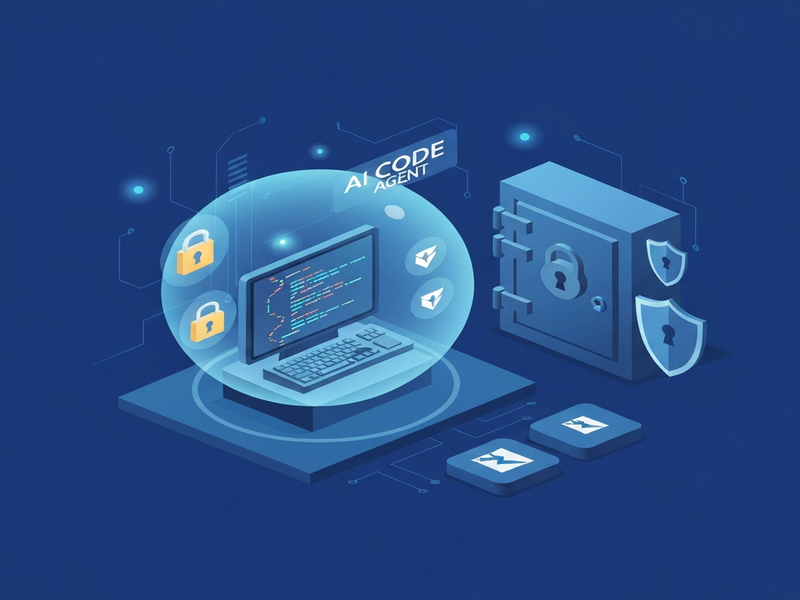
1. The Security Challenge of AI Coding Agents
Modern AI coding assistants—Claude Code, ChatGPT, GitHub Copilot, and emerging open‑source models—run with the same permissions as the user who invokes them. This convenience creates a hidden attack surface:
- Unintended read access to
.env,.ssh, or cloud credentials. - Potential execution of destructive commands (e.g.,
rm -rf ~). - Network exfiltration of proprietary code or data.
- Privilege escalation through vulnerable system utilities.
For developers and security engineers, the core question is: How can we let an AI agent do its job while guaranteeing it never touches our secrets? The answer lies in sandboxing, and Bubblewrap has emerged as a sweet spot between heavyweight containers and fragile Unix user accounts.
2. Introducing Bubblewrap Sandboxing
Bubblewrap (often abbreviated bwrap) is a minimal wrapper around Linux namespaces. It creates an isolated “bubble” where a process sees a trimmed‑down view of the filesystem, limited device nodes, and no network unless explicitly shared. Unlike Docker, Bubblewrap does not require a daemon, image layers, or complex YAML files—just a single command line.
The Bubblewrap feature page on UBOS explains how the platform integrates this tool into its UBOS platform overview, giving developers a ready‑made sandboxing layer for any AI agent.
Why Bubblewrap Beats Docker for Quick AI Workflows
- No daemon: No background service to manage, reducing attack surface.
- Instant start‑up: One‑liner command, perfect for ad‑hoc experiments.
- Fine‑grained control: Bind‑mount only the directories the agent truly needs.
- Auditable code base: The binary is tiny (< 200 KB) and can be inspected for backdoors.
3. Comparison with Docker and Dedicated User Accounts
Many teams initially consider two alternatives: a dedicated Unix user with strict ACLs, or a full‑blown Docker container. Both have drawbacks:
| Approach | Pros | Cons |
|---|---|---|
| Dedicated user account | Leverages native OS permissions. | ACL tuning is painful; network still unrestricted; hard to revoke per‑process. |
| Docker container | Portable, reproducible environments. | Requires daemon, image management, and can be mis‑configured; overhead for short‑lived runs. |
| Bubblewrap | Zero‑daemon, single command, namespace‑level isolation. | Limited to Linux; no built‑in image layering (but not needed for sandboxing). |
4. Step‑by‑Step Setup and Commands
Below is a practical recipe for sandboxing Claude Code (or any AI coding agent) with Bubblewrap. The same pattern works for OpenAI ChatGPT integration or a custom ChatGPT and Telegram integration.
4.1 Install Bubblewrap
sudo apt update && sudo apt install -y bubblewrap4.2 Define the Project Directory
PROJECT_DIR="$HOME/Development/AIProject"4.3 Build the Sandbox Command
The following bwrap invocation isolates the filesystem, blocks network, and masks secret files. Adjust the bind‑mount list to match the tools your agent needs (e.g., git, node, python).
bwrap \
  --ro-bind /usr /usr \
  --ro-bind /lib /lib \
  --ro-bind /lib64 /lib64 \
  --ro-bind /bin /bin \
  --ro-bind /etc/resolv.conf /etc/resolv.conf \
  --ro-bind /etc/hosts /etc/hosts \
  --ro-bind /etc/ssl /etc/ssl \
  --ro-bind /etc/passwd /etc/passwd \
  --ro-bind /etc/group /etc/group \
  --ro-bind "$HOME/.gitconfig" "$HOME/.gitconfig" \
  --ro-bind "$HOME/.nvm" "$HOME/.nvm" \
  --bind "$PROJECT_DIR" "$PROJECT_DIR" \
  --bind "$HOME/.claude" "$HOME/.claude" \
  --tmpfs /tmp \
  --proc /proc \
  --dev /dev \
  --share-net \
  --unshare-pid \
  --die-with-parent \
  --chdir "$PROJECT_DIR" \
  --ro-bind /dev/null "$PROJECT_DIR/.env" \
  --ro-bind /dev/null "$PROJECT_DIR/.env.local" \
  --ro-bind /dev/null "$PROJECT_DIR/.env.production" \
  "$(command -v claude)" --dangerously-skip-permissions "YourPromptHere"
4.4 Explanation of Key Flags
--ro-bind: Mounts directories read‑only, preventing writes to system locations.--bind: Allows read/write access only to the project folder and Claude’s auth directory.--tmpfs /tmp: Provides an isolated temporary filesystem.--share-net: Enables network only if the agent truly needs it; omit to block all outbound traffic.--die-with-parent: Guarantees the sandbox terminates if the parent shell dies.--ro-bind /dev/null …/.env: Overlays empty files over any environment files, ensuring the agent cannot read secrets.
5. Benefits, Trust Considerations, and Best Practices
Using Bubblewrap you gain defense‑in‑depth that does not rely on a third‑party vendor’s implementation. You own the sandbox definition, you audit the binary, and you can evolve the policy as your threat model changes.
5.1 Immediate Security Gains
- Zero exposure of
.env,.ssh, and cloud credential files. - Network can be disabled per‑run, preventing data exfiltration.
- Process tree is isolated; the agent cannot see or signal sibling processes.
- Filesystem view is limited to what you explicitly bind‑mount.
5.2 Trust Matrix – DIY vs. Vendor‑Provided Sandboxes
The About UBOS page outlines our philosophy: give developers the tools to own their security. When you run Bubblewrap yourself, you trust:
- The Linux kernel’s namespace implementation (battle‑tested for decades).
- The
bwrapbinary (tiny, open‑source, auditable). - Your own configuration file (you wrote it).
By contrast, a vendor‑provided sandbox adds layers of trust: their wrapper code, update mechanism, and any proprietary filtering proxies. If you prefer to offload that responsibility, the UBOS partner program offers managed security services that still let you keep visibility.
5.3 Best‑Practice Checklist
- Start with a minimal
bwrapcommand; add mounts only as needed. - Never bind your home directory wholesale—use targeted sub‑folders.
- Replace every secret file with
/dev/nullor a read‑only empty placeholder. - Log the exact command line used for each run; store logs in a tamper‑evident location.
- Periodically audit the
bwrapbinary checksum against the upstream source. - Combine Bubblewrap with UBOS’s Workflow automation studio to orchestrate safe AI runs at scale.
6. Real‑World Use Cases Powered by UBOS
The sandboxing pattern fits naturally into many UBOS‑enabled solutions:
- UBOS templates for quick start now include a “Secure AI Agent” starter that pre‑configures Bubblewrap.
- The AI marketing agents can generate copy without ever seeing your API keys.
- Developers building a Telegram integration on UBOS can safely invoke a GPT‑powered bot inside a sandbox.
- For content teams, the AI SEO Analyzer runs in isolation, guaranteeing that client websites’ source code never leaves the sandbox.
- The AI Article Copywriter can draft marketing blogs while your proprietary brand guidelines stay protected.
- Video creators can use the AI Video Generator without exposing raw footage to the model.
- Chatbot developers can deploy the GPT‑Powered Telegram Bot inside a Bubblewrap jail, ensuring it never reads your server’s private keys.
7. Conclusion & Call‑to‑Action
AI coding agents are powerful allies, but they are not inherently trustworthy. By leveraging Bubblewrap, you gain a lightweight, auditable sandbox that protects secrets, limits network exposure, and keeps your development environment clean. Whether you are a solo developer, a startup, or an enterprise, the approach scales—from the UBOS for startups to the Enterprise AI platform by UBOS.
Ready to try it? Visit the UBOS homepage for a one‑click deployment of Bubblewrap‑enabled AI agents, explore the UBOS pricing plans, and browse the UBOS portfolio examples for inspiration.
For a deeper dive into the original research that sparked this guide, read the original article on AI sandboxing Claude Code. Stay secure, stay productive, and let your AI agents innovate without compromising your secrets.