

- Updated: March 15, 2026
- 6 min read
River 0.4.0 Introduces Modular Window Management – A New Era for Wayland
River 0.4.0 separates the Wayland compositor from the window manager, introducing the
river‑window‑management‑v1 protocol that gives developers full control over
window placement, keybindings, and policy while preserving frame‑perfect rendering and low
latency.
Why River’s New Architecture Matters for Linux UI Enthusiasts
The Wayland ecosystem has long been dominated by monolithic compositors that bundle the
display server, compositor, and window manager into a single binary. This design simplifies
development but forces every Wayland window manager to implement a full compositor stack,
raising the barrier to entry for new projects. River’s original announcement highlighted a bold shift: a non‑monolithic compositor that delegates window‑management duties to an external program via a stable protocol.
For power users, UI/UX designers, and open‑source developers, this change opens a playground
where window managers can be written in any language, restarted independently, and evolve
without risking the entire Wayland session. In the sections below we unpack River 0.4.0,
explore the river-window-management-v1 protocol, and show how this architecture
aligns with modern development workflows—especially when paired with the flexible tools on the
UBOS platform overview.
River 0.4.0: A Non‑Monolithic Wayland Compositor
River 0.4.0 decouples the compositor core from window‑management logic. The compositor now
focuses exclusively on:
- Frame‑perfect buffer composition
- Low‑latency input routing
- Hardware‑accelerated rendering via wlroots
Meanwhile, any compatible window manager can connect through the newly‑stable
river-window-management-v1 protocol. This separation mirrors the classic X11
model—display server, compositor, and window manager as distinct components—while retaining
Wayland’s performance advantages.
The release ships with a set of reference window managers, but the protocol is deliberately
language‑agnostic. Whether you prefer Rust, Go, Python, or even a high‑level garbage‑collected
language, you can now build a functional Wayland window manager without writing a single line
of compositor code.
Understanding the river‑window‑management‑v1 Protocol
The protocol defines two distinct state domains:
- Window‑management state: dimensions, fullscreen flags, focus, and keybindings.
- Rendering state: window positions, stacking order, server‑side decorations, and cropping.
By separating these concerns, River can batch updates into atomic “manage” and “render”
sequences, guaranteeing that no intermediate frames show partially applied layouts—a concept
known as frame perfection.
The protocol also ensures that no round‑trip is required for every input event. The compositor
handles input routing directly; the window manager is only invoked when a policy change is
needed (e.g., a new window opens or a keybinding triggers a layout change). This design
eliminates the latency spikes that plagued earlier experimental Wayland window managers.
Design Constraints, Motivations, and Limitations
Key Constraints
- No per‑frame round‑trip between compositor and window manager.
- Maintain Wayland’s “frame‑perfect” guarantee.
- Support high‑frequency input (typing, gaming) without added latency.
- Allow window managers to be written in high‑level languages without performance penalties.
Why Separate the Roles?
The primary motivation is to lower the barrier for creating innovative window managers.
Historically, developers needed to master both compositor internals and window‑management
policies—a steep learning curve. With River’s protocol:
- Focused development: Teams can concentrate on UI/UX policies.
- Crash isolation: A window manager crash no longer kills the entire Wayland session.
- Rapid prototyping: A functional manager can be built over a weekend.
- Language flexibility: Garbage‑collected languages are viable because the compositor handles timing‑critical paths.
Current Limitations
While powerful, the protocol is intentionally scoped to classic 2D desktop paradigms. It does
not yet support:
- VR or 3D immersive environments.
- Heavy visual effects such as wobbly windows (simple animations are supported).
- Custom shader pipelines—planned for future releases but not in the 0.4.0 roadmap.
Developers needing these features are encouraged to open issues on the River repository; the
maintainers are open to extending the protocol where feasible.
River’s State‑Machine: Manage vs. Render Sequences
The compositor initiates two distinct sequences:
- Manage sequence: Handles changes to window‑management state (size, focus, keybindings).
- Render sequence: Applies rendering state updates (position, stacking, decorations).
During idle periods—such as when a user is typing—no manage sequence is triggered, allowing the
compositor to render frames without consulting the window manager. When a policy change occurs,
the compositor pauses rendering, sends a manage event, receives the updated state, and then
proceeds with a render sequence. This approach guarantees that every displayed frame reflects a
consistent, atomic state.
The design mirrors the internal state machines of established compositors like Sway and
river‑classic, but formalizes the contract for external window managers, making it easier for
third‑party developers to reason about timing and synchronization.
Future Roadmap and How You Can Support Development
River 0.4.0 is already production‑ready, but the roadmap points toward a 1.0 release that will
refine UX for switching between compatible window managers and introduce optional CLI enhancements.
The maintainers have outlined upcoming milestones on the project’s issue tracker, including:
- Improved manager‑selection UI (e.g., hot‑swap between managers).
- Extended protocol hooks for custom animations.
- Minor CLI breaking changes to support new startup flags.
Development is currently sustained by community donations. If River’s architecture improves
your workflow, consider supporting the project via Liberapay, GitHub Sponsors, or Ko‑fi. Your contributions keep the momentum going and help bring the next major release to life.
Gallery: River in Action
Below is a generated illustration that captures the clean separation of concerns in River’s
architecture. Notice the distinct layers for compositor and window manager, each communicating
through the river-window-management-v1 protocol.
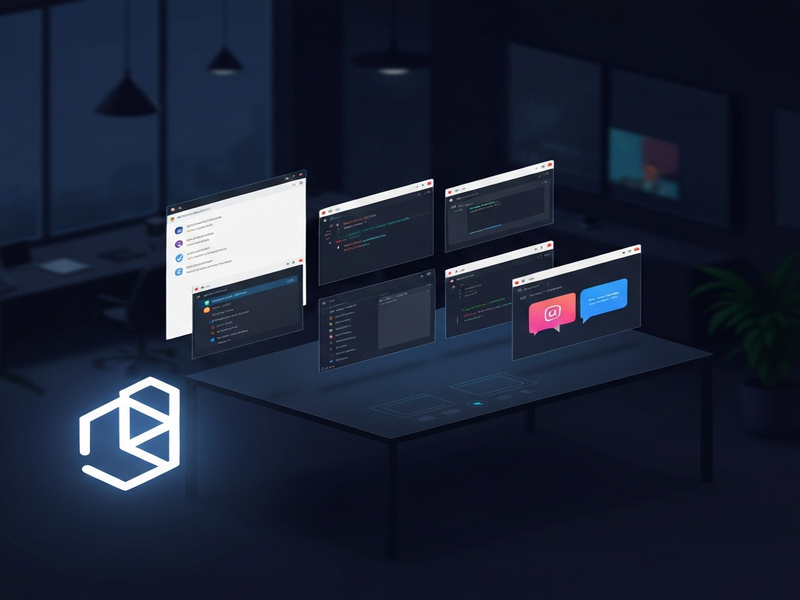
The screenshot also showcases a few community‑crafted window managers running on top of River,
ranging from minimalist tilers to feature‑rich stacking managers. Each demonstrates how the
protocol enables rapid UI experimentation without sacrificing performance.
Conclusion: Embracing a Modular Wayland Future
River’s 0.4.0 release proves that a modular Wayland stack is not only feasible but also
advantageous for developers seeking flexibility and performance. By offloading window‑management
responsibilities to an external program via a stable protocol, River invites a new wave of
innovative managers—potentially written in any language and integrated with modern AI‑driven
tooling.
If you’re exploring how AI can enhance your development workflow, consider pairing River with
UBOS’s AI‑powered services. For example, the AI marketing agents can generate documentation for your window manager, while the
Workflow automation studio can orchestrate build pipelines.
Need a quick start? UBOS offers a rich UBOS templates for quick start, including the
AI Article Copywriter template that can help you draft release notes, or the
AI SEO Analyzer to fine‑tune your project’s web presence.
Whether you’re a Linux power user, a UI/UX designer, or an open‑source enthusiast, River’s
modular approach opens a playground for creativity. Dive in, experiment with a new window manager,
and watch how the separation of concerns can accelerate your development cycle.
Explore more about UBOS’s ecosystem:
- About UBOS
- Enterprise AI platform by UBOS
- UBOS partner program
- UBOS solutions for SMBs
- UBOS for startups
- Web app editor on UBOS
- UBOS pricing plans
- UBOS portfolio examples
- Telegram integration on UBOS
- ChatGPT and Telegram integration
- OpenAI ChatGPT integration
- Chroma DB integration
- ElevenLabs AI voice integration
Andrii Bidochko
CTO UBOS
Andrii Bidochko is an AI entrepreneur and researcher focused on AI agents, reinforcement learning, and autonomous systems. He writes about the technologies shaping the future of machine intelligence, from frontier models and agent architectures to real-world AI applications.