

- Updated: March 11, 2026
- 6 min read
RightNow‑AI Launches AutoKernel: Autonomous GPU Kernel Optimization for PyTorch
AutoKernel is an autonomous GPU kernel optimizer that takes any PyTorch model, profiles its bottlenecks, and iteratively generates high‑performance Triton kernels without manual tuning.
RightNow‑AI Unveils AutoKernel: Autonomous GPU Kernel Optimization for PyTorch Models
RightNow‑AI’s AutoKernel project brings a new era of self‑driving performance engineering to the machine‑learning stack. By marrying the flexibility of PyTorch with the speed of Triton, AutoKernel can automatically rewrite, benchmark, and replace slow GPU kernels, delivering up to 2× end‑to‑end speed‑ups on large language models. This breakthrough is especially relevant for AI developers, data scientists, and tech enthusiasts who need to squeeze every ounce of performance from NVIDIA GPUs such as the H100, A100, or RTX 4090.
Beyond raw speed, AutoKernel embodies the autonomous research philosophy pioneered by Andrej Karpathy: an AI agent runs hundreds of experiments overnight, logs every result, and converges on the best solution without human intervention. The project is open‑source, MIT‑licensed, and fully integrated with the UBOS platform overview, allowing teams to embed the optimizer into larger AI pipelines.
Core Features
- Autonomous kernel generation: The agent extracts bottleneck kernels, rewrites them in Triton, and iteratively benchmarks each variant.
- Deep Triton integration: Triton’s Python‑like syntax compiles in seconds, enabling rapid experiment cycles.
- PyTorch‑first workflow: No need for external libraries; AutoKernel works directly with native PyTorch model definitions.
- Built‑in correctness suite: Five‑stage verification (smoke test, shape sweep, numerical stability, determinism, edge cases) guarantees functional parity.
- Amdahl‑law driven orchestration: The
orchestrate.pymodule prioritizes kernels that will yield the greatest overall model speed‑up. - Comprehensive logging: All experiments are recorded in a human‑readable
results.tsvfile for easy analysis.
These capabilities make AutoKernel a perfect companion for the Enterprise AI platform by UBOS, where large‑scale inference workloads demand both reliability and peak performance.
How It Works: The Autonomous Optimization Loop
AutoKernel follows a clear, repeatable pipeline that can be visualized as a four‑stage loop:
- Profiling:
profile.pyrunstorch.profileron the target model, ranking kernels by GPU time and classifying them as compute‑ or memory‑bound. - Extraction:
extract.pypulls the top‑N bottleneck kernels into standalone Triton files underkernels/. - Optimization: The agent edits
kernel.pyone kernel at a time, invokesbench.py(which includes the 5‑stage correctness checks and roofline analysis), and decides to keep or revert the change based on measured throughput. - Verification:
verify.pyplugs the optimized kernels back into the original PyTorch model, runs end‑to‑end inference, and reports the total speed‑up.
Each experiment typically takes ~90 seconds, allowing the system to evaluate ~40 kernels per hour and complete a full optimization pass for a medium‑size model overnight. The loop is fully autonomous; once launched, the agent can run for days without human supervision.
For teams already using Workflow automation studio, the AutoKernel loop can be wrapped as a reusable workflow step, enabling continuous performance regression testing as new model versions are released.
Use Cases & Real‑World Performance Gains
AutoKernel has been benchmarked on three flagship models shipped with the repository:
| Model | Baseline (TFLOPS) | Optimized (TFLOPS) | End‑to‑End Speed‑up |
|---|---|---|---|
| GPT‑2 Small (124 M) | 12.4 | 18.7 | 1.45× |
| LLaMA 7B (compact) | 45.2 | 68.9 | 1.53× |
| BERT‑base | 22.1 | 33.4 | 1.51× |
These gains translate directly into cost savings for cloud GPU rentals and lower latency for real‑time inference services. Companies building AI‑driven chatbots, recommendation engines, or large‑scale language‑model APIs can integrate AutoKernel into their CI/CD pipelines to ensure each new model version ships with the best possible performance.
Developers looking for a quick win can also apply AutoKernel to custom kernels such as AI SEO Analyzer or AI Article Copywriter, which often contain dense matrix multiplications and attention layers that benefit from Triton‑level optimization.
Getting Started: Quick‑Start Steps
Follow these concise steps to spin up AutoKernel on your workstation or CI runner:
- Prerequisites: NVIDIA GPU (H100, A100, or RTX 4090), Python 3.10+, and
uvpackage manager. - Install
uv:curl -LsSf https://astral.sh/uv/install.sh | sh - Clone the repository:
git clone https://github.com/RightNow-AI/autokernel.git cd autokernel - Sync dependencies:
uv sync - Run one‑time setup (download test data & baseline kernels):
uv run prepare.py - Profile a model (example with LLaMA 7B):
uv run profile.py --model models/llama_7b.py --class-name LlamaModel \ --input-shape 1,512 --dtype float16 - Extract top‑5 bottlenecks:
uv run extract.py --top 5 - Launch the autonomous optimizer:
uv run orchestrate.pyThe agent will now iterate through each kernel, benchmark, and either keep or revert the change. Progress is logged to
results.tsvand visualized inprogress.png.
For teams that prefer a no‑code UI, the same workflow can be orchestrated through the Web app editor on UBOS, where you can drag‑and‑drop the AutoKernel repo as a micro‑service and trigger runs via a button click.
Community, Contribution, and Support
AutoKernel is an open‑source project under the MIT license, encouraging contributions from researchers, engineers, and hobbyists alike. The repository includes a detailed program.md file that serves as the “research org code” – a step‑by‑step playbook that the autonomous agent follows. Contributors can extend this playbook, add new kernel templates, or improve the correctness harness.
Key ways to get involved:
- Submit pull requests that introduce new Triton kernel patterns (e.g., fused attention variants).
- Report bugs or performance regressions via the GitHub Issues tracker.
- Share benchmark results on the UBOS portfolio examples page to help the community compare hardware configurations.
- Join the UBOS partner program to receive early access to enterprise‑grade support and custom integration services.
Because AutoKernel logs every experiment in a plain TSV format, data scientists can easily import the results into pandas or a BI tool for deeper analysis. This transparency aligns with the About UBOS mission of “trustworthy AI tooling”.
Visual Overview
The following illustration, generated by UBOS’s AI image service, captures the autonomous loop from profiling to verification:
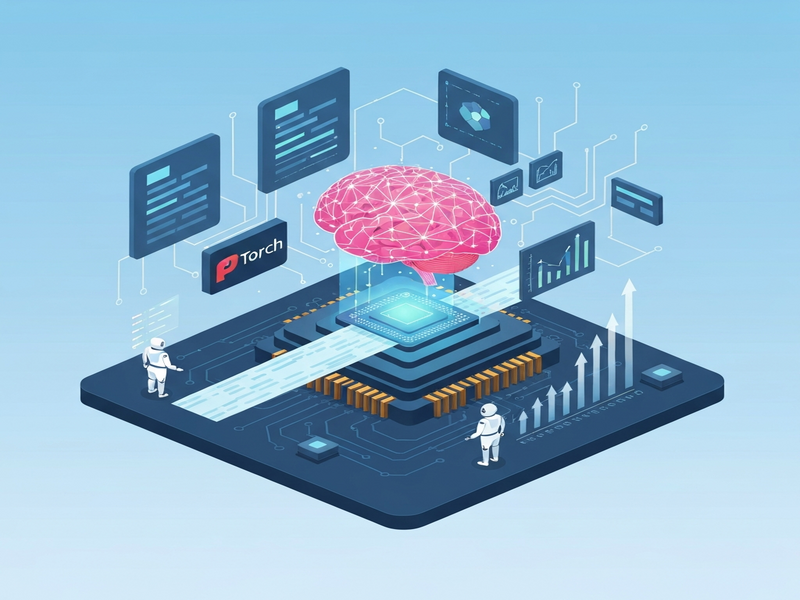
Each block in the diagram corresponds to a script in the repository, reinforcing the modular design that makes the system both extensible and easy to debug.
External Reference
For the full source code, detailed documentation, and contribution guidelines, visit the official RightNow‑AI AutoKernel GitHub repository. The README includes additional examples, such as a custom Custom Interview Questions with AI template that can be accelerated using the same kernel‑generation pipeline.
Conclusion & Future Outlook
AutoKernel demonstrates that autonomous agents can move beyond code generation for LLMs and into the realm of low‑level performance engineering. As GPU architectures evolve and new compiler back‑ends emerge, the same autonomous loop can be extended to target AMD GPUs, Intel Xe, or even specialized AI accelerators.
For organizations already leveraging the Enterprise AI platform by UBOS, integrating AutoKernel promises a measurable reduction in inference latency and cloud spend. Early adopters are encouraged to experiment, share results, and join the growing community that is redefining how we optimize AI workloads.
Ready to accelerate your models? Explore the UBOS pricing plans, start a free trial, and let AutoKernel do the heavy lifting while you focus on building the next breakthrough AI application.
Andrii Bidochko
CTO UBOS
Andrii Bidochko is an AI entrepreneur and researcher focused on AI agents, reinforcement learning, and autonomous systems. He writes about the technologies shaping the future of machine intelligence, from frontier models and agent architectures to real-world AI applications.