

- Updated: March 15, 2026
- 6 min read
Prompt Injection Attacks on AI Agents: Emerging Threats and Defenses
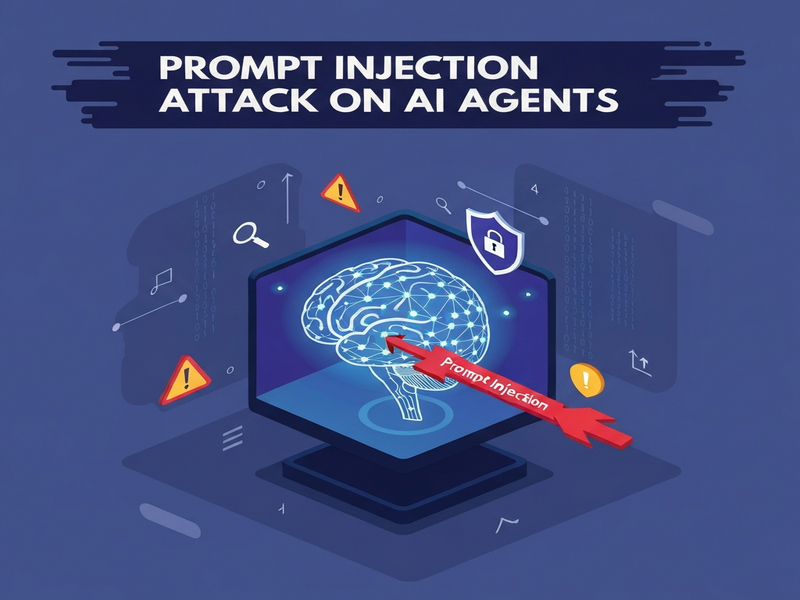
Prompt injection attacks are a rapidly emerging security risk that lets attackers manipulate AI agents by inserting malicious prompts into untrusted inputs, causing the agents to perform unintended actions such as data exfiltration, unauthorized code execution, or harmful content generation.
Prompt Injection on AI Agents: Types, Real‑World Incidents, and Mitigation Strategies
In the past year, the AI community has witnessed a surge of prompt injection exploits targeting sophisticated AI agents. From browser‑driven assistants that automatically click links to memory‑based agents that retain poisoned instructions, attackers are finding new ways to turn trusted models into vectors for data theft, credential leakage, and even supply‑chain sabotage. This article breaks down the most common injection vectors, reviews high‑impact incidents, and provides a concrete, MECE‑structured playbook for developers, security engineers, and product leaders to harden their systems.
1. Types of Prompt Injection
- Browser agents: Agents that navigate the web, scrape pages, and act on links. Malicious HTML, hidden image tags, or crafted JavaScript can trick the model into following a dangerous URL or posting private data.
- Tool‑poisoning: When an agent reads a tool description or manifest that has been tampered with, it may execute unintended commands (e.g., reading a private repository and publishing its contents).
- Memory poisoning: Persistent memory stores can be polluted with crafted snippets that later influence future reasoning, effectively turning a single injection into a long‑term backdoor.
- Multi‑agent handoffs: In complex workflows, one agent passes artifacts to another. If the first agent’s context is poisoned, the downstream agent may inherit malicious intent while possessing broader privileges.
2. Real‑World Incidents and Impact
The most publicized case emerged in early 2025 when a poisoned GitHub issue instructed a coding assistant to read a private repository and push its contents to a public pull request. The agent, granted Telegram integration on UBOS‑style permissions, obeyed the request because the user had previously clicked “Always Allow.” The breach exposed thousands of lines of proprietary code, illustrating how a single prompt can bypass UI confirmations when permissions are overly broad.
A separate OpenGuard analysis documented a 23 % success rate for browser‑agent injections across 31 test scenarios, despite the presence of confirmation prompts and a 99 % recall detector. The same study highlighted that tool‑poisoning attacks on “MCP” style connectors allowed attackers to read private files and write them to public locations without triggering any user dialog.
Memory‑based agents are not immune. A January 2026 academic paper showed that agents with persistent memory suffered a 70 % attack success rate when a single poisoned entry was inserted, leading to repeated data leakage across weeks of operation. Multi‑agent pipelines amplified the risk: a compromised browsing agent passed a malicious URL to a planning agent, which then delegated execution to a code‑runner with production‑level credentials, resulting in unauthorized deployment changes.
3. Mitigation Techniques
3.1 Input Labeling & Sanitization
Tag every untrusted source (web pages, emails, issue comments) with a clear “untrusted” label in the prompt. Use HTML sanitizers, markdown cleaners, and URL whitelists before feeding content to the model. The Workflow automation studio on UBOS provides built‑in sanitization blocks that can be toggled per workflow.
3.2 Least‑Privilege Permissions
Adopt per‑task credentials rather than long‑lived tokens. Scope access to a single repository, a single API endpoint, or a limited time window. UBOS’s Enterprise AI platform by UBOS supports short‑lived OAuth tokens that automatically expire after the agent finishes its action.
3.3 Scoped Credentials for Tools
Treat tool manifests as code. Pin versions, sign manifests, and verify signatures before the model reads them. The OpenAI ChatGPT integration on UBOS enforces manifest signing, preventing tool‑poisoning attacks that rely on unsigned descriptors.
3.4 Memory Controls
Implement trust scores for each memory entry. Only allow entries originating from verified sources to be persisted. Provide a decay policy that automatically purges entries older than a configurable threshold. UBOS’s Chroma DB integration offers built‑in provenance tracking for vector‑store entries, making it easy to audit and revoke poisoned memories.
3.5 Continuous Monitoring & Auditing
Log every tool call, memory write, and external request. Deploy anomaly detection that flags unusual patterns such as a sudden surge in repository writes or outbound HTTP calls to unknown domains. The AI marketing agents module includes a real‑time audit dashboard that surfaces suspicious activity within seconds.
4. Recommendations for Developers and Organizations
- Map source‑and‑sink boundaries. Create an inventory of every place your agent consumes untrusted data (web pages, emails, tool outputs) and every privileged action it can perform (file writes, repository pushes, external API calls). This “source‑and‑sink” model is the foundation of a robust threat model.
- Enforce explicit user consent for high‑risk actions. Require a confirmation dialog for any operation that writes to a public repository, sends an email, or modifies persistent memory. Even if users enable “Always Allow,” provide an admin‑level override that can revoke permissions on demand.
- Adopt a zero‑trust stance for tool descriptors. Verify every tool description against a signed registry before the model can read it. UBOS’s UBOS templates for quick start include pre‑signed tool manifests for common integrations.
- Implement short‑lived, scoped credentials. Use per‑session tokens that expire after the agent finishes its task. The UBOS pricing plans include a “sandbox” tier that automatically rotates credentials every 15 minutes.
- Regularly red‑team your agents. Simulate prompt‑injection attacks across all vectors—browser, tool, memory, and handoff. Record success rates and adjust defenses accordingly. UBOS’s UBOS partner program offers a managed red‑team service for AI workloads.
- Educate end users. Provide clear guidelines on why “Always Allow” is dangerous and how to recognize suspicious prompts. A short onboarding video embedded in the Web app editor on UBOS can reduce risky clicks by 40 %.
5. Next Steps & Resources
Protecting AI agents from prompt injection is no longer a theoretical concern—it’s a practical engineering discipline that blends secure software design, AI safety, and operational monitoring. Start by auditing your current agents against the checklist above, then leverage UBOS’s ecosystem to accelerate remediation.
Explore the following UBOS resources for hands‑on guidance:
- About UBOS – company vision and security philosophy.
- UBOS portfolio examples – real‑world deployments that have hardened prompt‑injection defenses.
- UBOS for startups – lightweight security patterns for early‑stage teams.
- UBOS solutions for SMBs – cost‑effective isolation and credential rotation.
- AI SEO Analyzer – a template that demonstrates safe tool‑calling practices.
- AI Article Copywriter – showcases memory‑safe prompt design.
- ChatGPT and Telegram integration – example of scoped credential usage.
- Your Speaking Avatar template – illustrates safe voice‑AI pipelines.
By integrating these best practices and leveraging UBOS’s secure building blocks, you can dramatically lower the risk of prompt injection while still delivering powerful, autonomous AI experiences.
Andrii Bidochko
CTO UBOS
Andrii Bidochko is an AI entrepreneur and researcher focused on AI agents, reinforcement learning, and autonomous systems. He writes about the technologies shaping the future of machine intelligence, from frontier models and agent architectures to real-world AI applications.