

- Updated: January 28, 2026
- 5 min read
Netflix Unveils Mobile UI Revamp: Vertical Video and AI Features
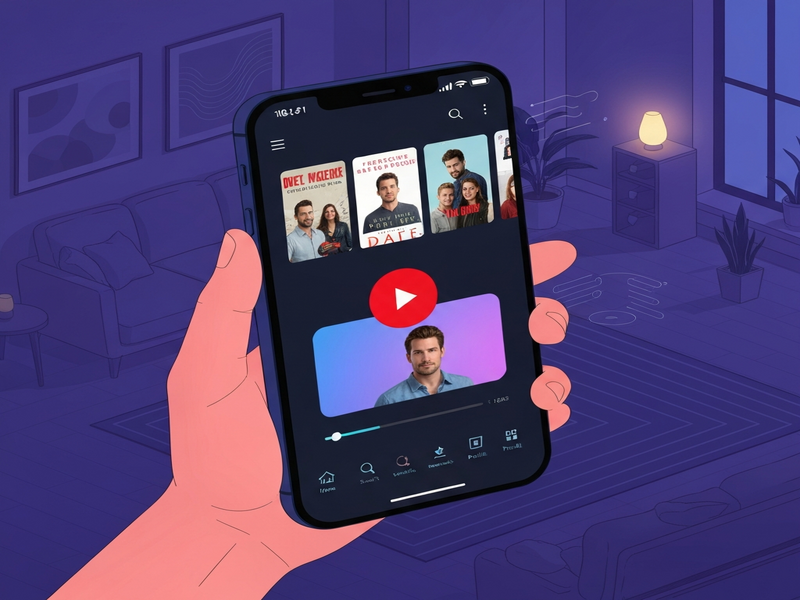
Netflix is set to roll out a major mobile UI revamp later this year, delivering a cleaner navigation experience, a new vertical‑video feed, and a flexible foundation for future streaming innovations.
Why the Netflix Mobile Redesign Matters
For tech‑savvy streaming enthusiasts and media professionals, the look and feel of a streaming app is more than skin‑deep—it directly influences discovery, engagement, and retention. Netflix’s upcoming mobile UI overhaul, announced during its Q4 2025 earnings call, signals a strategic shift toward a more modular, data‑driven experience that can adapt to emerging content formats such as vertical video and video podcasts.
The redesign follows last year’s high‑profile TV‑app refresh, which introduced a bold banner carousel on the home screen. This time, the focus is on the handheld experience, where users spend the majority of their viewing time. Below we break down the key changes, the executive rationale, and what this means for the broader streaming ecosystem.
What’s Changing in the Netflix Mobile UI?
- Unified Navigation Bar: A slimmer, context‑aware bottom bar replaces the previous three‑tab layout, surfacing “Home,” “Search,” “Downloads,” and a new “Explore” icon that surfaces personalized vertical feeds.
- Vertical Video Feed: Early tests show short, swipe‑up clips from shows, movies, and video podcasts displayed in a TikTok‑style scroll, designed to capture attention in under‑10‑second bursts.
- Dynamic Content Cards: Cards now adapt their aspect ratio based on the content type, allowing portrait‑oriented videos to fill the screen without black bars.
- Enhanced Search Experience: AI‑powered suggestions appear as you type, leveraging the OpenAI ChatGPT integration for natural‑language queries.
- Personalized “Continue Watching” Shelf: A smarter algorithm re‑orders episodes and movies based on viewing patterns, device type, and time of day.
- Accessibility Upgrades: Voice‑over support now integrates with the ElevenLabs AI voice integration, offering more natural narration for visually impaired users.
Insights from Netflix Leadership
“The new mobile UI is built to serve the expansion of our business over the next decade. It’s not just a facelift; it’s a platform for continuous iteration.” – Greg Peters, Co‑CEO, Netflix
“We wanted a more flexible canvas that can accommodate emerging formats like vertical video and audio‑first podcasts. This redesign gives us that flexibility while keeping the core Netflix experience familiar.” – Eunice Kim, Former Chief Product Officer, Netflix
What This Means for Everyday Viewers
The redesign is engineered around three user‑centric pillars:
- Speedier Discovery: The vertical feed surfaces bite‑size previews, letting users decide in seconds whether to dive deeper.
- Seamless Multitasking: The slimmer navigation bar frees up screen real estate, making it easier to watch on smaller devices while still accessing controls.
- Personalized Guidance: AI‑driven recommendations adapt in real time, reducing decision fatigue.
For content creators, the new UI opens fresh promotional avenues. Short vertical clips can act as teasers, driving traffic to full‑length titles. For advertisers, the “Explore” tab offers a new ad placement model that blends natively with organic content.
Broader Streaming UI Trends in 2024
Netflix’s move reflects a larger industry pivot toward mobile‑first design and AI‑enhanced personalization. Competitors such as Disney+ and Amazon Prime Video have already experimented with vertical scrolls, but Netflix’s integration of generative AI for search and content curation sets a higher bar.
The shift also underscores the growing importance of video podcasts. As audio‑first platforms like Spotify double‑down on video, Netflix’s willingness to surface podcast clips within the same UI suggests a convergence of media formats.
From a technology standpoint, the redesign leverages modern data pipelines, including vector databases like Chroma DB integration for fast similarity search, and real‑time feature flags to roll out UI experiments safely.
Read the Full Story
For a detailed breakdown of Netflix’s announcement, see the original Verge story. The article provides additional context on the company’s strategic roadmap and early user testing results.
How UBOS Helps Teams Build Next‑Gen Experiences
If you’re a product leader looking to prototype similar UI concepts, the UBOS platform overview offers a low‑code environment that accelerates mobile UI experimentation.
Startups can jump‑start their design with UBOS templates for quick start, many of which include pre‑built navigation bars and dynamic content cards.
For SMBs seeking to automate content workflows, the Workflow automation studio lets you connect user actions to backend services without writing code.
Enterprises looking for a scalable AI backbone can explore the Enterprise AI platform by UBOS, which supports integrations like ChatGPT and Telegram integration for real‑time analytics.
Marketing teams can boost engagement with AI marketing agents that personalize recommendations based on user behavior—mirroring Netflix’s AI‑driven approach.
Need a visual prototype? The Web app editor on UBOS lets you drag‑and‑drop UI components, test vertical video feeds, and iterate in minutes.
Curious about pricing? Review the UBOS pricing plans to find a tier that matches your development budget.
For inspiration, browse the UBOS portfolio examples, which showcase real‑world applications of dynamic UI and AI personalization.
Ready‑Made Templates to Accelerate Your Project
UBOS’s marketplace offers a variety of AI‑powered templates that align with the new Netflix UI concepts:
- AI SEO Analyzer – Optimize your content discovery algorithms.
- AI Video Generator – Create short vertical clips for teaser feeds.
- Talk with Claude AI app – Embed conversational agents that can recommend shows.
- AI Chatbot template – Offer instant support within the mobile UI.
- AI Article Copywriter – Generate dynamic descriptions for new titles.
What’s Next?
Netflix’s mobile UI revamp is more than a visual refresh; it’s a strategic platform that embraces AI, vertical video, and modular design. For developers, marketers, and product teams, the lessons learned here can be applied today using tools like UBOS.
Ready to prototype your own next‑gen streaming experience? Visit the UBOS homepage and start building with our low‑code suite.