

- Updated: February 28, 2026
- 6 min read
Modernizing Linux Deployments with OSTree and Bootc
OSTree and Bootc together provide a modern, immutable Linux deployment workflow that enables atomic updates, instant rollbacks, and GitOps‑style management for DevOps engineers and system administrators.
Why immutable Linux matters in 2026
In a world where containers dominate the CI/CD pipeline, the underlying operating system often becomes the hidden source of drift and outages. Immutable Linux distributions eliminate that risk by treating the OS as a read‑only artifact that can be versioned, tested, and swapped out just like any container image. Two projects—OSTree and Bootc—have emerged as the de‑facto standard for building and deploying such images.
This article explains how OSTree’s Git‑like versioning model pairs with Bootc’s OCI‑image boot process, outlines the end‑to‑end workflow, and shows why the combination is a game‑changer for immutable Linux deployments.
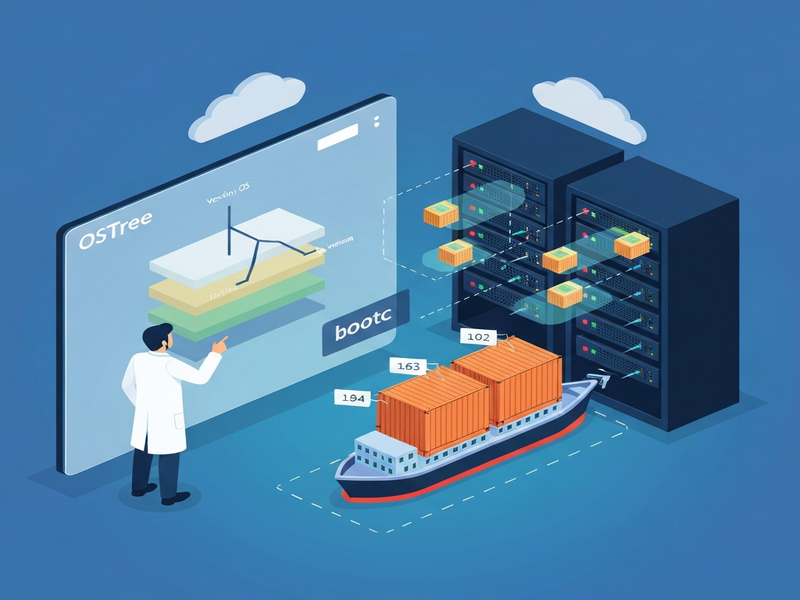
Illustration: UBOS AI‑generated view of the OSTree‑Bootc pipeline.
OSTree: Git for the filesystem
OSTree stores complete filesystem trees as immutable commits, each identified by a cryptographic hash. Much like Git, you can create, inspect, and switch between commits without touching the running system.
Core concepts
- Commits & snapshots – Every change produces a new snapshot that can be rolled back instantly.
- Deduplication & compression – OSTree uses LZ4 compression and content‑addressed storage to keep image size low.
- Read‑only root – The base system lives on a read‑only mount, while
/etcand/varare overlaid for mutable data.
Under the hood: ComposeFS and EROFS
OSTree relies on ComposeFS for integrity‑checked mounting and on the EROFS kernel driver to provide a high‑performance, read‑only filesystem. The combination guarantees that a corrupted commit never boots, and that each snapshot is reproducible across machines.
Bootc: Booting Linux from OCI images
Bootc treats an OCI container image as a full operating system. The image contains the kernel, initramfs, systemd units, and the entire root filesystem. When the host boots, Bootc extracts the image and hands control to systemd, just like a traditional distro.
Why OCI?
OCI images are already the lingua franca of modern CI/CD pipelines. By reusing the same artifact for both application containers and the host OS, you eliminate a whole class of version‑skew bugs.
Bootc workflow in a nutshell
- Build a container image with a
Containerfile(similar to a Dockerfile). - Push the image to a registry (Docker Hub, Quay, or a private Harbor instance).
- Deploy the image to bare metal, VMs, or cloud VMs using
bootc switchorbootc upgrade. - Bootc’s systemd service
bootc-fetch-apply-updates.serviceperiodically checks for newer images and applies them atomically.
How OSTree and Bootc integrate
Although OSTree and Bootc are independent projects, they complement each other perfectly. OSTree provides the versioned storage layer, while Bootc supplies the container‑image boot mechanism. The combined workflow looks like this:
1. Build phase – container image creation
During the image build you use dnf (or apt on other distros) to install packages, then run bootc install to embed an OSTree repository inside the image. The resulting OCI image contains a complete OSTree commit ready for deployment.
2. Deploy phase – ISO, QCOW2, or cloud image
Tools like bootc-image-builder turn the OCI image into an ISO, a QCOW2 disk, or an AMI. You can then install the image on any hardware, just like a traditional installer.
3. Update phase – atomic upgrades
When a new image is pushed, Bootc fetches it, validates the OSTree commit, and schedules a reboot. The reboot swaps the root filesystem atomically, guaranteeing that either the old or the new version runs—never a half‑updated state.
If something goes wrong, the previous OSTree commit remains on disk, and a simple boot‑menu selection restores the system instantly.
Key benefits for DevOps and Sysadmins
- Atomic updates – One‑click, reboot‑based upgrades eliminate partial failures.
- Instant rollbacks – Revert to any previous OSTree commit in seconds.
- GitOps‑style management – Treat OS images as code; version control, CI pipelines, and pull‑request reviews become possible.
- Zero‑drift deployments – All changes flow through the OCI image; manual
rpminstalls are discouraged, preventing configuration drift. - Reduced attack surface – Read‑only root reduces the risk of unauthorized modifications.
- Unified tooling – The same container registries and CI pipelines used for apps also host OS images.
Real‑world example: Fedora Silverblue
Fedora Silverblue is the flagship immutable desktop built on OSTree. By adding Bootc, administrators can now spin up a Silverblue‑based server in minutes, push updates via a CI pipeline, and guarantee that every node runs the exact same OS snapshot.
A typical workflow looks like this:
- Create a
Containerfilebased onquay.io/fedora/fedora-bootc:latest. - Install required packages (e.g.,
nginx,podman) and configure systemd services. - Build the image with
podman build -t my-silverblue:latest . - Run
bootc-image-builderto generate a QCOW2 image for KVM. - Deploy the image to a fleet of VMs; enable
bootc-fetch-apply-updates.servicefor automatic upgrades.
Because each step is codified in Git, the entire stack—from kernel to application—can be audited, signed, and reproduced across data centers.
How UBOS complements OSTree + Bootc
UBOS offers a low‑code platform overview that can orchestrate the same immutable‑Linux pipelines described above. With UBOS you can:
- Leverage the Workflow automation studio to generate Containerfiles automatically from high‑level specifications.
- Deploy pre‑built UBOS templates for quick start such as the AI SEO Analyzer or the AI Article Copywriter, which already include an immutable base image.
- Use the Enterprise AI platform by UBOS to add AI‑driven monitoring and predictive rollback decisions.
- Expose AI marketing agents that can automatically generate release notes for each OSTree commit.
For startups, the UBOS for startups program provides free credits to experiment with immutable Linux in production, while SMBs can adopt the UBOS solutions for SMBs to simplify compliance.
Getting started – resources and next steps
If you’re ready to try OSTree + Bootc, follow these quick steps:
- Read the official Bootc guide on the UBOS site.
- Clone the Bluefin example repository and adapt the Containerfile to your needs.
- Set up a private registry (Harbor, Quay) and push the built image.
- Generate an ISO with
bootc-image-builderand test on a VM. - Enable
bootc-fetch-apply-updates.servicefor automatic rollouts.
Need a ready‑made template? Check out the AI Video Generator or the AI Image Generator – both are built on an immutable base and showcase the power of the workflow.
For pricing details, see the UBOS pricing plans. If you want to partner with us, explore the UBOS partner program to co‑market your immutable‑Linux solutions.
Conclusion
OSTree and Bootc together deliver a robust, GitOps‑ready foundation for immutable Linux. By versioning the entire root filesystem and booting it from a container image, you gain atomic updates, instant rollbacks, and a single source of truth for both OS and application code.
Whether you are a DevOps engineer looking to eliminate drift, a system administrator seeking rock‑solid rollbacks, or a startup aiming for rapid, reproducible deployments, the OSTree‑Bootc stack—augmented by UBOS’s low‑code automation—offers a future‑proof path.
Ready to modernize your Linux fleet? Visit the UBOS homepage, explore the UBOS portfolio examples, and start building your first immutable image today.
For a deeper technical dive, read the original source that inspired this article.