

- Updated: January 18, 2026
- 6 min read
MBCompass: Open‑Source Android Compass & Navigation App – New Release
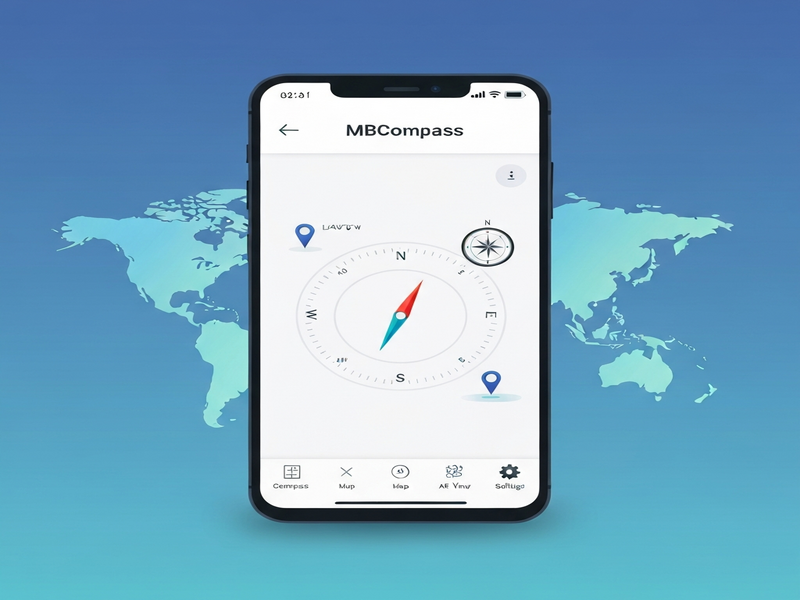
MBCompass is a free, open‑source Android compass and navigation app that delivers accurate GPS‑based direction, magnetic‑field readings, and live mapping without ads, in‑app purchases, or tracking.
Introduction: Why MBCompass Matters for Android Developers
For Android developers, tech enthusiasts, and open‑source contributors, finding a navigation tool that respects user privacy while showcasing modern development practices is rare. MBCompass fills that gap. Built with Kotlin and Jetpack Compose, it demonstrates clean architecture, sensor‑fusion techniques, and a lightweight footprint that runs on Android 5.0+ devices. Whether you are prototyping a location‑aware feature, learning about sensor APIs, or simply need a reliable compass for personal use, MBCompass offers a ready‑made, community‑driven foundation.
Beyond its functional value, the project serves as a live case study for Android development best practices, from Gradle Kotlin DSL scripts to continuous integration pipelines. Its open‑source nature encourages you to fork, extend, or integrate the code into larger solutions—making it an ideal learning sandbox.
Project Overview
MBCompass is hosted on GitHub under the CompassMB/MBCompass repository. The project follows the GPL‑3.0 license, guaranteeing that anyone can use, study, modify, and redistribute the code as long as derivative works remain open source. The repository currently boasts over 369 stars and 26 forks, reflecting strong community interest.
The app’s core philosophy is simple: provide a modern compass and navigation experience without the bloat of ads, in‑app purchases, or telemetry. It achieves this by:
- Leveraging the device’s magnetometer, accelerometer, and gyroscope for sensor fusion.
- Displaying live GPS location on OpenStreetMap tiles.
- Offering both magnetic north and true north readings.
- Supporting light and dark themes, landscape orientation, and screen‑on mode for continuous navigation.
Developers can explore the open‑source projects section on UBOS to see how MBCompass aligns with other community‑driven initiatives.
Key Features of MBCompass
Below is a MECE‑structured list of the most compelling features that set MBCompass apart from generic compass apps.
Accurate Directional Readings
- Magnetic & True North: Users can toggle between magnetic north and true north, useful for hikers and surveyors.
- Sensor Fusion: Combines accelerometer, magnetometer, and gyroscope data to reduce jitter and improve stability.
- Magnetic Field Strength: Shows real‑time µT (microtesla) readings, helping developers experiment with raw sensor data.
Live GPS Mapping
- Integrates OpenStreetMap tiles for offline‑friendly, lightweight mapping.
- Displays current latitude, longitude, and altitude alongside the compass rose.
- Screen‑on mode ensures the map stays visible during prolonged navigation.
User‑Centric UI/UX
- Material Design components powered by Jetpack Compose.
- Automatic light/dark theme switching based on system settings.
- Landscape orientation support for better visibility on tablets.
Developer‑Friendly Architecture
- Modular Gradle Kotlin DSL build scripts for easy customization.
- Comprehensive unit and UI tests located in the
app/src/testandapp/src/androidTestdirectories. - Clear separation of concerns using MVVM (Model‑View‑ViewModel) pattern.
These features make MBCompass a solid foundation for building more complex location‑aware applications, such as AI for Turn‑by‑Turn Directions or a custom AI Chatbot template that leverages real‑time GPS data.
Licensing & Contribution
MBCompass is released under the GPL‑3.0 license. This ensures that the software remains free and open, while also protecting the community from proprietary forks that could re‑introduce ads or tracking.
Contributors are encouraged to follow the Contributing Guidelines. The project welcomes:
- Bug reports and feature requests via GitHub Issues.
- Pull requests that improve UI, add new sensors, or enhance performance.
- Localization efforts—MBCompass is already set up on Weblate for community translations.
For developers interested in monetizing their contributions responsibly, UBOS offers a UBOS partner program that can help you package and sell premium extensions while keeping the core app free.
How to Get Started with MBCompass
Getting the app up and running on your device or development environment is straightforward. Follow these steps:
- Clone the Repository
git clone https://github.com/CompassMB/MBCompass.git - Open in Android Studio
Import the project as a Gradle project. Android Studio 2022.1+ is recommended for optimal Compose support. - Sync Gradle
The project uses the Kotlin DSL (build.gradle.kts) and automatically downloads Jetpack Compose libraries. - Run on an Emulator or Device
Ensure the device has a magnetometer and GPS sensor. The app requires Android 5.0 (API 21) or higher. - Explore the Codebase
Pay special attention toCompassViewModel.ktfor sensor fusion logic andMapScreen.ktfor OpenStreetMap integration.
Once you have a working build, you can start customizing:
- Swap the map provider for a custom tile server.
- Add a speedometer widget using the AI for Turn‑by‑Turn Directions template.
- Integrate voice feedback via the ElevenLabs AI voice integration to announce bearing changes.
For a visual walkthrough, the MBCompass page on UBOS provides screenshots, demo videos, and a quick‑start guide.
Extending MBCompass with UBOS AI Services
UBOS offers a suite of AI‑powered modules that can enrich MBCompass beyond basic navigation. Below are a few integrations that developers often pair with the compass app:
- Telegram integration on UBOS – Send real‑time location updates to a Telegram channel.
- ChatGPT and Telegram integration – Enable conversational queries like “What’s my current bearing?” via a bot.
- OpenAI ChatGPT integration – Provide natural‑language explanations of navigation data.
- Chroma DB integration – Store historic location traces for analytics.
- ElevenLabs AI voice integration – Add spoken direction prompts.
These integrations are built on the UBOS platform overview, which offers a low‑code environment for stitching together APIs, workflows, and UI components.
Related UBOS Resources for Android Developers
While MBCompass is a standalone project, many developers find the broader UBOS ecosystem useful for rapid prototyping and deployment:
- Web app editor on UBOS – Create companion web dashboards for your Android app.
- Workflow automation studio – Automate data pipelines from GPS logs to analytics dashboards.
- UBOS templates for quick start – Jump‑start new projects with pre‑built templates like the AI YouTube Comment Analysis tool or AI SEO Analyzer.
- UBOS pricing plans – Choose a free tier for hobby projects or scale to enterprise with the Enterprise AI platform by UBOS.
- About UBOS – Learn more about the team behind the platform.
Conclusion: Take the Compass, Build the Future
MBCompass exemplifies how open‑source Android development can deliver high‑quality, privacy‑first navigation tools. Its clean codebase, modern UI, and extensible architecture make it an excellent foundation for both learning and production‑grade projects.
If you’re ready to experiment, fork the repository, add a voice‑guided direction feature with ElevenLabs AI voice integration, or simply use the app as‑is for your next hike, you now have all the resources you need.
Explore more on the UBOS MBCompass page, join the community on GitHub, and consider contributing back. Together we can keep navigation free, open, and intelligent.
Ready to start? Visit the MBCompass hub, clone the repo, and let your Android development journey point north.