

- Updated: March 15, 2026
- 6 min read
Lux DB: A High‑Performance Rust‑Based Redis Replacement
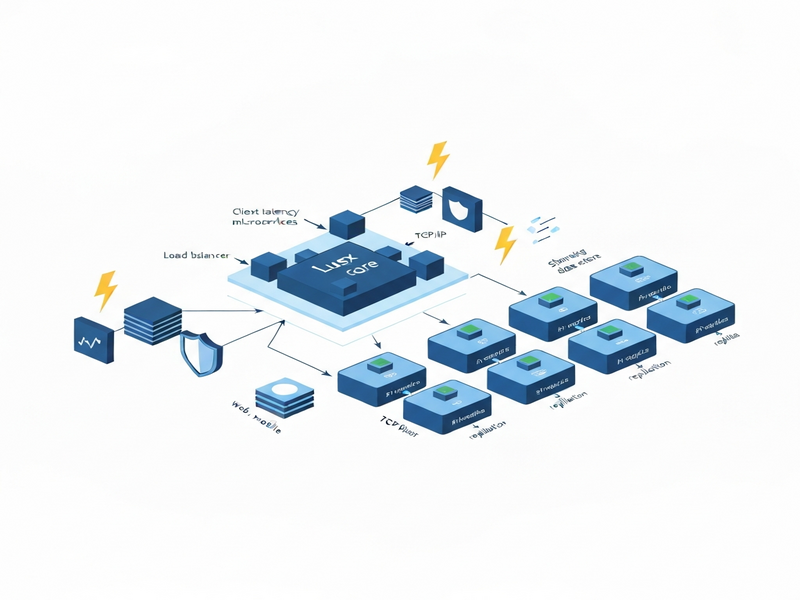
Lux DB is a high‑performance, multi‑threaded, Rust‑based key‑value store that serves as a drop‑in replacement for Redis. Designed for developers, DevOps engineers, and database architects who need raw speed without sacrificing compatibility, Lux leverages Rust’s safety guarantees and a sharded concurrent architecture to unlock the full potential of modern multi‑core servers.
In this UBOS news article we explore Lux DB’s purpose, core architecture, benchmark results, real‑world use cases, and how it stacks up against Redis and other popular stores. We also provide a step‑by‑step guide to get started with Docker, plus a curated list of internal UBOS resources that can help you extend Lux’s capabilities with AI‑driven workflows.
What Is Lux DB?
Lux DB is an open‑source, MIT‑licensed database written in Rust. It implements the Redis Serialization Protocol (RESP) and supports more than 80 Redis commands, making migration a matter of changing the connection string. Unlike Redis, which is single‑threaded by design, Lux distributes data across automatically tuned shards and processes commands concurrently on every CPU core.
Key Language & Architecture Choices
- Rust: Guarantees memory safety without a garbage collector, delivering predictable latency.
- Sharded Store: Each shard is a lock‑protected hash map; the runtime auto‑scales shard count (default:
num_cpus * 16). - Tokio Async Runtime: Handles thousands of client connections with minimal overhead.
- Zero‑Copy RESP Parser: Parses incoming bytes directly from the socket buffer, eliminating allocations.
- Pipeline Batching: Commands targeting the same shard are grouped, reducing lock contention.
Key Features & Performance Benchmarks
Lux DB’s feature set is deliberately aligned with Redis while adding modern performance enhancements:
- 80+ Redis‑compatible commands (strings, hashes, lists, sets, pub/sub, TTL, etc.).
- Multi‑threaded execution with auto‑tuned shards.
- Persistence via configurable snapshots (default every 60 seconds).
- Built‑in authentication (environment variable
LUX_PASSWORD). - Docker image under 1 MB – dramatically smaller than Redis (≈30 MB) and Dragonfly (≈180 MB).
Benchmark Highlights (redis‑benchmark, 50 clients, 1 M ops)
| Pipeline Depth | Lux DB (ops/sec) | Redis 7 (ops/sec) | Speed‑up |
|---|---|---|---|
| 16 | 1.49 M | 902 K | 1.65× |
| 64 | 4.65 M | 1.50 M | 3.10× |
| 128 | 7.19 M | 1.73 M | 4.16× |
| 256 | 10.5 M | 1.88 M | 5.59× |
The data shows a clear scaling curve: as pipeline depth and core count increase, Lux’s sharded batching outpaces Redis’s single‑core ceiling, delivering up to 5.6× higher throughput on identical hardware.
Use Cases & Deployment Options
Because Lux speaks the same protocol as Redis, any existing Redis‑based application can switch to Lux without code changes. This makes it ideal for:
- Real‑time analytics: High‑frequency event ingestion where micro‑second latency matters.
- Gaming back‑ends: Leaderboards, session stores, and matchmaking queues that demand massive concurrency.
- IoT telemetry: Edge devices pushing millions of sensor readings per second.
- Cache layer for AI pipelines: Storing intermediate model outputs while keeping costs low.
Docker & Cloud Deployment
Lux ships as a single‑layer Docker image (ghcr.io/lux-db/lux:latest) that fits under 1 MB. Deploy with a one‑liner:
docker run -d -p 6379:6379 ghcr.io/lux-db/lux:latestFor cloud‑native environments, set environment variables to control persistence, authentication, and shard count:
LUX_DATA_DIR– directory for snapshots.LUX_SAVE_INTERVAL– seconds between automatic snapshots.LUX_SHARDS– override auto‑calculated shard count.LUX_PASSWORD– enable password authentication.
Kubernetes users can reference the same image in a Deployment manifest and expose it via a Service. The tiny footprint reduces pod startup time and resource consumption.
Lux DB vs. Redis and Other Key‑Value Stores
While Redis remains the de‑facto standard, its single‑threaded model limits scalability on modern hardware. Below is a concise MECE comparison:
Performance
- Lux: Multi‑threaded, sharded, up to 5.6× higher throughput.
- Redis: Single‑threaded, limited by one core.
- KeyDB: Multi‑threaded fork of Redis, but larger binary (≈30 MB) and less aggressive sharding.
Resource Footprint
- Lux Docker image < 1 MB.
- Redis official image ≈30 MB.
- Dragonfly (another Redis‑compatible) ≈180 MB.
Compatibility
- Lux: 100 % RESP compatible; works with
ioredis,redis-py,go-redis,Jedis, etc. - Redis: Native support for all official clients.
- Valkey: Fork of Redis with minor protocol differences.
Licensing
- Lux: MIT – permissive, no future license changes.
- Redis: Dual‑licensed (SSPL/RSA) – can be restrictive for some enterprises.
- KeyDB: GPL‑3 – may affect proprietary deployments.
How to Get Started with Lux DB
Installation (Docker)
- Pull the image:
docker pull ghcr.io/lux-db/lux:latest - Run a container with optional env vars:
docker run -d \ -p 6379:6379 \ -e LUX_PASSWORD=supersecret \ -e LUX_SAVE_INTERVAL=120 \ ghcr.io/lux-db/lux:latest - Connect using any Redis client, e.g.:
redis-cli -a supersecret -h localhost -p 6379
SET hello "world"
GET hello
Building from Source
For custom builds, clone the repository and compile with Cargo:
git clone https://github.com/lux-db/lux.git
cd lux
cargo build --release
./target/release/lux
Documentation & Community
The official README provides a full command reference, while the architecture guide dives into the sharding model. For troubleshooting, the GitHub Issues page is active and responsive.
Explore More UBOS Resources
While Lux DB shines on its own, integrating it with UBOS’s AI‑enhanced ecosystem can unlock even greater value. Below are curated internal links that complement Lux’s capabilities:
- UBOS homepage – discover the full AI platform.
- About UBOS – learn about the team behind the technology.
- AI marketing agents – automate campaign creation using data stored in Lux.
- UBOS partner program – become a certified partner and get co‑selling benefits.
- UBOS platform overview – see how Lux can be plugged into the broader platform.
- UBOS for startups – fast‑track your MVP with pre‑built AI templates.
- Enterprise AI platform by UBOS – scale Lux across multiple data centers.
- Workflow automation studio – orchestrate data pipelines that read/write from Lux.
- UBOS templates for quick start – jump‑start projects with ready‑made Lux‑backed templates.
- AI SEO Analyzer – a practical example of a Redis‑compatible service that can be powered by Lux.
- GPT-Powered Telegram Bot – combine Lux’s low‑latency store with real‑time chat interactions.
Source Code & Community
The complete source code, issue tracker, and contribution guidelines are hosted on GitHub. Dive into the repository to explore the latest releases, submit pull requests, or report bugs.
Conclusion
Lux DB delivers a compelling blend of Rust‑level performance, Redis‑compatible simplicity, and a tiny deployment footprint. For developers seeking to break the single‑core ceiling without rewriting application code, Lux is a ready‑to‑use, open‑source solution that scales effortlessly on modern hardware.
Ready to replace Redis in your stack? Start with the Docker quick‑start, explore UBOS’s AI extensions, and join the growing community of high‑performance engineers. Accelerate your data layer today and let Lux DB power the next generation of real‑time applications.
Check UBOS pricing plans for managed hosting options, or contact our team for a personalized deployment guide.
Andrii Bidochko
CTO UBOS
Andrii Bidochko is an AI entrepreneur and researcher focused on AI agents, reinforcement learning, and autonomous systems. He writes about the technologies shaping the future of machine intelligence, from frontier models and agent architectures to real-world AI applications.