

- Updated: January 31, 2026
- 6 min read
LLM‑Powered JSON‑to‑UI Tool Revolutionizes No‑Code Web Development
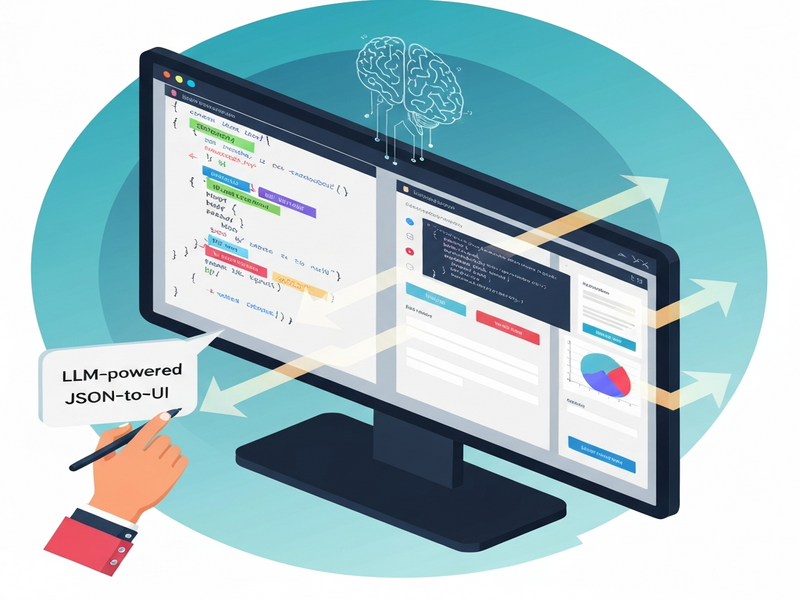
JSON‑render is an LLM‑driven JSON‑to‑UI engine that instantly transforms structured JSON data into fully functional web interfaces, letting developers, designers, and no‑code enthusiasts generate production‑ready UI with a single prompt.
Introduction
In the fast‑moving world of web development and low‑code platforms, speed and flexibility are the new competitive edges. The recently launched JSON‑render service promises to cut weeks of front‑end work down to minutes by leveraging large language models (LLMs) to produce UI components directly from JSON specifications. This news article unpacks how the tool works, why it matters for AI‑driven UI generation, and which teams can reap the biggest benefits.
What is JSON‑render?
A concise definition
JSON‑render is an AI tool that sits between a user’s natural‑language request and a component library you define. The LLM interprets the request, emits a JSON payload that conforms to your catalog, and streams that payload to the front‑end where pre‑built React (or other framework) components render it in real time. The result is a live UI that updates as the model streams data, eliminating the need for manual coding of layout, state handling, or data binding.
How the workflow looks
- Define a component catalog: You register UI primitives (cards, tables, charts, forms) and their prop schemas using
zodor similar validators. - Prompt the model: End users type a description such as “Create a login form with email, password, and remember‑me checkbox.”
- LLM generates constrained JSON: The model respects the catalog’s guardrails, producing a JSON tree that references only allowed components.
- Stream & render: The JSON is streamed back to the client; each node is rendered as soon as it arrives, giving a progressive UI experience.
- Export as code: Optionally, the entire UI can be exported as a standalone React or Next.js project, ready for production.
How LLM Powers JSON‑to‑UI Conversion
The role of large language models
LLMs such as OpenAI’s GPT‑4 or Anthropic’s Claude excel at semantic understanding. When fed a prompt, they can infer the appropriate UI pattern, map natural language to component names, and fill in required properties. Because the model is constrained by the catalog schema, it cannot “hallucinate” unsupported components, which guarantees that the generated JSON is always renderable.
Prompt engineering and guardrails
Effective prompt engineering is the secret sauce. By providing the model with a clear instruction set—e.g., “Only use components defined in the catalog and return a valid JSON object”—the system enforces guardrails. This approach reduces errors, improves consistency, and makes the tool safe for production pipelines. The guardrails also enable two‑way data binding through JSON‑Pointer paths, allowing UI elements to react to live data changes without extra code.
Core Features and Benefits
- Component catalog guardrails: Only pre‑approved UI blocks are used, ensuring brand consistency.
- Streaming rendering: Users see the interface build in real time, improving perceived performance.
- One‑click code export: Generate a complete, dependency‑free React project for immediate deployment.
- Two‑way data binding: JSON Pointer paths keep UI and backend data in sync automatically.
- Action hooks: Define custom actions (e.g., “export”, “submit”) that the generated UI can invoke.
- Low‑code to no‑code bridge: Designers can work with visual components while developers focus on catalog definition.
- Scalable for enterprises: Works with large component libraries and can be integrated into CI/CD pipelines.
Target Audience and Use‑Case Scenarios
The versatility of JSON‑render makes it attractive to several personas:
- Developers: Rapid prototyping of dashboards, admin panels, or internal tools without hand‑coding each component.
- UI/UX designers: Validate design concepts by turning wireframes into interactive mockups in seconds.
- Product managers: Generate functional UI demos for stakeholder reviews without involving engineering.
- No‑code enthusiasts: Build complex interfaces using natural language, bypassing traditional drag‑and‑drop limitations.
Typical scenarios include:
| Scenario | Resulting UI |
|---|---|
| Create a KPI dashboard for sales leaders | A Card component with nested Metric and Chart elements, all bound to live analytics endpoints. |
| Build a feedback form with rating stars | A Form component containing TextInput, Rating, and SubmitButton, ready to post to an API. |
| Generate a product catalog page from JSON data | A Grid of Card components, each displaying product image, title, price, and “Add to Cart” action. |
Sample JSON Output from JSON‑render
{
“key”: “dashboard”,
“type”: “Card”,
“props”: { “title”: “Revenue Dashboard”, “description”: null },
“children”: [
{
“key”: “revenue”,
“type”: “Metric”,
“props”: { “label”: “Total Revenue”, “valuePath”: “/metrics/revenue”, “format”: “currency” }
}
]
}
This snippet illustrates how a simple natural‑language request (“Show a revenue dashboard”) is turned into a structured JSON tree that the Web app editor on UBOS can instantly render as a polished UI.
Conclusion: Why JSON‑render Matters for Modern Development
JSON‑render bridges the gap between AI‑generated code and production‑ready interfaces, empowering teams to move from idea to interactive prototype in seconds. By combining a strict component catalog with the creative power of LLMs, the tool delivers both safety and speed—two qualities that are essential for no‑code and low‑code strategies.
For organizations already using the UBOS platform overview, integrating JSON‑render is a natural next step. You can enrich your existing workflows with the Workflow automation studio, let AI marketing agents create landing pages on the fly, and instantly export the result using the UBOS pricing plans that fit your scale.
Startups will appreciate the rapid iteration cycle offered by UBOS for startups, while SMBs can leverage UBOS solutions for SMBs to democratize UI creation across non‑technical teams. Enterprises looking for a robust, secure environment can adopt the Enterprise AI platform by UBOS, which includes governance, role‑based access, and audit trails for AI‑generated assets.
Ready to see the technology in action? Browse the UBOS portfolio examples for real‑world implementations, or jump straight into a starter project with UBOS templates for quick start. For a focused AI‑powered UI generator, try the AI SEO Analyzer template, or explore the AI Article Copywriter to see how content generation pairs with UI automation.
As AI continues to reshape software creation, tools like JSON‑render prove that the future of UI development is conversational, component‑driven, and instantly deployable. Whether you’re a developer seeking speed, a designer craving rapid feedback, or a product leader needing quick demos, JSON‑render offers a compelling, low‑code pathway to turn data into delightful user experiences.
Stay updated on the latest AI‑driven development trends by visiting the UBOS homepage and joining the UBOS partner program for early access to new integrations such as ChatGPT and Telegram integration and the Chroma DB integration. The ecosystem is expanding fast—don’t miss the chance to be part of the next wave of AI‑enhanced UI creation.