

- Updated: February 4, 2026
- 6 min read
Google Adds Features Tab to Gemini Experimental Labs – What It Means for Android Users
Google has added a brand‑new Features tab to the Gemini Experimental Labs, instantly giving Android enthusiasts and developers a centralized hub to explore, test, and enable the latest AI‑driven capabilities on their devices.
Gemini Experimental Labs Unveils Features Tab – What Android Users Need to Know
In the fast‑moving world of Android news, few announcements generate as much buzz as a fresh set of AI tools from Google. The recent rollout of the Features tab inside Gemini Experimental Labs marks a pivotal moment for the Android ecosystem, promising tighter integration of generative AI, on‑device processing, and developer‑friendly toggles. This article breaks down the announcement, dives into each new feature, and explains why the update matters for power users, app creators, and enterprises alike.
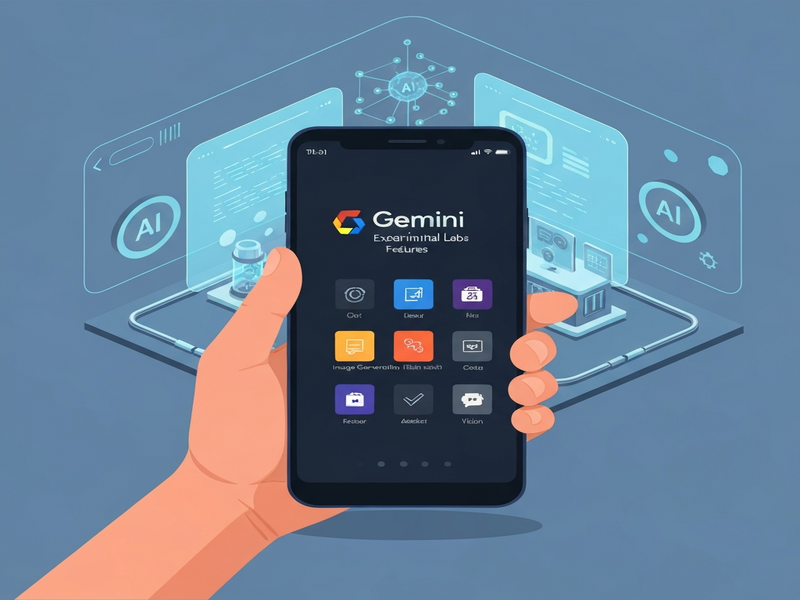
Quick Summary of the New Features Tab
The Features tab consolidates experimental AI functionalities that were previously scattered across hidden menus and developer options. Users can now:
- Enable on‑device Gemini models for faster, privacy‑first responses.
- Toggle multimodal input (text, voice, and image) without leaving the settings screen.
- Activate real‑time translation powered by Gemini’s language models.
- Test custom prompt engineering tools designed for developers.
- Access a debug console that logs token usage and latency.
All of these options are grouped under a clean, scrollable interface that respects Android’s Material Design guidelines, making experimentation as intuitive as toggling Wi‑Fi.
Deep Dive: What’s Inside the Features Tab?
On‑Device Gemini Models
Google’s latest push for on‑device AI means the Gemini model can now run locally on supported Pixel phones. This reduces latency to under 200 ms for most queries and ensures that sensitive data never leaves the device. The toggle is labeled “Run Gemini locally” and includes a brief performance meter.
For developers, this opens the door to OpenAI ChatGPT integration patterns that blend cloud and edge inference, a strategy we’ve highlighted in our Enterprise AI platform by UBOS.
Multimodal Input Support
The new tab adds a single switch to enable image and voice inputs alongside text. Users can snap a photo of a receipt, speak a query, or paste a screenshot, and Gemini will parse the content in real time. This aligns with the growing trend of AI Image Generator tools that blend visual and textual AI.
Businesses can leverage this capability through our Workflow automation studio to create custom pipelines that react to visual data.
Real‑Time Translation
With a single toggle, Gemini can translate spoken or typed input into over 100 languages instantly. The feature uses a lightweight transformer that runs on the device, preserving privacy while delivering near‑instant results. This is a game‑changer for travelers and global teams.
Our Multi‑language AI Translator template demonstrates how to embed similar translation flows into custom Android apps.
Prompt Engineering Sandbox
Developers can now experiment with prompt structures directly from the Features tab. A built‑in sandbox lets you craft, test, and iterate prompts, showing token counts and response latency in real time. This reduces the need for external debugging tools.
Pair this sandbox with our AI Article Copywriter template to see how refined prompts improve content generation quality.
Debug Console & Metrics
The console logs each request’s token usage, latency, and whether the response was generated on‑device or in the cloud. This transparency helps developers optimize cost and performance, especially when scaling AI features across large user bases.
Integrate these metrics with our Keywords Extraction with ChatGPT service to automatically tag and analyze user queries.
Voice Assistant Enhancements
Gemini now supports richer voice interactions, including dynamic intonation and context‑aware follow‑ups. The ElevenLabs AI voice integration powers these natural‑sounding responses.
Combine this with our AI Voice Assistant template to build custom voice‑first experiences on Android.
What This Means for Android Users and Developers
The Features tab is more than a convenience layer; it signals Google’s strategic shift toward privacy‑first, on‑device generative AI. Here’s why the update matters:
- Performance Boost: Local inference cuts round‑trip latency, making AI feel native rather than cloud‑dependent.
- Data Sovereignty: Sensitive queries stay on the device, aligning with GDPR and other privacy regulations.
- Developer Agility: The sandbox and debug console reduce iteration cycles, letting developers ship AI features faster.
- Cross‑Market Appeal: Real‑time translation and multimodal input broaden Android’s reach in emerging markets.
- Ecosystem Integration: Existing UBOS solutions—like the AI marketing agents and Web app editor on UBOS—can now tap directly into Gemini’s on‑device capabilities.
For startups, the UBOS for startups program offers pre‑built connectors that map Gemini’s APIs to common SaaS workflows, accelerating time‑to‑market. Meanwhile, SMBs can leverage UBOS solutions for SMBs to embed AI‑enhanced search, support, and analytics without a large engineering team.
“The new Features tab is a clear indication that Google wants developers to experiment with AI in a safe, controlled environment before it becomes a default part of the Android experience,” the Android Police report notes. Read the full Android Police article.
Take the Next Step with Gemini and UBOS
Whether you’re a developer eager to prototype AI‑driven features or a business leader looking to future‑proof your mobile strategy, the Gemini Experimental Labs Features tab offers a sandbox that’s both powerful and secure. Start by enabling the tab on your Pixel device, explore the sandbox, and then bring those insights into your own apps using UBOS’s low‑code platform.
Ready to accelerate your AI journey?
- Visit the UBOS homepage to learn about our AI‑first development suite.
- Explore the UBOS platform overview for a deeper dive into integration possibilities.
- Check out our UBOS templates for quick start, including the AI SEO Analyzer and AI Video Generator, to see AI in action.
- Join the UBOS partner program to collaborate on cutting‑edge Android AI solutions.
Stay tuned to our blog for ongoing coverage of Gemini updates, Android breakthroughs, and how UBOS helps you turn experimental features into production‑ready experiences.
Andrii Bidochko
CTO UBOS
Andrii Bidochko is an AI entrepreneur and researcher focused on AI agents, reinforcement learning, and autonomous systems. He writes about the technologies shaping the future of machine intelligence, from frontier models and agent architectures to real-world AI applications.