

- Updated: January 17, 2026
- 5 min read
Fossil vs Git: In‑Depth Version Control Comparison for Modern Software Development
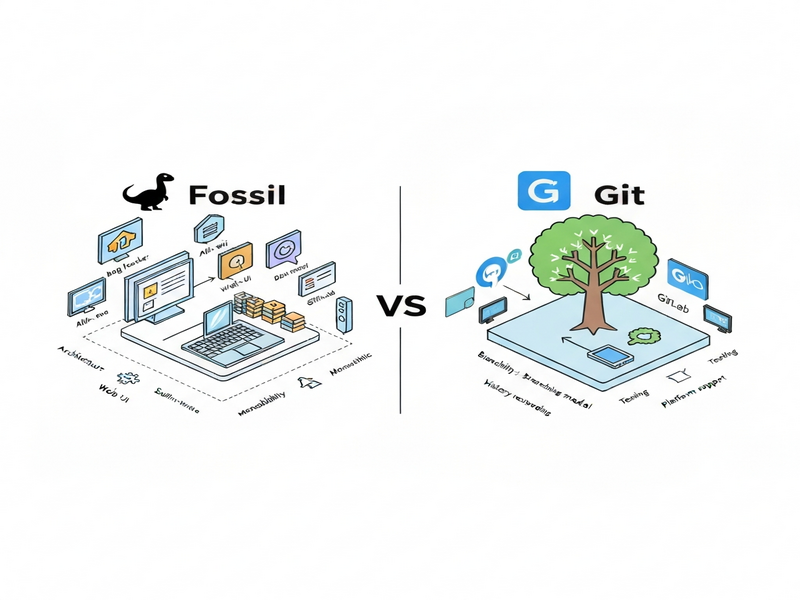
Fossil and Git are both version‑control systems, but they differ in architecture, built‑in tooling, and target audience; Git excels at large, distributed projects, while Fossil offers an integrated, lightweight solution with native wiki, issue tracker, and web UI.
Fossil vs Git: Comprehensive Version Control Comparison
Choosing the right version‑control system (VCS) is a pivotal decision for any software development, DevOps, or project‑management team. With dozens of options, Fossil vs Git often surfaces as a classic debate. This article breaks down both tools, evaluates their core features, and provides concrete recommendations so you can align the VCS with your workflow, team size, and compliance requirements.
Whether you are a startup founder, an enterprise architect, or a solo developer, understanding the nuances of each system helps you avoid costly migrations and accelerates delivery pipelines.
What Is Fossil?
Fossil is a self‑contained, distributed SCM created by D. Richard Hipp, the author of SQLite. It bundles a version‑control engine, an integrated wiki, a bug‑tracker, a forum, and a web UI into a single executable.
- All data (commits, tickets, wiki pages) stored in a single SQLite database.
- Built‑in
fossil serverprovides a lightweight HTTP interface. - Strong emphasis on reproducibility and auditability.
- Ideal for small‑to‑medium projects that need an all‑in‑one solution.
Because Fossil ships with its own web UI, teams can instantly view history, tickets, and documentation without installing separate tools. This makes it a natural fit for organizations that value simplicity over the extensive ecosystem that surrounds Git.
What Is Git?
Git, created by Linus Torvalds in 2005, is the de‑facto standard for distributed version control. Its design focuses on speed, data integrity, and flexibility, enabling massive, globally distributed codebases.
- Branching and merging are cheap and fast.
- Massive ecosystem: GitHub, GitLab, Bitbucket, and countless CI/CD integrations.
- Supports both centralized and fully distributed workflows.
- Extensible via hooks, custom commands, and third‑party tools.
Git’s popularity has spurred a rich set of ancillary tools—code review platforms, issue trackers, and automation pipelines—that can be mixed and matched to suit any organization’s needs.
Feature‑by‑Feature Comparison
| Feature | Fossil | Git |
|---|---|---|
| Core Architecture | Single‑file SQLite DB | Object database + refs |
| Built‑in Wiki | Yes (Markdown) | No (external) |
| Issue Tracker | Integrated tickets | External (GitHub, GitLab, etc.) |
| Branching Model | Lightweight, but less flexible | Cheap, unlimited branching |
| Performance on Large Repos | Good for < 1 GB repos | Optimized for multi‑GB repos |
| Community & Ecosystem | Niche, limited plugins | Vast (CI, code review, bots) |
| Learning Curve | Gentle, all‑in‑one UI | Steeper, many concepts |
The table highlights that Fossil shines when you need an all‑in‑one, low‑maintenance system, while Git dominates in scalability and ecosystem richness.
When to Choose Fossil vs Git
Best Fit for Fossil
- Small teams or solo developers who want a single binary to manage code, documentation, and tickets.
- Projects with strict audit requirements where a single SQLite file simplifies backup and compliance.
- Embedded or IoT firmware projects where a lightweight VCS reduces overhead.
- Educational settings where simplicity accelerates learning.
For teams that already use UBOS platform overview to spin up lightweight development environments, Fossil can be deployed in seconds via the Web app editor on UBOS, keeping the entire stack under one roof.
Best Fit for Git
- Large, distributed teams needing robust branching and merging.
- Enterprises that rely on CI/CD pipelines, code‑review tools, and extensive automation.
- Open‑source projects where community contributions are central.
- Any scenario where integration with platforms like GitHub, GitLab, or Bitbucket is required.
Git’s flexibility pairs well with Enterprise AI platform by UBOS, allowing you to attach AI‑driven code analysis, such as the AI SEO Analyzer or AI Article Copywriter, directly into your repository workflow.
Conclusion
Both Fossil and Git are powerful version‑control systems, yet they serve distinct audiences. If you prioritize an integrated, low‑maintenance environment with built‑in documentation and issue tracking, Fossil is a compelling choice. Conversely, if you need a battle‑tested, highly scalable VCS backed by a massive ecosystem, Git remains the industry standard.
To make an informed decision, evaluate your team size, compliance needs, and the surrounding toolchain. Remember that the right VCS can accelerate development, improve code quality, and reduce operational overhead.
Ready to experiment? Try the UBOS partner program for free credits and spin up a sandbox where you can test both Fossil and Git side‑by‑side, leveraging our Workflow automation studio to automate repetitive tasks.
For a deeper historical perspective, see the original Fossil vs Git article that inspired this analysis.
UBOS homepage
Explore the full suite of AI‑powered development tools.
About UBOS
Learn about our mission to simplify software creation.
UBOS pricing plans
Find a plan that matches your team’s budget.
UBOS templates for quick start
Kick‑start projects with ready‑made AI templates.
AI Video Generator
Create tutorial videos for your VCS onboarding.
GPT-Powered Telegram Bot
Automate repository notifications via Telegram.