

- Updated: February 2, 2026
- 6 min read
Firefox AI Control Switch Lets Users Turn Off AI Features – Mozilla Announces New Feature
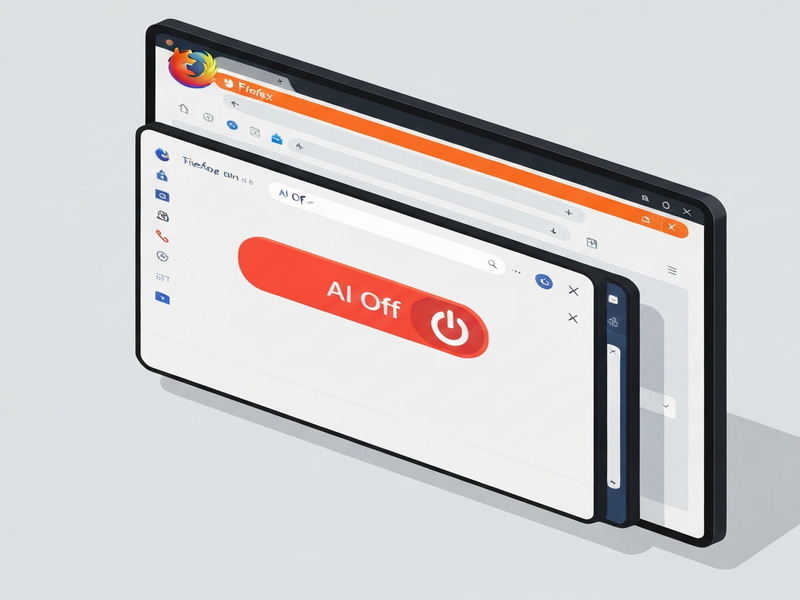
Firefox now includes a built‑in “AI control” switch that lets users instantly turn off all AI‑powered features—or selectively enable only the tools they trust—directly from the browser’s settings.
Mozilla Gives Users the Power to Disable AI in Firefox
In a move that sets Firefox apart from its AI‑heavy competitors, Mozilla is rolling out a dedicated Firefox AI control toggle. The feature lands in the February 24, 2026 update and lets tech‑savvy users, developers, and privacy‑concerned readers decide exactly which AI functionalities stay active. For the full story, see the original Verge article.
What Is the Firefox AI Control Feature?
The new AI control option appears as a single toggle in the Settings → Privacy & Security panel. When activated, it presents a checklist of every AI‑driven capability Firefox currently offers:
- Built‑in AI chatbot for quick answers.
- AI‑enhanced translation of web pages.
- “Shake to summarize” for iOS users.
- AI‑generated alt‑text for images and PDFs.
- Smart tab‑group suggestions powered by machine learning.
- Link‑preview key‑point extraction.
Users can flip the master switch off to disable every AI service, or they can keep the switch on and uncheck individual items they consider intrusive. This granular approach aligns with Mozilla’s long‑standing commitment to user choice and data privacy.
Which AI Functionalities Can You Manage?
AI Chatbot
The chatbot, currently powered by OpenAI’s GPT‑4, assists with quick fact‑checking, summarization, and even code snippets. Turning it off stops any data exchange with the remote model, ensuring no browsing context is sent to external servers.
AI‑Powered Translation
Firefox’s translation engine leverages a lightweight on‑device model for common languages, but falls back to cloud services for less‑common tongues. Disabling this feature prevents any text from leaving the user’s device.
Shake‑to‑Summarize (iOS)
By shaking an iPhone, users can request a concise AI‑generated summary of the current page. The toggle lets you keep the UI gesture while opting out of the summarization service.
AI‑Generated Alt Text & PDF Descriptions
For accessibility, Firefox can automatically create alt text for images and PDFs. This service is optional; turning it off respects users who prefer to supply their own descriptions.
Smart Tab‑Group Suggestions
Machine‑learning models analyze open tabs and suggest logical groupings. The control panel lets you disable this predictive behavior if you find it distracting.
Link‑Preview Key‑Points
When hovering over a link, Firefox can surface AI‑generated bullet points summarizing the target page. This can be turned off to avoid any background processing.
Release Timeline & What It Means for Users
February 24, 2026 – The AI control toggle ships in Firefox 119 for Windows, macOS, Linux, Android, and iOS. Early adopters will see the new UI element in Settings → Privacy & Security → AI Control.
Impact on power users: Developers can now script automated tests without AI interference, and privacy‑focused users gain a single point of control that eliminates the need to hunt through multiple settings pages.
Impact on enterprises: Organizations deploying Firefox across thousands of endpoints can enforce a “no‑AI” policy via Group Policy or MDM, ensuring compliance with data‑handling regulations.
Mozilla also announced that future AI features—such as the upcoming “AI Window”—will respect the master toggle by default, meaning new tools will be opt‑in rather than forced.
Mozilla’s Stance on Choice and Trust
“Choice matters, and demonstrating our commitment to choice is how we build and maintain trust,” wrote Mozilla CEO Anthony Enzor‑DeMeo in a blog post last December. “We’ve heard from many who want nothing to do with AI. We’ve also heard from others who want AI tools that are genuinely useful. Listening to our community, alongside our ongoing commitment to offer choice, led us to build AI controls.”
Ajit Varma, Firefox’s Vice President of Product, added, “AI is changing the web, and people want very different things from it. Our new toggle puts that power back in the hands of users.”
Step‑by‑Step: Turning Off AI in Firefox
- Open Firefox and click the three‑dot menu (⋮) in the upper‑right corner.
- Select Settings → Privacy & Security.
- Scroll down to the newly added AI Control section.
- Toggle the master switch to Off to disable all AI features at once.
- Alternatively, keep the master switch On and uncheck individual boxes for the services you wish to disable.
- Click Save (if prompted) and restart the browser for changes to take effect.
For enterprise administrators, the same setting can be enforced via about:config or through policy files, ensuring a consistent experience across all managed devices.
Meta Description Ideas (SEO)
- “Firefox adds a built‑in AI control switch, letting users turn off all AI features or pick specific tools—privacy and choice re‑imagined.”
- “Learn how Mozilla’s new Firefox AI toggle works, which AI functions it manages, and how to disable them in the February 2026 update.”
- “Discover the Firefox AI control feature, its impact on privacy‑focused users, and step‑by‑step instructions to turn AI off.”
Why This Matters for the Future of Browsing
Firefox’s AI control switch is more than a checkbox—it’s a statement that browsers can evolve with AI while still honoring user autonomy. As AI becomes woven into every corner of the web, tools that let you decide “what runs where” will be essential for both individuals and organizations.
If you’re exploring AI‑enhanced workflows beyond the browser, consider how UBOS platform overview can help you build custom AI integrations with full control over data flow. For startups looking to prototype AI‑driven products quickly, the UBOS for startups program offers pre‑configured environments that respect privacy by design.
Small and medium businesses can benefit from UBOS solutions for SMBs, which include a Workflow automation studio to orchestrate AI tasks without exposing sensitive data. Larger enterprises may explore the Enterprise AI platform by UBOS for scalable, governed AI deployments.
Developers who need a rapid UI layer for AI services can try the Web app editor on UBOS, while marketers can experiment with AI marketing agents to automate copy generation. The UBOS templates for quick start include ready‑made solutions like the AI SEO Analyzer and the AI Article Copywriter, which can complement Firefox’s AI capabilities when you decide to keep them enabled.
Finally, if you’re curious about pricing or want to see real‑world use cases, check the UBOS pricing plans and browse the UBOS portfolio examples for inspiration.
Firefox’s AI control switch puts the power back where it belongs—in the hands of users. Whether you choose to silence every AI whisper or selectively enable the tools that boost productivity, you now have a clear, transparent way to shape your browsing experience.
Andrii Bidochko
CTO UBOS
Andrii Bidochko is an AI entrepreneur and researcher focused on AI agents, reinforcement learning, and autonomous systems. He writes about the technologies shaping the future of machine intelligence, from frontier models and agent architectures to real-world AI applications.