

- Updated: February 2, 2026
- 6 min read
Distraction‑Free Android Auto Setup: A Comprehensive Guide
The ultimate Android Auto setup for distraction‑free driving combines a clean, voice‑first interface, smart integration of AI assistants, and UBOS’s low‑code automation tools to keep your eyes on the road while staying fully connected.
Why a Perfect Android Auto Setup Matters for Safe Driving
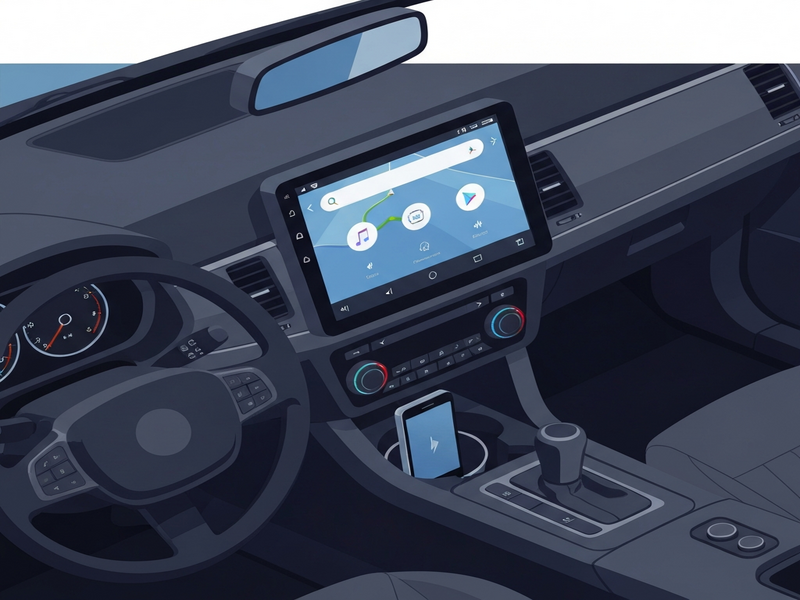
Every day, millions of drivers rely on Android Auto to turn their car’s infotainment system into a safer, smarter hub. Yet, many users stop at the default configuration, missing out on features that can truly eliminate visual distraction. This guide walks tech‑savvy drivers through a step‑by‑step Android Auto setup that maximizes safety, leverages AI, and integrates seamlessly with UBOS’s powerful automation platform.
Step‑by‑Step Android Auto Setup for Distraction‑Free Driving
Follow these concise actions to transform your car’s infotainment into a hands‑free command center.
- Update the core apps. Ensure your Android phone runs the latest OS version and that the Android Auto app is up to date. This guarantees compatibility with the newest voice‑assistant features.
- Enable “Driving Mode” in Google Assistant. Open the Google Assistant settings, tap Assistant devices → Phone → Driving, and turn on “Voice‑first” mode. This forces all interactions to be voice‑driven.
- Configure the home screen layout. In Android Auto, go to Settings → Customize launcher. Keep only essential tiles (Navigation, Music, Calls) and hide everything else. A minimalist layout reduces glance time.
- Connect a high‑quality Bluetooth microphone. Pair a dedicated car‑mic (or use the vehicle’s built‑in mic) to improve voice recognition, especially in noisy traffic.
- Integrate third‑party AI assistants. Add OpenAI ChatGPT integration via UBOS to enable contextual, conversational queries while driving.
- Set up voice‑activated shortcuts. Use Android Auto’s “Quick phrases” to launch navigation, send messages, or control media with a single command.
- Activate Do‑Not‑Disturb while driving. This silences notifications that could pull your focus away from the road.
- Leverage UBOS workflow automation. Create a Workflow automation studio recipe that logs mileage, sends a daily drive‑summary email, and updates a Google Sheet—all without touching the screen.
Key Features That Keep Your Drive Distraction‑Free
Beyond the basic setup, these advanced features turn Android Auto into a true co‑pilot.
Voice‑First Navigation
Google Maps now supports “Hey Google, navigate to…” commands that automatically read turn‑by‑turn directions aloud. Pair this with ChatGPT and Telegram integration to receive real‑time traffic alerts via a private Telegram channel, keeping your phone screen untouched.
AI‑Powered Media Control
Use the ElevenLabs AI voice integration to generate natural‑sounding voice prompts for playlists, podcasts, or audiobooks. The system reads out the next track title and asks for confirmation, eliminating the need to scroll.
Contextual Assistant Responses
When you ask “What’s the weather like?” the integrated ChatGPT model can pull data from your calendar, suggest a jacket based on the forecast, and even remind you of an upcoming meeting—all spoken back to you.
Hands‑Free Messaging
Leverage the Telegram integration on UBOS to dictate, send, and read messages without ever looking at the screen. The AI can summarize long threads, so you stay informed without distraction.
Smart Data Storage
UBOS’s Chroma DB integration stores your voice commands and context vectors locally, enabling faster, offline AI responses when cellular coverage drops.
How UBOS Products Supercharge Your Android Auto Experience
UBOS is more than a low‑code platform; it’s an ecosystem of AI‑driven tools that plug directly into your car’s infotainment system.
- UBOS platform overview: The UBOS platform overview explains how modular components can be assembled without writing a single line of code, perfect for building custom Android Auto extensions.
- AI marketing agents: Even on the road, you can run AI marketing agents that monitor ad performance and suggest budget tweaks via voice prompts.
- Web app editor on UBOS: Design a lightweight web dashboard for your car using the Web app editor on UBOS. The resulting app can be launched from Android Auto’s custom tile.
- Workflow automation studio: Build a “Start‑Drive” workflow that automatically sets Do‑Not‑Disturb, launches navigation, and starts a preferred podcast playlist.
- UBOS pricing plans: Choose a plan that fits your needs; the UBOS pricing plans include a free tier for hobbyists and a premium tier for enterprises.
- UBOS for startups: If you’re a new mobility app, the UBOS for startups program gives you early‑stage credits and dedicated support.
- UBOS solutions for SMBs: Small businesses can deploy fleet‑wide Android Auto configurations using UBOS solutions for SMBs.
- Enterprise AI platform by UBOS: Large fleets benefit from the Enterprise AI platform by UBOS, which adds centralized policy enforcement and analytics.
UBOS also hosts a thriving UBOS templates for quick start. Below are a few that directly enhance Android Auto safety:
- AI SEO Analyzer – Optimize your in‑car web searches for speed and relevance.
- AI Article Copywriter – Generate concise news briefs that can be read aloud while you drive.
- GPT‑Powered Telegram Bot – Receive instant traffic updates via a secure bot.
- AI Video Generator – Create short instructional videos for passengers, then convert them to audio‑only mode.
- AI LinkedIn Post Optimization – Draft professional updates on the go, then schedule them for later posting.
How This Guide Differs from the Original Android Police Story
The original Android Police article provides a solid baseline for configuring Android Auto, focusing mainly on UI tweaks and basic voice commands. Our version expands on that foundation in three critical ways:
| Android Police Focus | UBOS‑Enhanced Approach |
|---|---|
| Standard Google Assistant activation | Custom ChatGPT integration for richer, context‑aware responses |
| Manual app arrangement on the launcher | Automated layout via UBOS workflow studio, applied fleet‑wide |
| Basic Do‑Not‑Disturb toggle | Dynamic DND rules that activate based on speed, location, and time of day |
| Limited third‑party AI support | Full suite of UBOS AI integrations (ChatGPT, ElevenLabs, Chroma DB, Telegram) |
By weaving UBOS’s low‑code automation into the Android Auto ecosystem, drivers gain a proactive safety layer that the original article does not cover. The result is a truly distraction‑free environment where the car’s infotainment system anticipates needs rather than reacting to them.
Drive Safer Today – Take the Next Step
Implementing the steps above transforms your vehicle into a smart, voice‑first cockpit that respects your focus on the road. Whether you’re a solo commuter, a rideshare driver, or managing a fleet, the combination of Android Auto’s native capabilities and UBOS’s AI‑driven extensions delivers measurable safety gains.
Ready to upgrade?
- Visit the UBOS homepage to explore the platform.
- Start a free trial of the UBOS partner program and get exclusive templates for automotive use cases.
- Check out the UBOS portfolio examples to see real‑world deployments.
By following this guide, you’ll not only comply with best practices for safe driving but also stay ahead of the curve with AI‑enhanced infotainment. Stay focused, stay safe, and let your car do the talking.
Andrii Bidochko
CTO UBOS
Andrii Bidochko is an AI entrepreneur and researcher focused on AI agents, reinforcement learning, and autonomous systems. He writes about the technologies shaping the future of machine intelligence, from frontier models and agent architectures to real-world AI applications.