

- Updated: February 27, 2026
- 5 min read
Cronboard: Modern Terminal‑Based Cron Job Monitoring Dashboard
Cronboard 1.0: The Open‑Source Terminal Dashboard Redefining Cron‑Job Management
Cronboard is a free, MIT‑licensed terminal application that lets DevOps engineers and system administrators create, edit, pause, resume, and monitor cron jobs on both local machines and remote servers—all from a single, interactive dashboard.
Why Cronboard Matters in 2026
Managing scheduled tasks has always been a pain point for teams that rely on cron for automation. Traditional crontab -e workflows lack visibility, validation, and collaboration features. The newly released Cronboard addresses these gaps with a modern, text‑based UI built on Python’s Textual framework. Since its public launch on GitHub, the project has already attracted over 1,000 stars and a vibrant community of contributors.
For DevOps engineers who juggle dozens of servers, Cronboard offers a single pane of glass to CRUD (Create, Read, Update, Delete) cron entries, validate syntax in real time, and even schedule shortcuts like @daily or @reboot. The tool also supports SSH‑based remote management, making it possible to administer cron jobs across heterogeneous environments without leaving the terminal.
Key Features & Benefits
- Full CRUD operations – Add, edit, pause, resume, and delete cron jobs with a few keystrokes.
- Intelligent autocompletion for file paths and commands, powered by the underlying shell.
- Human‑readable validation that flags syntax errors before they hit the scheduler.
- Formatted next‑run preview – See exactly when a job will fire next, in both local and UTC time zones.
- SSH integration – Connect to remote hosts using passwords or SSH keys (via Paramiko).
- Multi‑user support – Manage cron jobs for another user when you have
sudoprivileges. - Special expressions – Use shortcuts like
@hourly,@monthly, or@yearlywithout memorizing cron syntax. - Lightweight installation – Available via
pip, Homebrew, or the AUR, ensuring a frictionless setup.
Technical Architecture
Core Stack
Cronboard is written in Python 3.11+ and leverages the following libraries:
| Component | Purpose |
|---|---|
| Textual | Rich terminal UI framework |
| crontab | Python wrapper for system crontab |
| Paramiko | SSH client for remote host interaction |
| cron‑descriptor | Human‑readable translation of cron expressions |
License & Community
Distributed under the permissive MIT license, Cronboard encourages both individual contributors and enterprises to fork, extend, or embed the tool in custom automation pipelines. The project’s GitHub repository (Cronboard on GitHub) hosts detailed documentation, a changelog, and a vibrant issue tracker where users share best practices.
Real‑World Use Cases
Cronboard shines in environments where reliability and visibility are non‑negotiable. Below are three scenarios that illustrate its impact.
- Multi‑server batch processing – A media‑processing team runs nightly transcoding jobs on a fleet of Linux boxes. Using Cronboard’s SSH mode, they can audit every job’s schedule from a single terminal window, pause a misbehaving task, and instantly see the next run time.
- Compliance‑driven audit trails – Financial institutions must retain logs of scheduled tasks. Cronboard’s formatted output can be piped into log‑aggregation tools, providing a tamper‑evident record of who created or modified a cron entry.
-
Developer self‑service environments – Start‑up engineers often spin up disposable VMs for testing. With the UBOS for startups platform, they can bundle Cronboard into a pre‑configured image, giving new hires instant access to reliable scheduling without manual
crontabedits.
Cronboard in Action
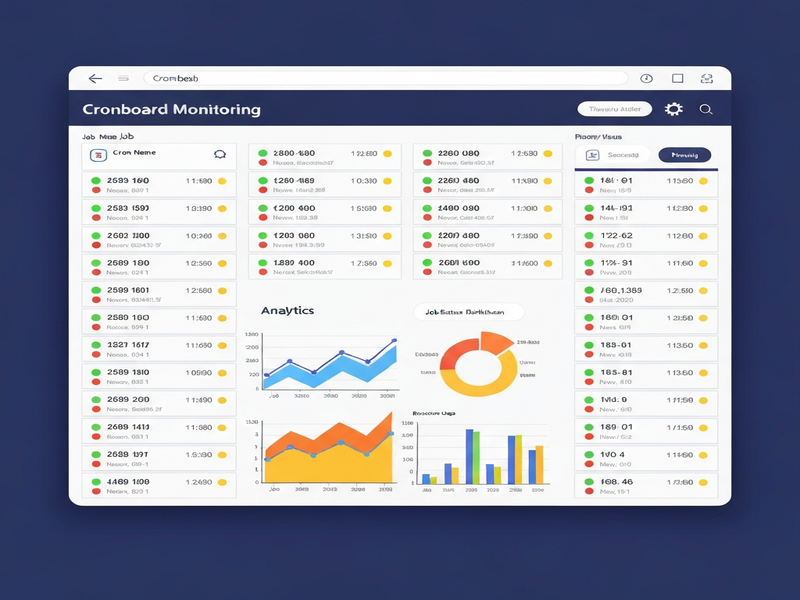
A snapshot of the interactive dashboard, highlighting job status, next run, and SSH‑connected remote hosts.
Quick Start Guide
Follow these steps to have Cronboard up and running on any Linux distribution.
Installation Options
- pip:
pip install cronboard - Homebrew (macOS):
brew install cronboard - UV (fast installer):
uv tool install git+https://github.com/antoniorodr/cronboard - AUR (Arch Linux):
yay -S cronboard
First Run
After installation, launch the dashboard with:
cronboardThe footer displays available shortcuts (e.g., n for new job, e to edit, p to pause). Use Tab for path autocompletion, and ? for help.
How Cronboard Complements the UBOS AI Platform
While Cronboard excels at low‑level job scheduling, the Enterprise AI platform by UBOS provides a higher‑order orchestration layer that can trigger Cronboard jobs based on AI‑driven insights. For example, an AI marketing agent might detect a surge in web traffic and automatically schedule a data‑export cron job via the Workflow automation studio.
Developers can embed Cronboard’s command‑line calls inside Web app editor on UBOS projects, turning a simple UI button into a fully managed cron schedule. The UBOS platform overview highlights this synergy: a unified console where AI‑generated tasks, cron‑based maintenance, and real‑time monitoring coexist.
For teams looking for ready‑made templates, the UBOS templates for quick start include a “Cron‑Job Scheduler” starter that pre‑installs Cronboard, configures SSH keys, and wires the job list into the AI Article Copywriter pipeline for automated content publishing.
Pricing is transparent; you can compare the free tier with the UBOS pricing plans to see where Cronboard fits into larger automation budgets. If you’re a partner, the UBOS partner program offers co‑marketing opportunities and technical support for integrating Cronboard into enterprise solutions.
Join the Community
Cronboard’s open‑source nature invites contributions ranging from bug fixes to new UI widgets. The GitHub repository includes a CONTRIBUTING.md guide, a code of conduct, and a roadmap for upcoming features such as JSON‑based job import/export.
If you need professional assistance, consider the UBOS portfolio examples where several consulting firms showcase Cronboard deployments alongside AI‑enhanced monitoring dashboards.
Take Control of Your Cron Jobs Today
Whether you are a solo developer, a growing startup, or an enterprise ops team, Cronboard delivers a modern, reliable, and extensible way to manage scheduled tasks. Its seamless SSH integration, real‑time validation, and open‑source license make it a must‑have addition to any devops tools toolkit.
Ready to try it? Install Cronboard via pip or your preferred package manager, and explore the UBOS homepage for complementary AI automation solutions that can amplify the power of your newly scheduled jobs.
Andrii Bidochko
CTO UBOS
Andrii Bidochko is an AI entrepreneur and researcher focused on AI agents, reinforcement learning, and autonomous systems. He writes about the technologies shaping the future of machine intelligence, from frontier models and agent architectures to real-world AI applications.