

- Updated: February 26, 2026
- 6 min read
ChatGPT and Password Security: Why AI‑Generated Passwords Are Risky
AI‑generated passwords from ChatGPT are insecure, predictable, and should not be used for protecting personal or professional accounts.
Why Android Police Says “Stop Asking ChatGPT to Create Your Passwords”
In a recent Android Police article, security researchers warned that relying on large language models like ChatGPT for password generation introduces a hidden attack surface. The piece sparked a lively debate among tech‑savvy professionals, AI enthusiasts, and cybersecurity experts. Below we break down Android Police’s core arguments, explore the underlying risks of AI‑generated passwords, and provide actionable best‑practice recommendations for anyone who values strong, uncompromised authentication.
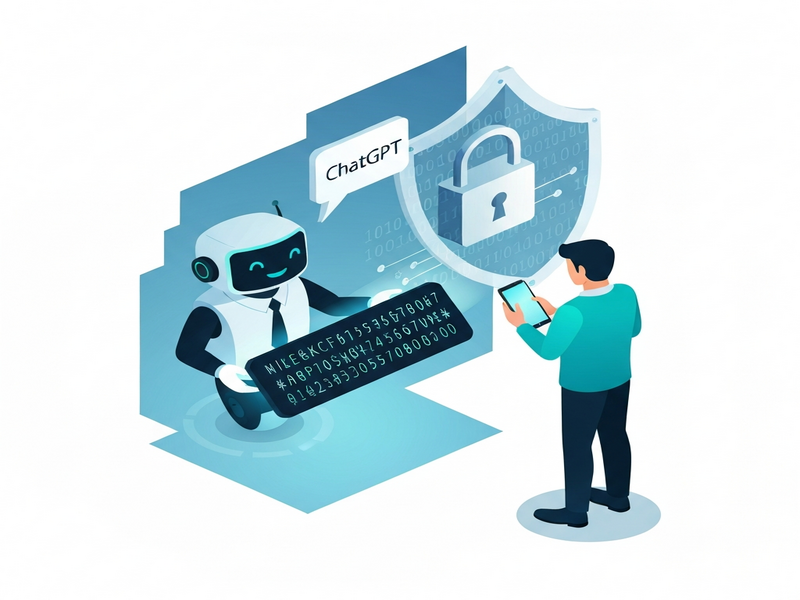
Android Police’s Core Arguments Against ChatGPT‑Generated Passwords
Android Police distilled its warning into four main points, each backed by real‑world observations and academic research:
- Predictable patterns: Even though ChatGPT can produce seemingly random strings, the model’s output is constrained by its training data and token probabilities, leading to repeatable patterns that attackers can exploit.
- Model leakage risk: If a user shares a password prompt with ChatGPT, the generated password may be cached or logged on the provider’s servers, creating a potential data‑leak vector.
- Lack of entropy guarantees: Traditional password generators use cryptographically secure random number generators (CSPRNGs). ChatGPT, however, does not guarantee the required entropy levels for high‑security passwords.
- Compliance and policy conflicts: Many regulatory frameworks (e.g., NIST SP 800‑63B) explicitly require passwords to be generated using approved randomization methods, which AI models do not satisfy.
“Treating a language model as a password generator is like asking a poet to write a cryptographic key – the result may be beautiful, but it isn’t secure.” – Android Police
The Hidden Risks of AI‑Generated Passwords
Understanding why AI‑generated passwords are risky requires a look at the technical foundations of large language models (LLMs) and how they differ from proven cryptographic tools.
1. Predictability and Token Bias
LLMs generate text based on probability distributions learned from massive corpora. Even when asked for “a random password,” the model leans toward sequences it has seen frequently, such as common words, leet‑style substitutions, or patterns like “Passw0rd!” This bias reduces the effective search space for brute‑force attacks.
2. Data Retention and Model Leakage
When you submit a prompt to ChatGPT, the request is processed on remote servers. OpenAI’s policy states that prompts may be stored for model improvement unless you opt out. A password generated in this context could inadvertently become part of a training dataset, exposing it to future model outputs.
3. Insufficient Entropy
Cryptographically secure random number generators (CSPRNGs) guarantee at least 128 bits of entropy for strong passwords. In contrast, ChatGPT’s output is limited by its token vocabulary (≈50 k tokens) and the deterministic nature of its sampling algorithm, which rarely reaches the entropy levels required for high‑security environments.
4. Compliance Gaps
Regulations such as the NIST Digital Identity Guidelines mandate that passwords be generated using approved randomization methods. Using an LLM sidesteps these requirements, potentially putting organizations out of compliance and exposing them to legal penalties.
5. Attack Surface Expansion
Adversaries can query the same model with similar prompts to infer likely password structures. If a company encourages employees to ask ChatGPT for passwords, attackers can simulate those queries and narrow down the password space dramatically.
Comparison Table
| Aspect | AI‑Generated (ChatGPT) | Traditional CSPRNG |
|---|---|---|
| Entropy (bits) | Typically < 80 | ≥ 128 |
| Predictability | High (model bias) | Low (uniform distribution) |
| Data Retention | Possible server logs | Local, no external storage |
| Compliance | Non‑compliant with NIST | Compliant when used correctly |
Expert Recommendations & Best Practices for Password Creation
Rather than relying on AI for password generation, security professionals recommend a blend of proven cryptographic tools, user education, and layered defenses.
- Use a reputable password manager. Tools like 1Password, Bitwarden, or LastPass generate and store passwords with true CSPRNG entropy. They also autofill credentials, reducing phishing risk.
- Adopt passphrases. A series of unrelated words (e.g.,
tiger‑cactus‑orbit‑7!) offers high entropy while remaining memorable. - Enable multi‑factor authentication (MFA). Even a strong password can be compromised; MFA adds a second verification layer.
- Follow NIST guidelines. Minimum length of 8 characters, no composition rules, and allow user‑chosen passwords that are checked against known breach lists.
- Rotate passwords only when a breach is detected. Frequent forced changes often lead to weaker, reused passwords.
- Leverage AI for security, not for creating secrets. AI can assist in detecting compromised credentials, generating security policies, or automating incident response, but not in producing the secrets themselves.
UBOS integrates many of these principles into its platform. For instance, the UBOS password management module stores credentials using industry‑standard encryption, while the AI security suite continuously monitors for anomalous login attempts.
How UBOS Empowers Secure Password Practices
UBOS is more than a low‑code platform; it’s a security‑first ecosystem designed for startups, SMBs, and enterprises alike.
UBOS Platform Overview
Explore the UBOS platform overview to see how built‑in encryption, role‑based access control, and audit logging protect every piece of data you create.
Enterprise AI Platform
Large organizations can leverage the Enterprise AI platform by UBOS to build AI‑driven security workflows without exposing sensitive prompts to external LLM providers.
Workflow Automation Studio
Automate password rotation reminders, breach alerts, and MFA enrollment using the Workflow automation studio.
AI Marketing Agents
While AI agents excel at content generation, UBOS’s AI marketing agents are sandboxed to prevent accidental leakage of confidential data.
For developers who need quick, secure building blocks, the UBOS templates for quick start include pre‑configured password‑policy modules and secure authentication flows.
Relevant UBOS Template Marketplace Solutions
- AI SEO Analyzer – demonstrates secure API key handling.
- AI Article Copywriter – includes best‑practice credential storage.
- AI Chatbot template – showcases how to isolate LLM calls from user secrets.
- GPT‑Powered Telegram Bot – integrates secure token management for bot authentication.
Conclusion & Next Steps
ChatGPT and similar LLMs are powerful assistants, but they are not designed to replace cryptographically secure password generators. Android Police’s warning is a timely reminder that convenience should never trump security. By following the expert recommendations above and leveraging platforms like UBOS that embed security into every layer, you can protect your digital identity without sacrificing productivity.
Ready to fortify your password strategy? Explore the UBOS pricing plans to find a solution that fits your budget, or dive into the UBOS partner program for tailored security consulting.
Stay informed, stay secure, and remember: a strong password is only as good as the process that creates and protects it.