

- Updated: February 14, 2026
- 6 min read
ArcMark: A Native macOS Bookmark Manager Redefines Local‑First Bookmarking

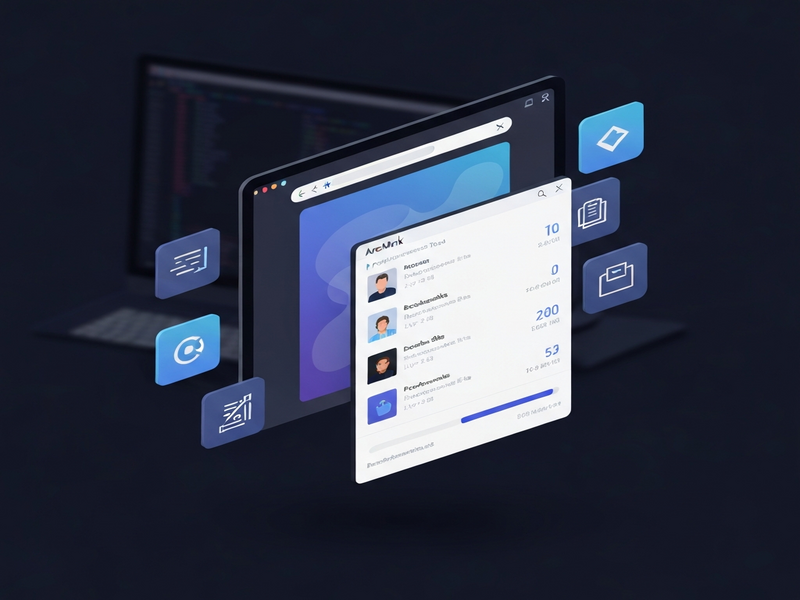
ArcMark is a native macOS bookmark manager that attaches to any browser window as a sidebar, giving developers, digital marketers, and power‑users a fast, local‑first way to organize, search, and launch bookmarks without leaving their current workspace.
What Is ArcMark? Overview and Relevance for macOS Professionals
ArcMark emerged from a simple frustration: the need to keep a permanent list of favorite sites while switching between browsers on macOS. Built with Swift and AppKit, the app lives in the menu bar and can dock itself as a sidebar next to Chrome, Safari, Brave, Arc, or any other browser that runs on macOS 13 or later. Because it stores data locally in a single JSON file, it remains fast, private, and completely independent of cloud services.
For tech‑savvy professionals—whether you’re a developer juggling documentation, a marketer tracking campaign dashboards, or a researcher collecting reference links—ArcMark delivers a productivity boost that traditional bookmark bars simply cannot match.
Key Features and Benefits
Browser‑Attached Sidebar
- Floats alongside any open browser window, staying visible across macOS Spaces.
- Supports Chrome, Safari, Arc, Brave, and other Chromium‑based browsers.
- Option to run as a standalone window for a distraction‑free experience.
Workspace Organization
- Create multiple workspaces with custom colors to separate projects or clients.
- Nested folder hierarchies with drag‑and‑drop reordering.
- Inline editing for instant renaming of folders and links.
Local‑First Data Store
- All bookmarks saved in
~/Library/Application Support/Arcmark/data.json. - No external servers, ensuring privacy and lightning‑fast access.
- Easy backup by copying the JSON file.
Search & Filter
- Instant fuzzy search across all workspaces.
- Filter by folder, tag, or custom color.
- Keyboard‑first navigation (⌘ + F, arrows, ↵ to open).
Together, these capabilities turn ArcMark into a productivity tool that reduces context‑switching and keeps your most important resources just a click away.
How ArcMark Integrates with macOS Browsers
ArcMark leverages macOS accessibility APIs to attach its window to the frontmost browser. The process is transparent: once you enable the “Attach to window as sidebar” option, the app automatically follows the selected browser across desktops and full‑screen spaces.
Supported Browsers
- Google Chrome
- Apple Safari
- Arc Browser (the inspiration for the UI)
- Brave
- Any other Chromium‑based browser that exposes a standard window handle
Always‑On‑Top Mode
When enabled, the sidebar stays on top of all other windows, guaranteeing instant access even while you’re editing code, drafting emails, or analyzing data in a spreadsheet.
Importing Existing Bookmarks
ArcMark can import the Arc browser’s workspace file (StorableSidebar.json) or any standard HTML export. This makes migration painless for users switching from other managers.
Installation and First‑Time Setup
Getting ArcMark up and running takes less than five minutes. Follow the steps below:
- Download the latest
.dmgfrom the GitHub releases page. - Open the DMG and drag ArcMark.app into your
Applicationsfolder. - Launch ArcMark from
/Applications. The first launch will prompt you to grant Accessibility permissions (System Settings → Privacy & Security → Accessibility → Add ArcMark). - Choose “Attach to window as sidebar” in the settings (⌘ ,). If you skip the permission step, ArcMark will still work as a standalone window.
- Import existing bookmarks via Settings → Import Bookmarks, or start building new workspaces from scratch.
Advanced users can also build ArcMark from source using the official GitHub repository. The repo includes a scripts/run.sh helper for rapid iteration.
ArcMark vs. Other macOS Bookmark Managers
Below is a quick MECE‑styled comparison that highlights where ArcMark stands out.
| Feature | ArcMark | Raindrop.io (Web) | Pinboard (Web) |
|---|---|---|---|
| Native macOS app | ✅ | ❌ (browser extension) | ❌ (web‑only) |
| Sidebar attachment to any browser | ✅ | ❌ | ❌ |
| Local‑first JSON storage | ✅ | ☁️ Cloud sync | ☁️ Cloud sync |
| Multiple workspaces with colors | ✅ | Limited | No |
| Free & open‑source (MIT) | ✅ | Freemium | Paid |
If you value privacy, speed, and a true macOS‑native experience, ArcMark is the clear winner.
Real‑World Use Cases for Tech‑Savvy Professionals
- Developers: Keep API docs, GitHub repos, and CI dashboards in a dedicated “Dev” workspace that follows your VS Code window.
- Digital Marketers: Store campaign analytics, client portals, and social media dashboards in color‑coded workspaces for quick performance checks.
- Researchers & Students: Organize scholarly articles, citation managers, and data‑visualization tools without cluttering the browser bar.
- Product Managers: Maintain a “Roadmap” workspace with links to JIRA, Confluence, and prototype tools, always visible during sprint planning.
Extending ArcMark with UBOS AI Tools and Templates
ArcMark’s JSON export can be fed into UBOS’s platform overview to automate bookmark‑driven workflows. For example, you can:
- Use the Workflow automation studio to trigger an AI Email Marketing campaign whenever a new link is added to a “Leads” workspace.
- Generate SEO‑friendly content from bookmarked articles with the AI SEO Analyzer template.
- Create quick‑start documentation using the AI Article Copywriter template, pulling in source URLs directly from ArcMark.
- Leverage the AI marketing agents to suggest new bookmark categories based on browsing patterns.
These integrations turn a simple bookmark manager into a hub for productivity automation, aligning perfectly with the needs of startups (UBOS for startups) and SMBs (UBOS solutions for SMBs).
Where to Get ArcMark and How to Contribute
The latest stable release can be downloaded directly from the GitHub ArcMark repository. The project follows an MIT license, encouraging community contributions.
To build from source:
git clone https://github.com/Geek-1001/arcmark.git
cd arcmark
./scripts/build.sh --dmg   # creates a signed DMG
open .build/bundler/Arcmark.app
Bug reports, feature requests, and pull requests are welcomed. For detailed architecture notes, see the CLAUDE.md file in the repo.
Take Control of Your macOS Browsing Experience Today
If you’re ready to eliminate bookmark chaos and boost productivity, download ArcMark now and explore how it can integrate with your existing Web app editor on UBOS for custom automation. Join the growing community of developers and marketers who have already streamlined their workflow.
Explore UBOS pricing plans and discover complementary AI tools that can supercharge your bookmark-driven projects.
Read the original repository on GitHub.