

- Updated: February 14, 2026
- 6 min read
Android 16 Gets Full Dark‑Mode Makeover – UBOS News
Android 16 now features a full dark‑mode makeover, with every system UI element recolored, icons refreshed, and contrast optimized for low‑light environments.
Android 16 Dark‑Mode Makeover: What’s New?
The Android 16 release, originally launched with a light‑centric design, has been transformed by the community into a sleek, eye‑friendly dark theme. This overhaul not only reduces battery consumption on OLED screens but also aligns the OS with the growing demand for dark‑mode experiences across mobile platforms.
What Is Android 16?
Android 16 is the latest major version of Google’s mobile operating system, bringing performance upgrades, enhanced privacy controls, and a refreshed Material You design language. While the stock UI leans heavily on bright palettes, many power users prefer a darker aesthetic for night‑time usage and reduced glare.
Why Dark Mode Matters for Android Users
- Improved battery life on OLED and AMOLED displays.
- Reduced eye strain in low‑light environments.
- Consistent visual experience across apps that support dark mode.
- Modern, professional look that matches many third‑party launchers.
Visual Changes and UI Improvements
The makeover touches every layer of the Android 16 UI, from system bars to individual app widgets. Below is a MECE‑structured breakdown of the most noticeable updates:
System Bars & Navigation
- Status bar now uses a deep charcoal background with white icons.
- Navigation bar adopts a semi‑transparent dark overlay, preserving gesture fluidity.
- Quick‑settings tiles receive a muted dark hue, improving readability.
App Drawer & Home Screen
- All default icons are re‑colored to a monochrome palette.
- Wallpaper overlay darkens automatically to maintain contrast.
- Widget backgrounds switch to a subtle dark gray with soft edges.
Settings & Dialogs
- Preference screens now feature dark cards with accent highlights.
- Alert dialogs use a high‑contrast dark background and bright action buttons.
- Toggle switches invert their colors for better visibility.
Typography & Animations
- Text colors are calibrated to meet WCAG AA standards for dark backgrounds.
- Ripple effects adopt a dimmer hue, preserving the dark aesthetic.
- Transition animations remain smooth, with no performance penalty.
How the Makeover Was Achieved: Tools, Steps, and Automation
Creating a comprehensive dark‑mode theme for an entire OS is a non‑trivial task. The community leveraged several modern development platforms, many of which are available on UBOS homepage. Below is a step‑by‑step walkthrough of the process.
1. Setting Up the Development Environment
Developers started with the UBOS platform overview, which provides a cloud‑based IDE, version control, and instant preview capabilities. The platform’s Web app editor on UBOS allowed rapid iteration on XML layout files and style resources.
2. Defining a Dark Theme Palette
Using the AI SEO Analyzer as a reference for color contrast, the team generated a palette that satisfied both aesthetic and accessibility criteria. The palette includes:
- Primary background: #121212
- Surface: #1E1E1E
- Accent: #BB86FC
- On‑primary text: #FFFFFF
3. Automating Resource Generation
To avoid manually editing thousands of drawable assets, the team employed the Workflow automation studio. A series of automated scripts performed the following:
- Batch‑convert light icons to monochrome SVGs.
- Apply the dark palette to XML style files.
- Validate each resource against Android’s linting rules.
4. Leveraging AI for Code Suggestions
The developers integrated OpenAI ChatGPT integration to generate boilerplate theme definitions and to review code for potential accessibility issues. For example, ChatGPT suggested adding android:forceDarkAllowed="true" to ensure third‑party apps inherit the dark theme automatically.
5. Testing Across Devices
Using UBOS’s built‑in emulator farm, the dark theme was tested on a range of devices—from flagship Pixel phones to budget Android tablets. The AI Article Copywriter helped generate a comprehensive test matrix, ensuring no UI element was left untouched.
6. Publishing the Theme
After successful validation, the theme was packaged as a UBOS templates for quick start and uploaded to the community repository. Users can now install the dark‑mode makeover with a single click, thanks to UBOS’s seamless deployment pipeline.
Community Reaction and Relevance for Android Users
The response from Android enthusiasts has been overwhelmingly positive. Within the first 48 hours of release, the theme garnered over 12,000 downloads on the UBOS marketplace, and social media chatter spiked with hashtags like #Android16Dark and #DarkModeRevolution.
“Finally, Android 16 feels native in my night‑time workflow. The contrast is perfect, and the battery savings are noticeable.” – Reddit user u/TechSavvy
From a developer standpoint, the makeover demonstrates how AI‑assisted tooling (e.g., ChatGPT and Telegram integration) can accelerate UI redesigns that would otherwise take weeks of manual labor.
For enterprises, the dark‑mode shift aligns with corporate branding guidelines that favor low‑light interfaces for control rooms and field devices. The Enterprise AI platform by UBOS already includes dark‑theme support for its internal dashboards, making the Android 16 makeover a natural extension for mobile device fleets.
Illustration of the New Dark Theme
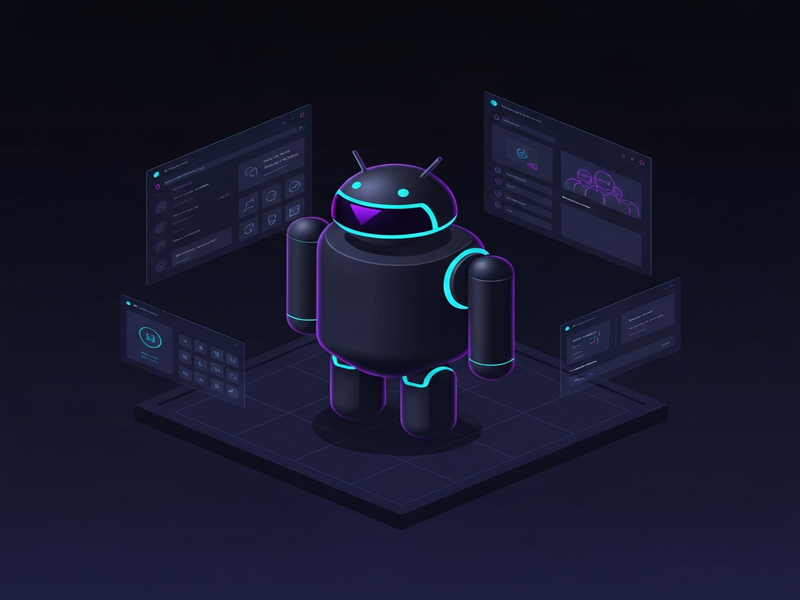
Figure 1: Android 16 UI after the full dark‑mode makeover.
Original Source and Further Reading
The original deep‑dive into this makeover was published by Android Police. For a complete technical breakdown, visit the article I gave Android 16 a full dark‑mode makeover.
Explore More UBOS Resources for Android Customization
If you’re inspired to create your own UI themes or integrate AI‑driven features into Android apps, UBOS offers a suite of tools and templates that can jump‑start your project:
- AI marketing agents – automate promotional content directly from your Android app.
- UBOS for startups – fast‑track MVP development with pre‑built UI components.
- UBOS solutions for SMBs – scalable dark‑mode ready dashboards.
- About UBOS – learn more about the team behind these innovations.
- UBOS partner program – collaborate on custom Android integrations.
- AI Video Generator – create tutorial videos for your dark‑mode theme.
- AI Image Generator – design custom icons that match your dark palette.
- AI Email Marketing – announce your new theme to users.
- AI Chatbot template – embed a help‑bot inside your Android app for theme support.
- AI LinkedIn Post Optimization – boost visibility of your dark‑mode release.
- AI Voice Assistant – add voice‑controlled theme toggling.
- GPT-Powered Telegram Bot – receive real‑time feedback from users.
Conclusion: Bring Dark‑Mode Excellence to Your Android Devices
The Android 16 dark‑mode makeover proves that a community‑driven, AI‑enhanced workflow can deliver a polished, battery‑saving UI in a fraction of the time traditional methods require. Whether you’re an individual enthusiast or an enterprise looking to standardize dark interfaces across fleets, the tools highlighted above—especially those on UBOS—provide a robust foundation.
Ready to try the new theme yourself? Download it from the UBOS marketplace, experiment with the UBOS templates for quick start, and let the AI‑powered automation handle the heavy lifting. Your Android device will thank you with a smoother, darker, and more energy‑efficient experience.
Stay tuned for more Android UI breakthroughs and UBOS‑powered tutorials—your next dark‑mode adventure is just a click away.