

- Updated: January 17, 2026
- 6 min read
iCloud Photos Downloader: Open‑Source CLI for Seamless iCloud Photo Backups
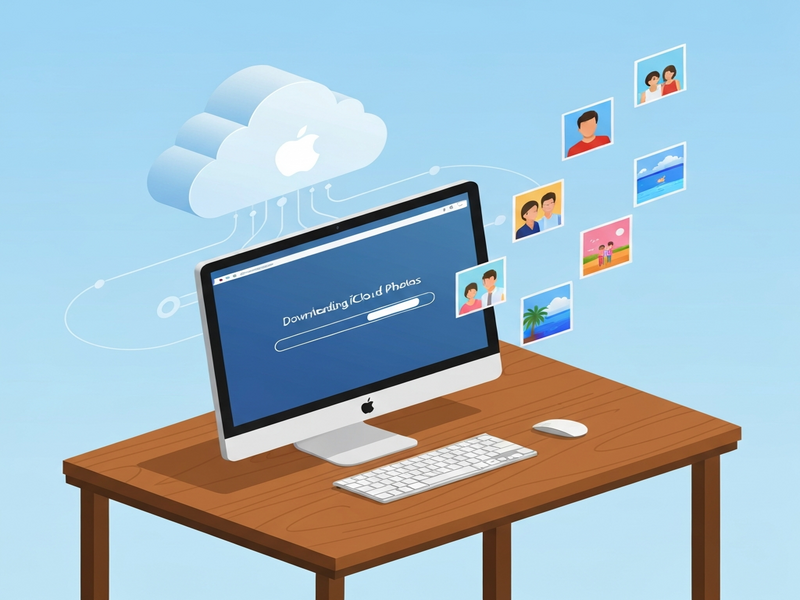
iCloud Photos Downloader is an open‑source command‑line tool that lets Mac, Windows, and Linux users download and back up their entire iCloud Photo Library quickly, securely, and with full control over synchronization options.
What Is the iCloud Photos Downloader Project?
The iCloud Photos Downloader (often abbreviated as icloudpd) is a community‑driven, MIT‑licensed utility that automates the extraction of photos and videos from Apple’s iCloud Photo Library. Designed for developers, photographers, and power users, it works across macOS, Windows, and Linux and can be run directly as a binary, via Docker, or through popular package managers such as PyPI and npm.
Because it operates from the command line, the tool integrates seamlessly with backup scripts, NAS devices, and CI pipelines—making it a robust photo backup solution for anyone who wants to keep a local copy of their iCloud assets without relying on the native Photos app.
Key Features & Benefits
- Cross‑platform support: Runs on macOS, Windows, and Linux, enabling unified backup strategies for mixed‑device households.
- Three operation modes: Copy (download new items), Sync (mirror iCloud and delete local files removed from iCloud), and Move (download then purge iCloud after a configurable retention period).
- Live Photo & RAW handling: Extracts both the still image and video component of Live Photos and preserves RAW+JPEG pairs.
- Automatic de‑duplication: Skips files with identical names or hashes, saving bandwidth and storage.
- Incremental updates: Options like
--until-foundand--recentmake subsequent runs lightning fast. - Metadata preservation: Updates EXIF timestamps to match iCloud’s original capture time (
--set-exif-datetime). - Watch mode: Continuously monitors iCloud for new uploads and pulls them down on a configurable interval.
- Docker & CI ready: Official Docker images let you run the downloader in isolated containers, perfect for automated backups.
All of these capabilities combine to create a photo download tool that is both flexible for developers and approachable for non‑technical photographers.
Installation & Quick‑Start Guide
1. Choose Your Preferred Distribution
Depending on your environment, pick one of the following methods:
| Platform | Installation Method | Typical Command |
|---|---|---|
| macOS / Linux / Windows | Download pre‑built binary | curl -L https://github.com/icloud-photos-downloader/icloud_photos_downloader/releases/latest/download/icloudpd-$(uname -s)-$(uname -m) -o icloudpd && chmod +x icloudpd |
| Any OS with Python | PyPI package | pip install icloudpd |
| Docker‑enabled host | Docker image | docker run -v $(pwd):/data ghcr.io/icloud-photos-downloader/icloudpd:latest --directory /data --username you@example.com |
2. Authenticate Your iCloud Account
Before the first run, you must create a session. The tool will prompt for your Apple ID password and, if enabled, a two‑factor authentication (2FA) code.
icloudpd --username you@example.com --auth-onlyThis command stores a temporary token in ~/.config/icloudpd, which subsequent runs reuse.
3. Run a Basic Download
To pull all photos into a local folder called ~/iCloudBackup:
icloudpd --directory ~/iCloudBackup --username you@example.com4. Enable Continuous Sync (Watch Mode)
For users who want their local library to stay in lockstep with iCloud, add the --watch-with-interval flag. The example below checks for new items every hour:
icloudpd --directory ~/iCloudBackup --username you@example.com --watch-with-interval 36005. Advanced Use‑Cases
- Sync mode with auto‑delete:
icloudpd --directory ~/iCloudBackup --username you@example.com --auto-delete - Move mode (keep recent days in iCloud):
icloudpd --directory ~/iCloudBackup --username you@example.com --keep-icloud-recent-days 30 - Metadata correction:
icloudpd --directory ~/iCloudBackup --username you@example.com --set-exif-datetime
All commands support --help for a full list of options.
Recent Updates & Community Support
The project follows a rapid release cadence, typically publishing a new version every Friday. The GitHub releases page shows over 80 releases to date, each accompanied by a concise changelog.
Key highlights from the last three releases include:
- v1.32.2 (Sep 2025): Added native support for Apple’s new “iCloud+” storage tier and improved handling of large‑size Live Photos.
- v1.31.0 (Jun 2025): Introduced
--watch-with-intervalfor real‑time sync and a new Docker multi‑arch image. - v1.30.5 (Mar 2025): Fixed a rare authentication bug on Windows 11 and added optional logging to a JSON file.
The community is active on GitHub Discussions, where users share custom scripts, Docker Compose files, and integration ideas. If you encounter a bug or have a feature request, the issues tracker is the best place to start a conversation.
Why This Tool Matters for iCloud Backup Strategies
When you search for iCloud backup or photo download tool, most results point to Apple’s native Photos app. While convenient, the app does not provide granular control over retention policies, de‑duplication, or automated scheduling. The iCloud Photos Downloader fills that gap by offering:
- Full control over what gets saved: Choose specific albums, date ranges, or file types.
- Automation‑ready: Combine with cron jobs, Workflow automation studio on UBOS, or any CI/CD pipeline.
- Scalable storage: Pair with NAS devices, cloud buckets, or UBOS cloud storage solutions for virtually unlimited capacity.
- Open‑source transparency: Review the code, contribute fixes, or fork the repo to add custom features.
These advantages make the downloader a cornerstone of any photo backup solution for photographers who need reliable, repeatable archives of their iCloud Photo Library.
How UBOS Enhances Your iCloud Photo Backup Workflow
UBOS provides a suite of tools that complement the iCloud Photos Downloader, turning a simple download script into an enterprise‑grade backup pipeline.
- UBOS platform overview – a low‑code environment where you can orchestrate the downloader alongside other data‑processing jobs.
- Enterprise AI platform by UBOS – adds AI‑driven image analysis (e.g., duplicate detection, content tagging) after the photos land on your storage.
- UBOS pricing plans – flexible tiers that let you scale from a hobbyist setup to a multi‑petabyte archive without surprise costs.
By integrating the downloader into UBOS’s Workflow automation studio, you can schedule nightly runs, trigger alerts on failures, and automatically push new images to an UBOS template for quick start that creates a searchable index using AI.
Get the Code – Official GitHub Repository
The source code, documentation, and pre‑built binaries are hosted on GitHub. You can clone the repository, file issues, or contribute pull requests directly.
Visit the iCloud Photos Downloader GitHub repo to download the latest release, read the full README, and join the community of contributors.
Conclusion: Secure Your Memories with Confidence
For tech‑savvy Mac and iPhone users, photographers, and developers, the iCloud Photos Downloader offers a reliable, scriptable, and open‑source way to safeguard every photo and video stored in iCloud. Its flexible modes, robust de‑duplication, and seamless integration with tools like UBOS make it far more than a simple downloader—it’s a cornerstone of a modern, automated photo backup solution.
Ready to take control of your iCloud Photo Library?
- Download the latest binary from the GitHub releases page.
- Set up a scheduled job using UBOS’s Workflow automation studio for hands‑free syncing.
- Explore AI‑enhanced tagging and analysis with the Enterprise AI platform by UBOS.
Your memories deserve a backup strategy that’s as sophisticated as the technology that captured them. With iCloud Photos Downloader and UBOS, you get both.