

- Updated: March 26, 2026
- 7 min read
FreeCAD 1.1 Released – New Features and Improvements
FreeCAD 1.1 has been officially released, introducing a monumental suite of upgrades to its 3D modeling, Computer-Aided Manufacturing (CAM), and simulation capabilities. This update fundamentally enhances user workflow with highly interactive tools, superior visualization, and a completely redesigned CAM tool library system, cementing its position as a premier open-source CAD software for engineers, designers, and creators worldwide.
A Paradigm Shift in User Interaction and Intuitive Design
The core philosophy behind the FreeCAD 1.1 release transcends mere feature addition; it represents a deliberate and profound rethinking of the user experience. The development community has clearly listened to user feedback, targeting common pain points to make the design process more fluid, intuitive, and efficient. This focus on workflow optimization means less time wrestling with the software and more time bringing creative ideas to life. It’s a level of user-centric design that is often a key consideration when building tools on an Enterprise AI platform by UBOS.
Real-Time Precision with Interactive Draggers
One of the most celebrated enhancements is the introduction of interactive on-screen draggers for fundamental tools like Fillet and Chamfer. Previously, designers often found themselves in a repetitive cycle of inputting a numerical value, previewing the result, and then undoing the action to try a different value. FreeCAD 1.1 eliminates this cumbersome process. Now, you can click and drag handles directly on your 3D model to visually and dynamically adjust parameters. This provides immediate, real-time feedback, allowing for a more organic and precise modeling experience that dramatically accelerates the design iteration cycle.
Unprecedented Clarity: Transparent Previews and Enhanced Selection
Working with complex assemblies or intricate parts often involves features that obscure one another. The new transparent previews in the Part Design workbench directly address this challenge. When creating a new feature like a pocket or a pad, the preview is now semi-transparent, giving you a clear view of the underlying geometry. This ensures perfect alignment and prevents errors that were previously difficult to spot.
Complementing this is the new “Clarify Selection” tool. In a dense model, selecting the correct edge, face, or vertex can be frustratingly difficult. This tool provides a focused view or a list of all elements under your cursor, allowing you to pinpoint your selection with absolute certainty. This seemingly small addition is a massive quality-of-life improvement that significantly speeds up complex modeling tasks, much like how a specialized tool like the AI YouTube Comment Analysis tool pinpoints specific data from a sea of information.
Superior Visuals with a 3-Point Lighting System
A model’s presentation is as crucial as its geometry. FreeCAD 1.1 integrates a professional-grade 3-point lighting system directly into the viewport. This setup, a standard in professional rendering and photography, uses key, fill, and back lights to create superior depth, definition, and realism. Models no longer appear flat or washed out. Instead, surfaces have realistic highlights and shadows, making it easier to perceive complex shapes and identify subtle imperfections without needing to perform a time-consuming external render. This enhanced visualization is critical for both aesthetic design and engineering analysis.
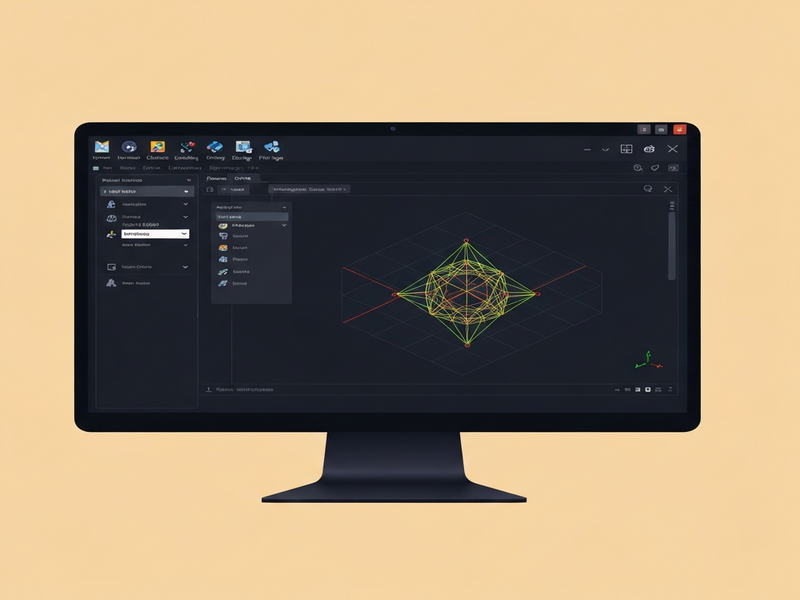
FreeCAD 1.1 introduces a host of visual and functional upgrades for a more powerful design experience.
Powering Advanced Engineering: From Simulation to Manufacturing
While the user experience improvements are significant, FreeCAD 1.1 also delivers a massive leap forward in its advanced engineering capabilities. The updates to the Assembly, Finite Element Method (FEM), and Computer-Aided Manufacturing (CAM) workbenches elevate the software from a powerful modeler to a comprehensive, end-to-end engineering solution. This evolution is a testament to the project’s ambition to provide a free and open-source alternative to expensive proprietary suites. The integration of these complex systems is a feat of engineering, managed through a sophisticated Workflow automation studio.
A Revolution in Manufacturing: The All-New CAM Tool Library
Perhaps the most impactful update for users involved in manufacturing is the completely new CAM tool library system. The previous system was functional but could be cumbersome. The new library has been redesigned from the ground up for robustness, flexibility, and ease of use. This provides a more structured and powerful framework for managing cutting tools, defining feeds and speeds, and generating reliable G-code for CNC machines. This overhaul makes FreeCAD a far more compelling choice for professionals and hobbyists who need to take their designs from a digital model to a physical part, streamlining the entire design-to-manufacturing pipeline. This kind of process optimization is a core goal for many businesses, including those exploring UBOS solutions for SMBs.
Bringing Designs to Life with Assembly and FEM Animations
Static models can only tell part of the story. The new animation capabilities within the Assembly and FEM workbenches allow engineers to simulate the motion and mechanical stress of their designs. You can now create kinematic analyses to see how parts interact, check for collisions, and visualize the operational range of a mechanism. When combined with the improved FEM workbench, you can apply forces to these moving assemblies and visualize the resulting stress and deformation over time. This is an incredibly powerful tool for validating designs, identifying potential failure points, and optimizing performance before a single physical prototype is built.
The Unseen Engine: A Global Community of Contributors
Behind every new feature and bug fix in FreeCAD 1.1 is the tireless effort of a global community. The official release announcement rightfully credits the “enormous amount of work and dedication from FreeCAD contributors.” Unlike software developed behind the closed doors of a single corporation, FreeCAD’s strength comes from its collaborative, open-source nature. This model fosters rapid innovation and ensures the software evolves to meet the real-world needs of its users. The story of this release is a powerful reminder of what can be achieved when passionate individuals collaborate, a principle we deeply value in our own About UBOS philosophy.
“Absolutely incredible work. A huge thank you to the entire development team!” one user, noisily2cbc8649b8, commented, echoing the sentiment of many. Another, Dennis Hunt, praised it as a “wonderful job by a team of dedicated contributors.”
This overwhelmingly positive response from the community is not just praise; it’s a validation of the open-source development model and the incredible passion that fuels the FreeCAD project.
The Broader Impact: Democratizing High-End Engineering Tools
The release of FreeCAD 1.1 is more than just a software update; it’s a significant event in the democratization of technology. For too long, powerful parametric 3D modeling, simulation, and manufacturing software has been locked behind prohibitively expensive licenses, creating a high barrier to entry for students, hobbyists, and startups. By offering these advanced capabilities for free, FreeCAD empowers a new generation of innovators. It provides a robust platform for learning, experimentation, and commercial product development without the financial burden. This accessibility is especially crucial for new ventures, making it a perfect tool for those in the UBOS for startups ecosystem.
Get Started with FreeCAD 1.1 Today
FreeCAD 1.1 represents a major leap forward, delivering a more refined, powerful, and accessible tool for everyone. It is a testament to the power of community-driven development and a compelling choice for anyone serious about 3D design and engineering.
The new version is available for download now on Windows, macOS, and Linux. To explore the full, exhaustive list of changes, new features, and bug fixes, you are encouraged to review the official documentation. As an open-source project, FreeCAD’s continued development relies on the generosity of its users. If you find the software valuable, consider making a donation to support its future growth.
Read the official announcement and find download links on the FreeCAD Blog.
Andrii Bidochko
CTO UBOS
Andrii Bidochko is an AI entrepreneur and researcher focused on AI agents, reinforcement learning, and autonomous systems. He writes about the technologies shaping the future of machine intelligence, from frontier models and agent architectures to real-world AI applications.