

- Updated: March 11, 2026
- 7 min read
Microsoft Announces Xbox Game Mode for Windows 11 – What Gamers Need to Know
Microsoft Rolls Out Xbox Game Mode for All Windows 11 PCs
Xbox Game Mode brings console‑level performance to any Windows 11 PC, uniting Xbox and PC gaming under one seamless experience.
Answer: Xbox Game Mode is a new performance‑focused mode for Windows 11 that transforms any PC into an Xbox‑like gaming experience, optimizing resources, reducing latency, and delivering a full‑screen console UI.
Why Windows 11 Needs an Xbox‑Style Gaming Layer
Since the launch of Windows 11, Microsoft has been positioning the OS as the ultimate hub for both productivity and play. Gamers have long asked for a “console‑feel” on their laptops, desktops, and tablets—especially as cloud gaming and cross‑platform titles become the norm. The Windows 11 tips page already lists performance tweaks, but none offered a one‑click, full‑screen Xbox environment. Xbox Game Mode fills that gap by providing a dedicated UI, automatic resource allocation, and tighter integration with the Xbox ecosystem.
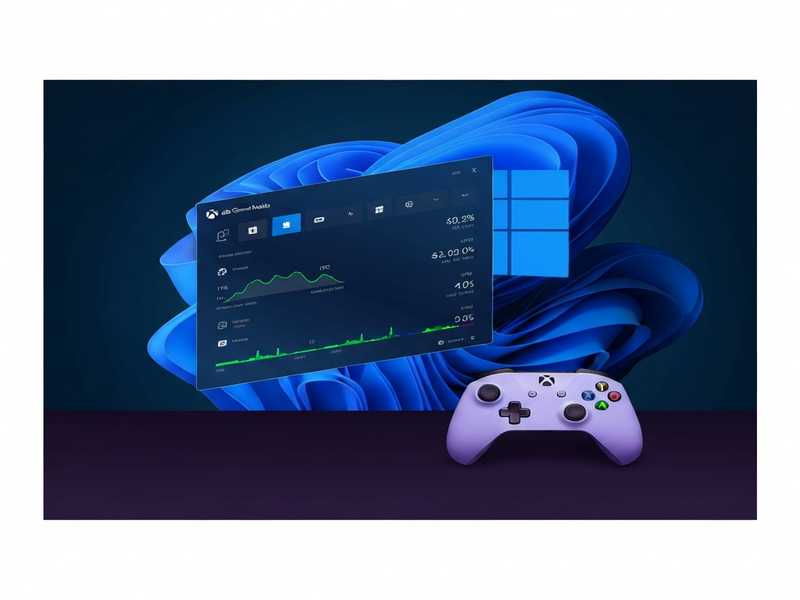
Xbox Game Mode: What Microsoft Announced
At the 2024 Game Developers Conference (GDC), Microsoft unveiled “Xbox mode,” a rebranded version of the Xbox Full‑Screen Experience (FSE) that will ship to every Windows 11 device starting in April 2024. The rollout is not limited to high‑end gaming rigs; it includes laptops, convertible tablets, and even low‑power ultrabooks.
The mode can be toggled from the Windows Settings app or via a quick‑access tile on the taskbar. Once activated, the OS switches to a streamlined UI that mirrors the Xbox dashboard, hides background notifications, and prioritizes GPU and CPU cycles for the foreground game.
Key Features at a Glance
- Full‑Screen Dashboard: A console‑style home screen that displays installed Xbox titles, recent activity, and quick links to the Xbox app store.
- Dynamic Resource Allocation: Windows automatically boosts CPU priority, allocates more GPU memory, and throttles background processes.
- Low‑Latency Audio & Input: Optimized audio pipelines and reduced input lag for mouse, keyboard, and controller.
- One‑Click Game Bar Integration: Access the Xbox Game Bar without leaving the mode, enabling screen capture, performance overlays, and chat.
- Cross‑Platform Cloud Sync: Your Xbox Live profile, achievements, and cloud saves sync instantly, whether you’re on a PC or an actual Xbox console.
Project Helix: The Long‑Term Vision Behind Xbox Game Mode
Xbox Game Mode is a stepping stone toward Microsoft’s ambitious Project Helix. Helix is the codename for the next‑generation Xbox hardware that will also run PC games natively, blurring the line between console and PC ecosystems. While Helix won’t reach alpha until 2027, the current mode demonstrates Microsoft’s commitment to a unified gaming platform.
Helix promises a hybrid architecture where Xbox hardware can execute DirectX‑based PC titles without emulation, leveraging a shared runtime. This means developers will write a single build that runs on both Xbox and Windows 11, reducing development overhead and ensuring feature parity across devices.
GDC 2024 Highlights That Complement Xbox Game Mode
Beyond the Game Mode announcement, Microsoft used its GDC keynote to reveal several technical upgrades that will directly benefit Windows 11 gamers:
- Advanced Shader Delivery: Developers can now ship pre‑compiled shaders via the Xbox Store, cutting load times by up to 30%.
- DirectStorage Enhancements: Faster asset streaming from NVMe SSDs, reducing texture pop‑in and level‑load delays.
- Neural Rendering in DirectX 12 Ultimate: AI‑upscaled frames deliver higher perceived resolution without taxing the GPU.
- Graphics Debugging Tools: New profiling APIs let developers fine‑tune performance on both Xbox and Windows platforms.
- Classic Xbox Game Revival: As part of Xbox’s 25th‑anniversary celebration, select legacy titles will be optimized for Windows 11 via the new mode.
What This Means for Windows 11 Gamers
For the everyday gamer, Xbox Game Mode translates into tangible benefits:
- Smoother Gameplay: By reallocating system resources, games run at higher, more stable frame rates.
- Consistent UI Experience: Switching between a laptop and an Xbox console no longer feels jarring; the UI remains familiar.
- Reduced Setup Time: No need to manually tweak power plans or disable background apps—Game Mode does it automatically.
- Better Battery Life on Laptops: The mode intelligently powers down non‑essential components, extending playtime on the go.
- Unified Achievement Tracking: Your Xbox Live achievements sync instantly, preserving your progress across devices.
Developers also stand to gain. With the Enterprise AI platform by UBOS, studios can integrate AI‑driven performance analytics directly into their games, feeding data back to Microsoft’s shader delivery pipeline for continuous optimization.
Read the Full Story on The Verge
For a deeper dive into Microsoft’s announcements, see the original coverage by The Verge: Microsoft’s Xbox mode is coming to every Windows 11 PC.
How UBOS Can Help You Leverage Xbox Game Mode
Whether you’re a solo developer or part of a studio, UBOS offers tools that complement the new Windows 11 gaming environment:
- UBOS homepage – Discover the full suite of AI‑powered services that can accelerate game development.
- About UBOS – Learn how our team’s expertise in AI and cloud infrastructure fuels next‑gen gaming experiences.
- AI marketing agents – Automate promotion of your game across social platforms with intelligent copy generation.
- UBOS partner program – Join a network of developers who receive early access to performance‑optimizing APIs.
- UBOS platform overview – A single dashboard to manage cloud builds, AI testing, and deployment pipelines.
- UBOS for startups – Scalable pricing and tools tailored for indie studios looking to ship fast.
- UBOS solutions for SMBs – Streamline asset pipelines and reduce manual QA effort.
- Web app editor on UBOS – Build companion web portals for your game without writing a line of code.
- Workflow automation studio – Automate build, test, and release cycles to keep up with rapid patching.
- UBOS pricing plans – Transparent tiers that grow with your player base.
- UBOS portfolio examples – See case studies of games that cut load times by 25% using our AI‑enhanced pipelines.
- UBOS templates for quick start – Jump‑start your project with pre‑configured game server templates.
In addition, the UBOS Template Marketplace offers ready‑made AI tools that can be integrated directly into your game’s backend:
- AI SEO Analyzer – Optimize your game’s store page for discoverability.
- AI Video Generator – Create dynamic trailers that adapt to player behavior.
- AI Chatbot template – Deploy in‑game support bots powered by ChatGPT.
- AI Audio Transcription and Analysis – Turn voice chat into searchable logs for moderation.
- AI Image Generator – Procedurally generate textures on the fly.
Conclusion: A Unified Future for Xbox and Windows Gaming
Xbox Game Mode marks a pivotal moment in Microsoft’s strategy to merge console and PC ecosystems. By delivering a console‑grade UI, automatic performance tuning, and seamless Xbox Live integration, the mode gives Windows 11 users a ready‑made “Xbox on any PC.” Coupled with the long‑term vision of Project Helix, developers can look forward to a single codebase that runs everywhere.
For gamers, the immediate payoff is smoother, more immersive play without the hassle of manual tweaks. For studios, the combination of Microsoft’s low‑level optimizations and UBOS’s AI‑driven development tools creates a powerful pipeline that can shave seconds off load times and boost player retention.
Stay tuned for further updates as Microsoft rolls out the feature in April and as Project Helix progresses toward its 2027 alpha. In the meantime, explore UBOS’s suite of AI services to future‑proof your game for the next generation of cross‑platform experiences.
Andrii Bidochko
CTO UBOS
Andrii Bidochko is an AI entrepreneur and researcher focused on AI agents, reinforcement learning, and autonomous systems. He writes about the technologies shaping the future of machine intelligence, from frontier models and agent architectures to real-world AI applications.