

- Updated: March 11, 2026
- 5 min read
Subscriber Lifecycle Simulation Dashboard – New Features Unveiled
The subscriber lifecycle simulation dashboard is a real‑time, web‑based console that lets IT managers and network engineers model, monitor, and troubleshoot every phase of a broadband subscriber’s journey—from initial DHCP lease to active session metrics and BNG health—without writing a single CLI command.
Why a Simulation Dashboard Is a Game‑Changer for Modern Networks
In today’s hyper‑connected world, service providers must guarantee flawless subscriber experiences while juggling thousands of concurrent sessions. Traditional network management tools often require manual SSH access, fragmented logs, and a steep learning curve. The new subscriber lifecycle simulation dashboard consolidates all critical data points—DHCP assignments, traffic patterns, BNG health, and session histories—into a single, intuitive UI. This empowers teams to detect anomalies before they affect customers, run “what‑if” scenarios, and accelerate root‑cause analysis.
The dashboard is part of the broader UBOS platform overview, which blends AI‑driven automation with low‑code development, making it ideal for both startups and enterprise‑grade deployments.
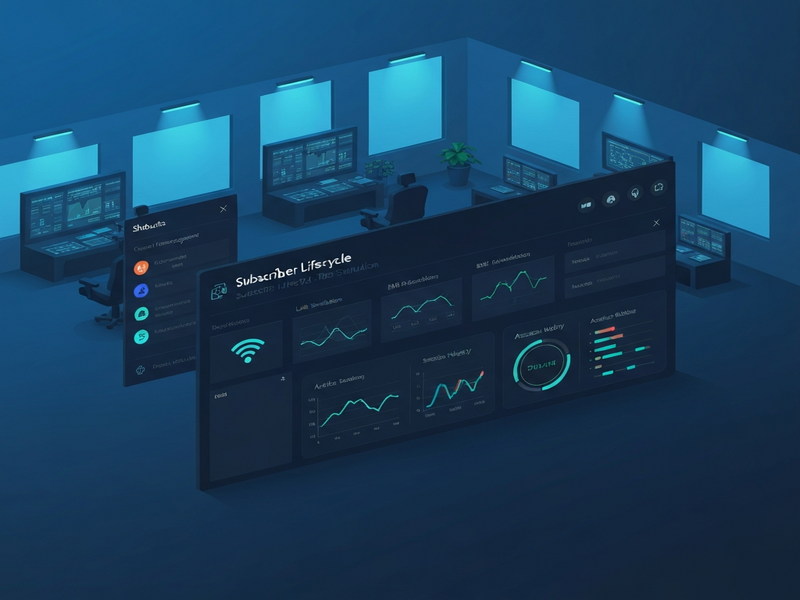
Dashboard Features at a Glance
Subscriber Simulation Engine
Launch virtual subscribers that automatically request IP addresses via DHCPv4, authenticate through RADIUS, and generate traffic streams. The engine mirrors real‑world behavior, allowing you to test capacity planning, policy enforcement, and QoS rules without touching production hardware.
ChatGPT and Telegram integration can be added to receive instant alerts when simulated sessions exceed thresholds.
BNG Health Monitoring
Real‑time charts display aggregate traffic, session deltas, and health metrics for each Broadband Network Gateway (BNG). You can drill down to per‑subscriber SESSION_UPDATE deltas for the last 15 minutes, 1 hour, 6 hours, or 24 hours.
Chroma DB integration stores historical BNG metrics for long‑term trend analysis.
Active Sessions Grid
A searchable, filterable table lists every active subscriber session with details such as IP address, MAC, start time, download/upload rates, and authentication state. Export the view to CSV for offline reporting.
OpenAI ChatGPT integration can answer natural‑language queries like “Which subscriber has the highest upload rate?”
Access Node Status Panel
Monitor pre‑configured access routers, their uptime, last ping, and the number of active subscribers. The panel highlights nodes that have missed heartbeats, enabling proactive maintenance.
Telegram integration on UBOS can push node‑down notifications directly to your ops channel.
Export & Reporting Suite
One‑click export of subscriber lists, session histories, and BNG health logs to CSV or JSON. Combine with the UBOS templates for quick start to generate automated PDF reports or dashboards in minutes.
AI‑Powered Insights
Leverage built‑in AI agents to predict traffic spikes, recommend capacity upgrades, and suggest optimal routing policies based on historical patterns.
AI marketing agents can also be repurposed to generate subscriber‑facing communications.
Key Benefits for IT Managers & Network Engineers
- Zero‑touch provisioning: Simulate thousands of subscribers without manual CLI commands.
- Instant visibility: Real‑time dashboards surface BNG health and active session metrics at a glance.
- Proactive troubleshooting: Identify bottlenecks and misconfigurations before they impact real customers.
- Data‑driven capacity planning: Historical session deltas enable accurate forecasting of bandwidth needs.
- Reduced operational cost: Automation cuts down on manual labor and shortens mean‑time‑to‑resolution (MTTR).
- Scalable for any environment: From UBOS solutions for SMBs to the Enterprise AI platform by UBOS, the dashboard scales with your network.
Getting Started: Accessing the Subscriber Lifecycle Simulation Dashboard
- Visit the UBOS homepage and sign up for a free trial: UBOS homepage.
- Select a pricing tier that matches your organization’s size. Detailed comparison is available on the UBOS pricing plans page.
- Launch the platform via the Web app editor on UBOS. The editor includes a pre‑built “Subscriber Lifecycle” template you can import with one click.
- Configure your network nodes in the Workflow automation studio. Add your BNGs, routers, and RADIUS servers as “access nodes.”
- Enable AI integrations such as ElevenLabs AI voice integration for audible alerts, or the ChatGPT and Telegram integration for chat‑based notifications.
- Start a simulation by selecting “Simulate Lab Subscribers” and defining the number of virtual users. The dashboard will instantly display DHCP leases, session states, and traffic graphs.
- Explore analytics using the built‑in AI SEO Analyzer template to generate performance reports that can be shared with stakeholders.
For a live demonstration, visit the public demo at Subscriber Lifecycle Simulation Dashboard Demo. The demo showcases all core features without requiring a login.
Explore Related UBOS Solutions & Templates
UBOS offers a rich ecosystem of AI‑enhanced tools that complement the simulation dashboard. Below are a few that network teams often pair with subscriber lifecycle management:
- AI Article Copywriter – automatically generate documentation for network changes.
- AI YouTube Comment Analysis tool – monitor community feedback on service announcements.
- AI Video Generator – create quick tutorial videos for onboarding new engineers.
- AI Audio Transcription and Analysis – turn meeting recordings into searchable knowledge bases.
- AI Chatbot template – provide 24/7 self‑service support for internal teams.
Ready to Transform Your Network Operations?
The subscriber lifecycle simulation dashboard eliminates guesswork, accelerates troubleshooting, and empowers your team with AI‑driven insights—all from a single, browser‑based interface. Whether you’re a growing ISP, a telecom carrier, or an enterprise IT department, UBOS gives you the tools to stay ahead of demand and deliver flawless connectivity.
Join the UBOS partner program today, or explore the UBOS portfolio examples to see how other organizations have leveraged the platform.
Start your free trial now and experience the future of subscriber management—no code, no CLI, just pure insight.
Andrii Bidochko
CTO UBOS
Andrii Bidochko is an AI entrepreneur and researcher focused on AI agents, reinforcement learning, and autonomous systems. He writes about the technologies shaping the future of machine intelligence, from frontier models and agent architectures to real-world AI applications.