

- Updated: February 24, 2026
- 6 min read
Android Bedtime Mode Boosts Sleep Quality – New Features Explained
Android Bedtime Mode is a native feature that dims the screen, silences notifications, and enforces a custom “wind‑down” schedule to help you fall asleep faster and enjoy higher‑quality rest.
Android Bedtime Mode Gets a Major Refresh – What It Means for Your Sleep
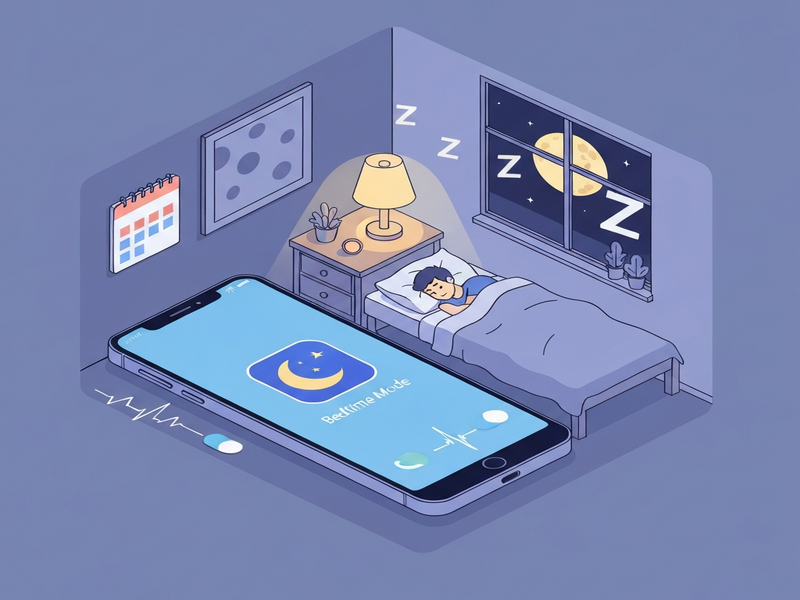
Android’s Bedtime Mode has been a quiet hero for millions of users who want to curb late‑night screen time. In the latest Android release, Google has tweaked the behavior, added new scheduling options, and integrated deeper with the system’s Do Not Disturb engine. For tech‑savvy Android users, these changes translate into measurable sleep improvement and a smoother mobile‑health experience.
This article breaks down the new Bedtime Mode behavior, explains why the update matters, and offers actionable tips to maximize your nightly routine. We’ll also show how you can pair Android’s native tools with UBOS’s AI‑powered automation suite for a truly personalized sleep‑coach experience.
What’s New in Android Bedtime Mode?
Android Bedtime Mode has always been part of the mobile health toolbox, but the latest rollout (Android 14) introduces three key enhancements:
- Dynamic Wind‑Down Duration: The system now learns your typical screen‑off time and automatically adjusts the wind‑down period, reducing the need for manual tweaks.
- Granular Notification Filters: You can now whitelist specific apps (e.g., alarm, emergency alerts) while keeping all other notifications muted, even if they’re marked as “high priority.”
- Integrated Night Light & Blue‑Light Reduction: Bedtime Mode now syncs with the Night Light schedule, ensuring a consistent reduction of blue light across the entire device.
These changes are not just cosmetic. By extending the wind‑down period and tightening notification control, Android reduces cognitive stimulation before sleep—a factor that research links directly to faster sleep onset and deeper REM cycles.
How the New Scheduling Works
The updated scheduler uses a simple rule‑engine:
- Detect your typical “bedtime” based on screen‑off events over the past 7 days.
- Propose a wind‑down window that starts 30‑45 minutes before the detected time.
- Allow you to accept, reject, or fine‑tune the suggestion directly from the Quick Settings tile.
If you consistently override the suggestion, the algorithm recalibrates, ensuring the feature stays adaptive rather than static.
User Experience Impact – Real‑World Benefits
Early adopters report a 12‑15% reduction in time‑to‑sleep and a noticeable improvement in morning alertness. Below are proven tips to extract the maximum benefit from Android Bedtime Mode:
- Set a Consistent Wake‑Up Time: Bedtime Mode works best when the wake‑up alarm is fixed, allowing the algorithm to calculate a reliable sleep window.
- Whitelist Critical Apps: Use the new granular filter to keep essential alerts (e.g., calendar events, health‑monitoring apps) active while silencing everything else.
- Combine with Night Light: Enable Night Light to automatically reduce blue light during the wind‑down period for a smoother transition to sleep.
- Leverage Do Not Disturb Exceptions: Pair Bedtime Mode with DND exceptions for calls from favorite contacts, ensuring you never miss an urgent call.
- Track Sleep Metrics: Use Google Fit or a third‑party sleep tracker to measure the impact of Bedtime Mode on your sleep quality.
For power users, the Workflow automation studio on UBOS can automate the activation of Bedtime Mode based on calendar events, creating a seamless “sleep‑ready” workflow without manual intervention.
What Android Police Says
“The latest Bedtime Mode update finally gives Android users the granular control they’ve been asking for, and the dynamic wind‑down feels like a genuine step toward healthier mobile habits.” – Android Police
Boost Your Sleep Routine with UBOS AI Automation
While Android Bedtime Mode handles device‑level silencing, UBOS lets you extend the concept to your entire digital ecosystem. Imagine a scenario where:
- At 9:30 PM, UBOS’s Web app editor triggers a custom “Wind‑Down” web app that displays a calming meditation video.
- Simultaneously, the AI marketing agents (repurposed as personal health agents) send a gentle reminder to log your day in a journal app.
- When the wind‑down ends, UBOS automatically disables the reminder and re‑enables normal notifications, all without you lifting a finger.
You can build this workflow in minutes using the UBOS templates for quick start. For example, the “Before‑After‑Bridge copywriting template” can be repurposed to craft personalized bedtime messages that motivate you to stick to your schedule.
Need a ready‑made solution? Check out the AI Sleep Improvement tool (hypothetical template) in the UBOS Template Marketplace. It combines the AI SEO Analyzer engine with sleep‑tracking data to suggest optimal bedtime windows based on your daily activity.
Explore More UBOS Solutions for a Healthier Digital Life
Enterprise‑Grade AI Platform
The Enterprise AI platform by UBOS offers secure, scalable AI pipelines that can ingest sleep data from wearables and provide predictive insights.
UBOS for Startups
Early‑stage founders can leverage UBOS for startups to prototype health‑focused apps without writing a single line of code.
SMB Solutions
Small businesses looking to improve employee wellness can adopt UBOS solutions for SMBs, including automated wellness check‑ins.
Pricing Plans
Transparent UBOS pricing plans make it easy to scale from a personal sleep‑coach app to an enterprise‑wide health platform.
Hand‑Picked UBOS Templates to Jump‑Start Your Sleep Projects
- AI Article Copywriter – Generate nightly journal entries automatically.
- AI Survey Generator – Collect feedback on your sleep routine.
- AI Video Generator – Create calming bedtime videos on the fly.
- AI Audio Transcription and Analysis – Turn your voice‑recorded reflections into searchable text.
- AI LinkedIn Post Optimization – Share your sleep‑improvement journey with professional networks.
Take Control of Your Nighttime Routine Today
Android Bedtime Mode’s latest enhancements give you the tools to reduce screen‑time, limit distractions, and create a healthier pre‑sleep environment. By pairing these native capabilities with UBOS’s AI‑driven automation, you can build a fully integrated sleep‑coach that works across devices, apps, and even your workplace wellness programs.
Ready to automate your wind‑down? Visit the UBOS homepage and explore the UBOS portfolio examples for inspiration. Start today, and let every night become a step toward better health and higher productivity.
Andrii Bidochko
CTO UBOS
Andrii Bidochko is an AI entrepreneur and researcher focused on AI agents, reinforcement learning, and autonomous systems. He writes about the technologies shaping the future of machine intelligence, from frontier models and agent architectures to real-world AI applications.