

- Updated: February 24, 2026
- 8 min read
ENVeil: Secure .env Management Revolutionizes Developer Workflow
ENVeil: Open‑Source .env Encryption for Developers
ENVeil is an open‑source security tool that encrypts environment‑variable files (.env) with AES‑256‑GCM, derives keys using Argon2id, and injects the decrypted values directly into an application at runtime, ensuring that plaintext secrets never touch the disk.
What Is ENVeil and Why It Matters
Modern development pipelines increasingly rely on AI‑assisted code assistants such as Claude, GitHub Copilot, and Cursor. These assistants scan project directories, which means a plain‑text .env file becomes an accidental secret dump that can be harvested by any AI model with read access. ENVeil eliminates this risk by replacing plaintext entries with symbolic references (e.g., ev://my_key) and storing the real values in a per‑project encrypted binary store. The tool is written in Rust, distributed under the MIT license, and can be integrated into any language runtime that respects environment variables.
Key Features of ENVeil
- Strong Encryption: Uses AES‑256‑GCM with a fresh 12‑byte nonce for every write, guaranteeing confidentiality and integrity.
- Memory‑Hard Key Derivation: Argon2id (64 MiB memory, 3 iterations) derives a 256‑bit key from a master password, thwarting GPU‑based brute‑force attacks.
- Per‑Project Stores: Each repository gets its own
.enveil/directory, keeping secrets isolated and version‑controlled. - Zero‑Knowledge Runtime: Secrets are decrypted only in memory, injected into the child process, and then immediately zeroized.
- CLI‑First Experience: Commands like
enveil set,enveil run, andenveil rotateguide developers through secure workflows without ever exposing values on the command line. - Auditable Test Suite: 31 automated tests cover encryption invariants, nonce freshness, tamper detection, and error handling.
These capabilities align closely with the security posture promoted by the UBOS security guidelines, making ENVeil a natural companion for teams already using the UBOS platform overview for AI‑driven applications.
How ENVeil Works – Technical Overview
1. Symbolic .env Syntax
Developers replace secret values with ev://<key_name> tokens. For example:
DATABASE_URL=ev://database_url
STRIPE_KEY=ev://stripe_key
PORT=3000
The file can be safely committed because the tokens contain no sensitive data.
2. Master Password & Key Derivation
When enveil run is invoked, the tool prompts for a master password (input is never echoed). Argon2id stretches this password into a 256‑bit AES key, using a per‑store random 32‑byte salt stored in .enveil/config.toml. This process makes offline cracking infeasible even with high‑end GPUs.
3. Encrypted Store Format
The binary store consists of:
- 12‑byte random nonce (ensures unique AES‑GCM IV per write)
- Ciphertext containing a serialized map of
{key_name → secret_bytes} - 16‑byte authentication tag generated by AES‑GCM
Because the nonce changes on every write, nonce‑reuse attacks are impossible. Any bit‑flip in the ciphertext triggers authentication failure, and the decryption routine aborts before exposing plaintext.
4. Runtime Injection
After successful decryption, ENVeil resolves each ev:// reference, builds a fresh environment block, and spawns the target process (e.g., npm start, python manage.py runserver, or cargo run). The child process receives the secrets as regular environment variables, while the parent process zeroes the key and password from memory.
This design mirrors the Workflow automation studio philosophy: keep sensitive data out of static files and let the runtime handle secure injection.
Installation & Usage – Step‑by‑Step Guide
Prerequisites
ENVeil requires Rust 1.70 or newer. Install Rust via rustup if you haven’t already:
curl --proto '=https' --tlsv1.2 -sSf https://sh.rustup.rs | shA. Installing the Binary
Once Rust is ready, you can install ENVeil from crates.io (once published) or build from source.
- Crate install (future‑proof):
cargo install enveil - Build from source:
git clone https://github.com/GreatScott/enveil
cd enveil
cargo build --release
# Move the binary to a directory on your PATH
cp target/release/enveil ~/.local/bin/
B. Initialising a Project Store
Navigate to your project root and run:
enveil initThis creates a hidden .enveil/ folder containing config.toml and an empty encrypted store. Add .enveil/ to .gitignore to keep the store out of version control.
C. Adding Secrets
Use the interactive set command; the value is never echoed or stored in shell history:
enveil set database_url
# Prompt: Value for 'database_url': (hidden)
D. Referencing Secrets in .env
Replace the real value with the symbolic token:
DATABASE_URL=ev://database_urlE. Running Your Application
Wrap the start command with enveil run --:
enveil run -- npm start
enveil run -- python manage.py runserver
enveil run -- cargo run
The tool prompts for the master password once, decrypts the store, injects the variables, and launches the process.
F. Managing the Store
Additional useful commands:
enveil list– shows stored key names without values.enveil delete <key>– removes a secret.enveil rotate– re‑encrypts the store with a new master password.enveil import .env– bulk‑encrypts an existing plaintext file.
All of these commands are designed to avoid leaking secrets to the terminal, process list, or logs—an approach championed by the Enterprise AI platform by UBOS for secure AI‑driven workloads.
Security Guarantees & Testing – Why You Can Trust ENVeil
ENVeil’s security model is verified through both automated tests and manual inspection. Below are the core guarantees:
1. No Plaintext on Disk
Automated test store::password::tests::test_encrypt_decrypt_roundtrip writes a secret, reloads the store, and asserts that the on‑disk bytes are valid ciphertext. Manual inspection with xxd and strings shows only binary data.
2. Fresh Random Nonce per Write
Test test_nonce_changes_on_each_save confirms that the first 12 bytes differ after each write, preventing nonce‑reuse attacks.
3. Strong Password Validation
If the master password is incorrect, the decryption routine returns an error, as demonstrated by test_wrong_password_returns_err. The CLI surfaces a clear “Wrong master password or corrupted store.” message.
4. Tamper Detection via AES‑GCM Authentication
Any bit‑flip in the ciphertext triggers authentication failure. The test test_tampered_ciphertext_returns_err flips a byte and verifies that decryption aborts.
5. Fail‑Fast on Missing References
If a ev:// token has no matching entry, ENVeil exits with a non‑zero status before launching the child process, preventing accidental runtime crashes.
These guarantees are documented in the project’s GitHub repository and align with the best practices outlined in UBOS encryption resources.
Future Roadmap & Community Involvement
ENVeil is still evolving. The maintainers have outlined several high‑impact features for upcoming releases:
- Global Store Option: A system‑wide encrypted vault for secrets shared across multiple projects, reducing duplication.
- Keychain Integration: Native support for macOS Keychain, Windows Credential Manager, and Linux Secret Service to auto‑populate the master password.
- CI/CD Plugins: Pre‑built actions for GitHub Actions, GitLab CI, and Azure Pipelines that inject secrets without exposing them in logs.
- Web‑Based Management UI: A lightweight dashboard built with the Web app editor on UBOS for visual secret management.
The project welcomes contributions via pull requests, and the community can discuss feature ideas through the repository’s issue tracker. For organizations looking to sponsor development, the UBOS partner program offers co‑branding and priority support.
Illustration – ENVeil Architecture at a Glance
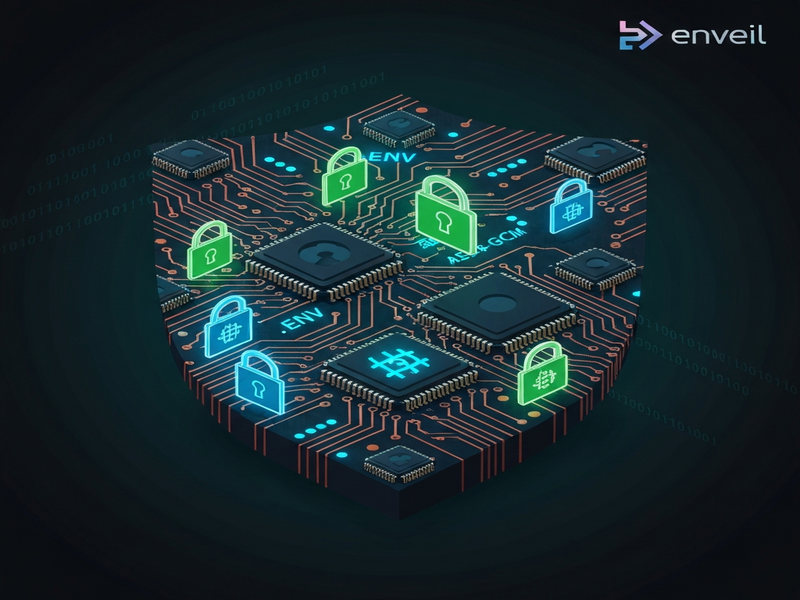
The diagram visualizes the flow from master password entry, through Argon2id key derivation, AES‑256‑GCM store decryption, and runtime injection.
Where to Find the Source Code
The full source, issue tracker, and contribution guidelines are hosted on GitHub. Visit the repository to clone, report bugs, or submit enhancements:
Related UBOS Resources for Secure Development
Developers who adopt ENVeil often benefit from other UBOS solutions that streamline AI‑enhanced workflows:
- UBOS homepage – central hub for all UBOS products.
- About UBOS – learn about the team behind the platform.
- AI marketing agents – automate campaign creation with secure secret handling.
- UBOS templates for quick start – jump‑start projects with pre‑configured environments.
- UBOS for startups – scalable, secure infrastructure for early‑stage companies.
- UBOS solutions for SMBs – affordable security and AI tools for small businesses.
- UBOS pricing plans – transparent pricing for all product tiers.
- UBOS portfolio examples – real‑world case studies of secure AI deployments.
- AI SEO Analyzer – optimize content while keeping API keys safe.
- AI Article Copywriter – generate copy without exposing your OpenAI credentials.
Conclusion – Why ENVeil Is a Must‑Have for Modern Developers
In an era where AI assistants can read every file in a repository, protecting environment variables has moved from “nice‑to‑have” to “mission‑critical.” ENVeil offers a battle‑tested, open‑source solution that encrypts secrets with industry‑grade cryptography, isolates them per project, and injects them only at runtime. Its zero‑knowledge design, comprehensive test suite, and seamless CLI make it a pragmatic choice for developers, DevOps engineers, and security professionals alike.
By integrating ENVeil with the broader UBOS ecosystem—such as the Enterprise AI platform by UBOS and the Workflow automation studio—teams can build end‑to‑end secure AI applications without ever compromising secret data.
Start protecting your .env files today, contribute to the open‑source project, and join the growing community that refuses to let secrets leak into the hands of curious AI models.
Andrii Bidochko
CTO UBOS
Andrii Bidochko is an AI entrepreneur and researcher focused on AI agents, reinforcement learning, and autonomous systems. He writes about the technologies shaping the future of machine intelligence, from frontier models and agent architectures to real-world AI applications.