

- Updated: February 22, 2026
- 5 min read
Physical Keyboard Smartphones Make a Comeback
Physical Keyboard Smartphones: The Unexpected Resurgence
Answer: Physical keyboards on smartphones are experiencing a strong comeback, fueled by nostalgia, a demand for tactile typing, and the need for higher mobile productivity.
Why the Clicky Revival Matters Now
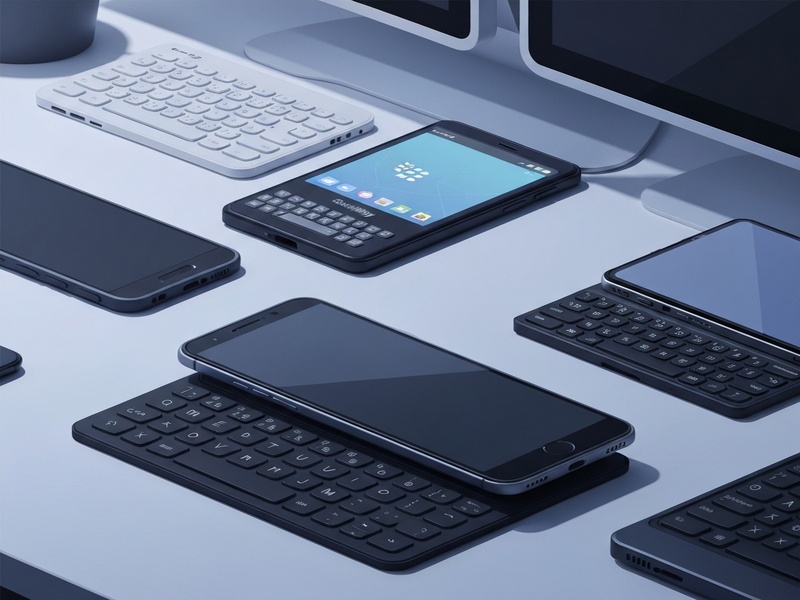
When you think of modern smartphones, a sleek glass slab with a virtual keyboard usually comes to mind. Yet, a growing community of tech‑savvy professionals is rediscovering the joy of physical keyboard smartphones. The trend was highlighted in a recent CNET article, which notes that manufacturers are re‑introducing tactile keys to meet the demands of power users who type long emails, code on the go, or simply crave the satisfying click of a real key.
Overview of the Physical Keyboard Resurgence
The resurgence is not a fleeting fad; it’s a response to three converging forces:
- Nostalgia: Millennials and Gen Z who grew up with BlackBerry, Palm Treo, and Sidekick devices are now seeking the same tactile experience.
- Productivity: As smartphones become primary workstations, a physical keyboard reduces typing errors and speeds up document creation.
- Tactile feedback: Clicky keys provide haptic confirmation that a virtual keyboard can’t fully replicate.
Key Products Leading the Charge
Several manufacturers and accessory makers have launched or announced devices that put a QWERTY keyboard back into the palm of your hand.
1. Clicks Keyboard Case
The AI marketing agents on the Clicks platform let you attach a full‑size keyboard to any compatible phone. It works with iPhone 14+, Google Pixel 9 series, and the latest Razr models. Priced from $139, the case adds a tactile layer without sacrificing screen real‑estate.
2. Clicks Communicator
Designed by a former BlackBerry engineer, the Clicks Communicator is a dedicated Android phone that prioritises messaging and productivity. With a minimalist UI and a clicky QWERTY layout, it’s positioned as a secondary device for focused work. Pre‑orders start at $399.
3. Unihertz Titan Series
Unihertz continues to push the envelope with its Titan line—Titan, Titan Pocket, Titan Slim, and the upcoming Titan 2 Elite. These rugged devices run Android 13, feature a 5‑inch display, and retain the classic BlackBerry‑style keyboard. Prices begin at $299, making them an affordable entry point for keyboard enthusiasts.
4. Zinwa Q25
Zinwa refurbishes classic BlackBerry hardware with modern internals, delivering a refreshed Android experience in a nostalgic chassis. The Q25 retails for $400, and a conversion kit is available for $300 for DIY enthusiasts.
5. Ikko Mind One (Keyboard Case)
The Ikko Mind One is a compact Android phone with a 50‑MP flip camera. While the phone itself is tiny, an optional keyboard case transforms it into a pocket‑sized productivity tool. The Pro version, including the case, costs $429.
6. Minimal Phone
Targeting distraction‑free users, the Minimal Phone pairs an e‑ink display with a full QWERTY keyboard and Android. It’s a hybrid between a Kindle and a BlackBerry, priced at $449.
Why Professionals Are Switching Back
For tech‑savvy professionals, the decision to adopt a physical keyboard smartphone isn’t just sentimental—it’s strategic.
- Speed & Accuracy: Studies show that tactile keyboards can increase typing speed by up to 30% compared to on‑screen keyboards, especially for long-form content.
- Reduced Autocorrect Fatigue: Physical keys let you rely less on predictive text, cutting down on embarrassing autocorrect mishaps.
- Focused Workflow: Devices like the Clicks Communicator or Minimal Phone encourage a single‑purpose environment, helping users limit social‑media distractions.
- Integration with AI Tools: Many of these phones can run AI‑powered productivity apps—think AI SEO Analyzer or AI Article Copywriter—directly on the device, turning the keyboard into a launchpad for intelligent workflows.
Future Outlook: Where Is the Trend Heading?
Analysts predict that the niche market for physical keyboard smartphones will expand in three key ways:
- Hybrid Accessories: Expect more modular keyboards that attach via MagSafe or USB‑C, similar to the upcoming Clicks Power Keyboard.
- AI‑Enhanced Typing: Integration with OpenAI ChatGPT integration will enable real‑time summarisation, translation, and code generation as you type.
- Enterprise Adoption: Companies seeking secure, on‑device data entry may standardise keyboard phones for field agents, leveraging the Enterprise AI platform by UBOS for encrypted communications.
How to Choose the Right Keyboard Phone for You
Consider the following criteria before making a purchase:
| Factor | What to Look For |
|---|---|
| Operating System | Android 13+ for the latest AI app compatibility. |
| Keyboard Layout | Full‑size QWERTY vs. compact 60% layouts. |
| Battery Life | At least 24 hours of mixed use; look for fast‑charging support. |
| Ecosystem Integration | Compatibility with your existing cloud services and AI tools. |
Getting Started with AI‑Powered Productivity on a Keyboard Phone
Once you’ve chosen a device, you can supercharge it with UBOS’s suite of AI tools:
- Workflow automation studio – Build no‑code automations that trigger when you hit “Enter”.
- Web app editor on UBOS – Create custom dashboards that run directly on your phone.
- UBOS templates for quick start – Deploy pre‑built AI assistants like the AI Chatbot template to handle emails on the fly.
- UBOS pricing plans – Choose a plan that fits a solo professional or a growing team.
Conclusion: Click, Type, and Conquer
The revival of physical keyboards on smartphones is more than a nostalgic nod; it’s a practical evolution for anyone who treats their phone as a primary productivity hub. Whether you opt for a modular case like Clicks, a dedicated device such as the Unihertz Titan, or a refurbished classic from Zinwa, the tactile experience can dramatically improve typing speed, reduce errors, and unlock new AI‑driven workflows.
Ready to explore the possibilities? Dive deeper into the UBOS platform overview, check out real‑world examples in the UBOS portfolio examples, or start building your own AI‑enhanced keyboard workflow with the UBOS for startups program. The future of mobile productivity is clicky, and it’s waiting in your pocket.
Stay ahead of the curve—subscribe to our newsletter and never miss the next wave of AI‑powered mobile innovations.
Andrii Bidochko
CTO UBOS
Andrii Bidochko is an AI entrepreneur and researcher focused on AI agents, reinforcement learning, and autonomous systems. He writes about the technologies shaping the future of machine intelligence, from frontier models and agent architectures to real-world AI applications.