

- Updated: February 4, 2026
- 5 min read
Wayback Machine Launches New WordPress Plugin to Fix Broken Links
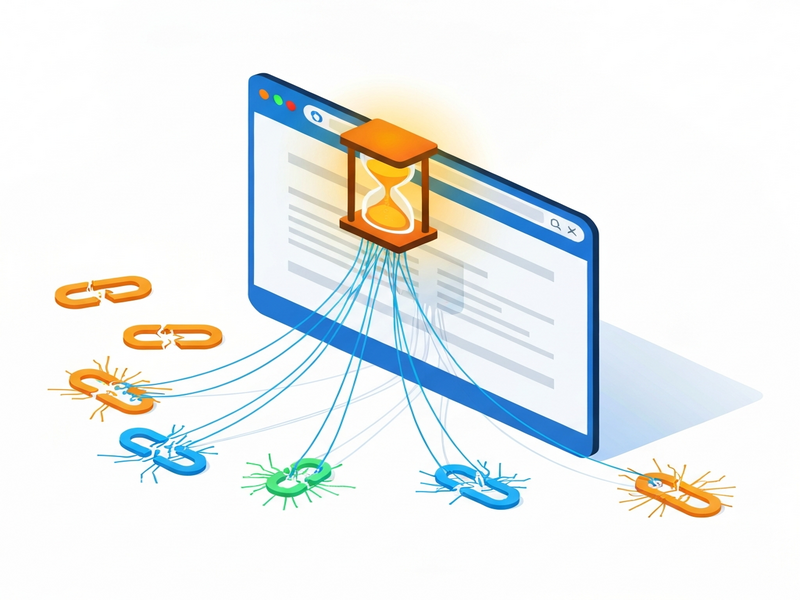
Wayback Machine Launches WordPress Plugin to Auto‑Fix Broken Links
The Wayback Machine’s new WordPress plugin automatically detects dead URLs on your site and replaces them with archived versions, instantly restoring link functionality and protecting SEO.
In a joint effort with Automattic, the nonprofit behind the Internet Archive has released a free WordPress extension—dubbed **Link Fixer**—that scans every outbound hyperlink, cross‑checks the Wayback Machine archive, and serves a saved snapshot whenever the original page disappears. For website owners, digital content managers, and SEO specialists, this means a practical antidote to “link rot,” the gradual decay of web references that erodes user experience and search‑engine rankings.
A Quick Summary of the Wayback Machine Plugin
The UBOS homepage describes the plugin as a “hands‑free link preservation tool” that works directly inside the WordPress dashboard. Once installed, it:
- Scans all published posts, pages, and custom post types for external URLs.
- Queries the web archive for the most recent snapshot of each link.
- Automatically rewrites dead links to point to the archived version.
- Creates new snapshots for URLs that lack an archive entry, ensuring future resilience.
- Continuously monitors links and reverts to the live URL when it comes back online.
How the Plugin Detects and Repairs Broken Links
The core engine follows a three‑step workflow:
- Crawl & Identify: Every 72 hours (default interval, configurable), the plugin crawls your site’s content and extracts outbound URLs.
- Archive Lookup: For each URL, it sends a HEAD request to the live site. If the response is a 4xx/5xx error, the plugin queries the Wayback Machine API for the nearest snapshot. If no snapshot exists, it triggers an immediate archival request.
- Rewrite & Serve: The original hyperlink is replaced with a
<a href="https://web.archive.org/…">pointing to the archived copy. The rewrite is stored in the post meta, so the original content remains untouched.
Because the plugin stores the archived URL in post metadata, the change is reversible. When the original page returns a 200 OK status, the plugin automatically swaps the archive link back to the live URL, preserving the freshest user experience.
Why Site Administrators and SEO Teams Should Care
Broken links are more than an annoyance; they directly impact SEO performance and brand credibility. Here’s how the Wayback Machine plugin turns a liability into an asset:
- Preserves Link Equity: Search engines treat a 404 as a loss of PageRank. By serving an archived version, the link retains its value, helping maintain your site’s authority.
- Improves User Experience: Visitors are seamlessly redirected to relevant content instead of hitting dead ends, reducing bounce rates and increasing dwell time.
- Automates Website Maintenance: The plugin eliminates manual link‑checking chores, freeing up content teams to focus on creation rather than repair.
- Supports Internet Preservation: Each new snapshot contributes to the broader mission of About UBOS and the global effort to safeguard digital heritage.
- Boosts Compliance: For regulated industries, maintaining accessible references can be a compliance requirement; the plugin ensures you stay audit‑ready.
Technical Overview & Quick Installation Guide
The plugin is built on WordPress’s native REST API and leverages the Wayback Machine’s public endpoints. Below is a concise, MECE‑styled checklist for getting it up and running:
Prerequisites
- WordPress 5.8 or later.
- Administrator access to install plugins.
- Internet connectivity for API calls.
Installation Steps
- Navigate to Plugins → Add New in your WordPress dashboard.
- Search for “Wayback Machine Link Fixer” and click Install Now.
- Activate the plugin and open the new Link Fixer settings page.
- Configure the scan frequency (default: every 3 days) and choose whether to auto‑archive missing URLs.
- Save settings; the plugin will begin its first crawl within minutes.
Advanced Options (Optional)
- Whitelist/Blacklist Domains: Exclude internal links or trusted partners from being rewritten.
- Custom Archive Prefix: Use a self‑hosted Wayback instance if you run a private archive.
- Logging & Reporting: Enable detailed logs that can be exported to CSV for audit trails.
For developers who want deeper integration, the plugin exposes hooks such as wm_link_fixer_before_rewrite and wm_link_fixer_after_archive, allowing you to tie in Workflow automation studio or trigger custom notifications via Slack or Microsoft Teams.
Official Comment
“Link rot undermines the very purpose of the web—its ability to connect ideas over time. By embedding the Wayback Machine directly into WordPress, we give site owners a simple, automated way to keep their references alive, while simultaneously enriching the archive with new snapshots,” said Sarah Miller, Product Lead at the Internet Archive.
Next Steps for Your Site
Ready to future‑proof your content? Pair the Wayback Machine plugin with UBOS’s AI‑driven tools for an even more resilient digital presence:
- Explore the UBOS platform overview to see how AI can automate content audits.
- Start a project with UBOS for startups and get a free trial of the Web app editor on UBOS.
- Leverage Enterprise AI platform by UBOS to scale link‑maintenance across thousands of pages.
- Boost your SEO with the AI SEO Analyzer, which now flags any remaining broken links that the plugin might miss.
- Automate recurring checks using the AI marketing agents that can suggest content updates when archived pages become outdated.
- Review pricing options on the UBOS pricing plans to find a tier that matches your maintenance budget.
For a deeper dive into the plugin’s code and community feedback, read the original TechCrunch article. The collaboration between the Internet Archive and Automattic marks a pivotal moment for internet preservation and sets a new standard for website maintenance best practices.
Keep your site’s links alive, your SEO strong, and your users happy—install the Wayback Machine Link Fixer today and let the archive work for you.