

- Updated: February 2, 2026
- 7 min read
Termux Brings Full Linux to Android: New Features, Updates, and Community Highlights
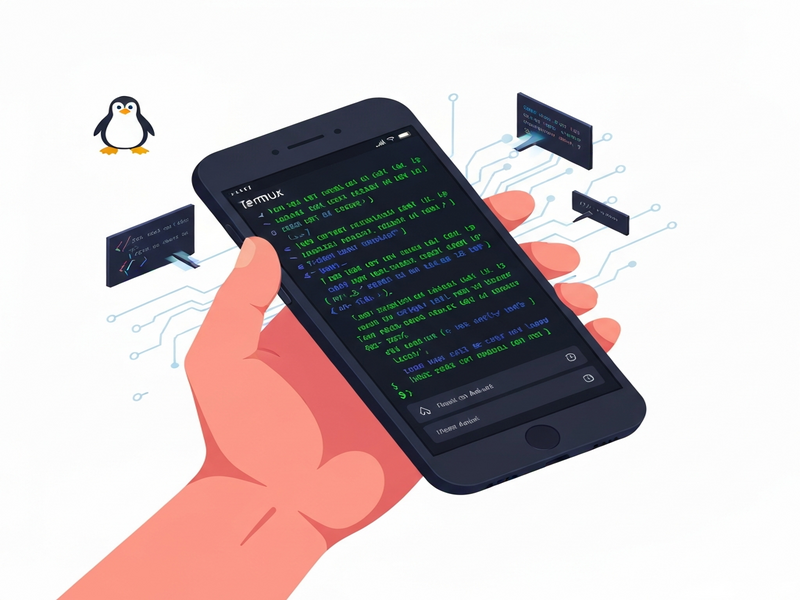
Termux is an open‑source Android terminal emulator that delivers a full Linux environment on your mobile device, allowing developers, sysadmins, and tech enthusiasts to run command‑line tools, automate workflows, and build mobile development stacks directly on Android.
Why Termux Is Making Waves in Mobile Development
In a world where cloud‑based IDEs dominate, the ability to code, test, and deploy from the palm of your hand feels revolutionary. Termux bridges the gap between desktop Linux and Android, turning any smartphone or tablet into a portable dev‑ops workstation. This article unpacks the latest updates, key features, and real‑world benefits for developers, while also showing how UBOS platform overview can extend Termux capabilities with AI‑driven automation.
What Is Termux? – Android Terminal Emulator & Linux Environment
Termux combines a powerful Android CLI with a Debian‑based Linux distribution. Once installed, it provides the pkg and apt package managers, a Bash/Zsh shell, and access to over 2,000 Linux packages—from Git and Python to Node.js and OpenSSH. Because it runs natively, scripts execute at near‑native speed, and you can even compile C/C++ code directly on the device.
- Fully open‑source (MIT license) – community‑driven development.
- Supports Telegram integration on UBOS for remote command execution.
- Works on Android 7+ without rooting, though root access unlocks additional capabilities.
Key Features and Recent Updates (2025‑2026)
The Termux GitHub repository shows a rapid release cadence. Below are the most impactful changes in the last two major releases (v0.118.3 and v0.119.0):
1. Enhanced Package Management
- Parallel
aptdownloads reduce install time by up to 40% on modern ARM devices. - New
pkg search --jsonoutput for programmatic integration with CI pipelines. - Automatic detection of broken dependencies and one‑click repair via
pkg fix.
2. Plugin Ecosystem Expansion
Termux now ships with updated plugins that expose Android APIs directly to the shell:
- Termux:API – access sensors, location, SMS, and clipboard.
- Termux:Boot – run scripts automatically on device boot.
- Termux:Float – floating terminal windows for multitasking.
- Termux:Tasker – integrate with Tasker for advanced automation.
3. Security Hardenings
Version 0.118.3 introduced a critical fix for a world‑readable vulnerability, and the latest release adds SELinux compatibility mode for devices running Android 12+.
4. UI/UX Improvements
- Dark mode syncs with system theme.
- Improved keyboard shortcuts for external keyboards.
- Resizable split‑screen support on foldable devices.
Benefits for Mobile Development & Linux on Android
Developers can now treat an Android phone as a first‑class development node. Here’s why that matters:
- Instant Environment Replication – Spin up the same Linux toolchain used on servers, ensuring parity between local, CI, and production.
- On‑Device Testing – Run unit tests, linting, and even UI automation (via
adbover USB or Wi‑Fi) without leaving the device. - Edge‑Case Debugging – Capture logs from Android’s runtime directly in the terminal, useful for IoT or embedded projects.
- Cost Savings – No need for a separate laptop or cloud VM for lightweight tasks; your phone becomes the workstation.
When paired with AI marketing agents on UBOS, you can automate code reviews, generate documentation, or even create AI‑driven CI pipelines that run directly from Termux.
Community, Plugins, and How to Contribute
Termux thrives on a vibrant community of developers, sysadmins, and hobbyists. The project maintains active channels on Reddit, Matrix, and GitHub Discussions. If you’re interested in extending the platform, consider these entry points:
- Write a new plugin that exposes a custom Android sensor (e.g., heart‑rate monitor) via
termux-sensor. - Contribute to the core codebase by fixing bugs or improving documentation.
- Publish a UBOS template that wraps a Termux workflow—such as a AI Article Copywriter that pulls data from a Termux‑hosted SQLite DB.
For a deeper dive into plugin development, see the Workflow automation studio, which lets you visually design command sequences that can be exported as Termux scripts.
How to Install Termux and Get Started
Installing Termux is straightforward. Choose the source that matches your update preferences:
1. F‑Droid (Recommended for Stability)
F‑Droid hosts the official, signed APKs. After adding the F‑Droid repository, simply tap “Install”. The app will automatically download the bootstrap packages (~180 MB) and set up the default Linux environment.
2. GitHub Releases (Cutting‑Edge)
For the latest features, download the universal APK from the GitHub releases page. Ensure you install all plugin APKs from the same source to avoid signature mismatches.
3. Google Play (Experimental)
An experimental build is available for Android 11+ devices. It lacks some plugins and may have stability issues, so most power users stick with F‑Droid or GitHub.
First‑Run Checklist
- Open Termux and run
pkg update && pkg upgradeto fetch the latest package lists. - Install essential tools:
pkg install git python nodejs vim. - Configure your preferred shell (Bash, Zsh, Fish) via
chsh. - Enable storage access:
termux-setup-storageto link/sdcardto$HOME/storage.
Once the environment is ready, you can clone a UBOS template directly into Termux:
git clone https://github.com/ubos-tech/ai-seo-analyzer.git
cd ai-seo-analyzer
bash install.sh
Real‑World Use Cases: From Solo Developers to Enterprises
Below are three scenarios that illustrate Termux’s versatility.
Solo Developer – Rapid Prototyping
Jane, a freelance Python developer, uses Termux on her Pixel phone to prototype Flask APIs while commuting. She leverages the UBOS templates for quick start to spin up a Docker‑like environment using proot-distro, then pushes code to GitHub directly from the terminal.
Startup – CI/CD on the Go
A fintech startup integrates Termux with the UBOS partner program to run nightly security scans on Android devices used by field agents. The scans are triggered via ChatGPT and Telegram integration, sending a summary report to the team’s Slack channel.
Enterprise – Edge Computing
A logistics corporation deploys Termux on rugged Android tablets mounted in delivery trucks. Using the Enterprise AI platform by UBOS, each device runs a lightweight inference engine that processes sensor data locally, reducing latency and bandwidth costs.
Supercharging Termux with UBOS AI Services
UBOS offers a suite of AI‑powered tools that can be invoked from Termux, turning a simple shell into an intelligent assistant:
- OpenAI ChatGPT integration – generate code snippets or documentation on the fly.
- Chroma DB integration – store vector embeddings for fast semantic search of logs.
- ElevenLabs AI voice integration – turn terminal output into spoken alerts.
- AI marketing agents – automate content generation directly from data collected on the device.
For example, a developer can run:
curl -X POST https://api.ubos.tech/openai \
  -H "Authorization: Bearer $UBOS_TOKEN" \
  -d '{"prompt":"Write a Bash script that backs up /sdcard to Google Drive"}'
The response is a ready‑to‑run script, instantly bridging AI creativity with the local Linux environment.
Pricing, Support, and Where to Find More Resources
While Termux itself is free, many UBOS services are tiered. Review the UBOS pricing plans to select a package that matches your usage—whether you’re a solo developer or an enterprise.
Need help troubleshooting? The About UBOS page lists community channels, and the UBOS portfolio examples showcase real implementations you can emulate.
Ready to Power Your Android with Linux?
Download Termux today, explore UBOS AI integrations, and turn your phone into a full‑stack development hub.