

- Updated: January 20, 2026
- 5 min read
Chrome Beta Introduces Native Vertical Tabs – A New Way to Browse
Chrome Beta now ships a native vertical tabs feature, allowing you to stack open tabs along the side of the browser for faster navigation, cleaner layouts, and a noticeable boost in productivity.
Why Vertical Tabs Matter in 2024
Tech‑savvy users, web developers, and early adopters constantly hunt for tools that shave seconds off their workflow. Chrome’s latest beta experiment does exactly that by re‑imagining the classic horizontal tab bar. Instead of cramming dozens of titles into a thin strip, Chrome now offers a spacious, scrollable column that reveals full tab names, favicons, and even preview thumbnails.
For anyone juggling multiple projects, debugging sessions, or research windows, this change can be a game‑changer. Below we break down the feature, its benefits, and how you can start using it today.
Feature Overview: What Chrome Beta’s Vertical Tabs Look Like
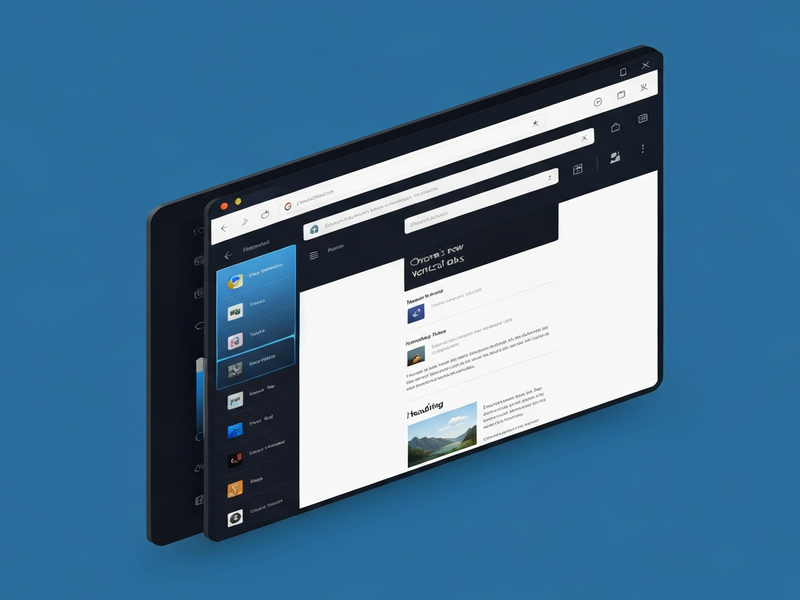
When you enable vertical tabs, Chrome adds a thin sidebar on the left (or right) side of the window. Each open tab appears as a rectangular card with:
- Full page title (no truncation)
- Favicon for instant visual cue
- Optional thumbnail preview (toggle in settings)
- Drag‑and‑drop reordering
The sidebar can be collapsed to a slim icon bar, keeping the UI tidy when you don’t need it. This design mirrors the vertical tab implementations already popular in Telegram integration on UBOS and other modern productivity tools.
Benefits: How Vertical Tabs Supercharge Browser Productivity
1. More Real Estate for Tab Titles
Horizontal tabs truncate long titles, forcing you to hover for the full name. Vertical tabs display the entire title, reducing the need for mouse‑overs and speeding up tab identification.
2. Faster Switching with Keyboard Shortcuts
Chrome retains its Ctrl+Tab navigation, but now you can also use Alt+←/→ to jump between vertical entries, a shortcut pattern familiar to users of the Enterprise AI platform by UBOS.
3. Cleaner Workspace for Developers
When debugging, you often need to keep console, source, and preview tabs open simultaneously. The vertical layout keeps these side‑by‑side without crowding the top bar, making it easier to spot the right devtools panel.
4. Seamless Integration with Extensions
Most Chrome extensions that add UI elements (e.g., OpenAI ChatGPT integration) continue to work, and some even gain extra space for their own sidebars.
Overall, vertical tabs reduce visual clutter, improve discoverability, and align Chrome with the ergonomics of modern IDEs and design tools.
How to Enable and Customize Vertical Tabs in Chrome Beta
- Download the latest UBOS homepage Chrome Beta build (version 124+).
- Open chrome://flags in the address bar.
- Search for “Vertical Tabs” and set the flag to Enabled.
- Restart Chrome. A new “Vertical Tabs” button appears next to the address bar.
- Click the button to open the sidebar. Use the gear icon at the top‑right of the sidebar to access settings:
- Position: Left or right side of the window.
- Show thumbnails: Toggle on/off for visual previews.
- Auto‑collapse: Hide the sidebar after a period of inactivity.
- Theme sync: Match the sidebar’s color scheme with your Chrome theme.
For power users, the Workflow automation studio can be scripted to open a predefined set of tabs in vertical mode, turning your browser into a launchpad for recurring development workflows.
Chrome vs. Competitors: How Does the New Vertical Tabs Stack Up?
| Browser | Vertical Tab Implementation | Customization | Performance Impact |
|---|---|---|---|
| Chrome Beta | Native sidebar, drag‑and‑drop, thumbnail preview | Position, thumbnails, auto‑collapse, theme sync | Negligible; built on Chromium core |
| Microsoft Edge | Vertical tabs as a separate pane, limited thumbnail support | Width, pinning, hide/show | Slight memory increase on large tab sets |
| Vivaldi | Highly customizable vertical tabs with groups and colors | Full CSS styling, tab stacking, auto‑hide | Higher CPU usage due to extra UI layers |
| Firefox | No native vertical tabs; requires extensions | Extension‑dependent | Varies by add‑on |
Chrome’s approach hits a sweet spot: it offers the core benefits of vertical tabs without the heavy customization overhead that can slow down the browser. For developers already invested in the Chrome ecosystem, this native solution feels like a natural evolution.
What’s Next? Roadmap and Community Feedback
Google has positioned vertical tabs as a beta‑first experiment. The company encourages users to submit feedback via chrome://settings/help. Early adopters can expect:
- Integration with Chrome’s Tab Groups – allowing nested vertical groups.
- AI‑driven tab suggestions powered by AI marketing agents that surface the most relevant tabs based on your workflow.
- Cross‑device sync of vertical tab layouts, so your workspace follows you from laptop to tablet.
Developers can also contribute by creating UBOS templates for quick start that pre‑configure vertical tab environments for specific stacks (e.g., React, Django, or Node.js). This community‑driven approach mirrors the success of the AI SEO Analyzer template, which quickly became a go‑to tool for marketers.
Take the Leap: Try Chrome Beta’s Vertical Tabs Today
If you’re a web developer, a productivity enthusiast, or simply curious about the next wave of browser ergonomics, install the latest Chrome Beta and enable vertical tabs. Experience a cleaner workspace, faster navigation, and a glimpse of how AI‑enhanced browsers will look in 2025.
Need a sandbox to test your new setup? Deploy a lightweight Web app editor on UBOS and spin up a demo site in minutes. Pair it with the Chroma DB integration for instant data indexing, and you’ll have a full‑stack environment ready for experimentation.
Read the full story and join the conversation on the original Android Police article for more technical details and community feedback.
Ready to boost your browsing workflow? Explore UBOS pricing plans and start building smarter, faster.