

- Updated: January 18, 2026
- 6 min read
Free Browser‑Based ASCII Art Editor and Diagram Tool: AsciiSketch Review
AsciiSketch Review: The Free Browser‑Based ASCII Art & Diagram Editor
AsciiSketch is a free, browser‑based ASCII art and diagram editor that lets creators, designers, developers, and hobbyists quickly draw text‑based sketches and documentation without installing any software.
Why ASCII Art Still Matters in 2026
Even in an era dominated by high‑resolution graphics, ASCII art remains a powerful communication tool. Its lightweight, plain‑text format makes it ideal for README files, code comments, terminal‑based documentation, and rapid prototyping of UI flows. AsciiSketch capitalises on this niche by offering a zero‑install, cross‑platform solution that runs in any modern browser.
For tech‑savvy creators who need a quick visual aid without leaving the development environment, AsciiSketch provides a focused set of tools that keep the workflow fast and distraction‑free.
What Is AsciiSketch? – Purpose and Overview
AsciiSketch is an open‑source, web‑hosted editor built with HTML5 Canvas and JavaScript. It transforms the classic ASCII drawing experience into a modern UI, offering:
- A canvas where you can place characters, lines, and shapes using keyboard shortcuts.
- Customisable border styles (single, double, rounded, blended) and fill characters.
- Export options that generate plain‑text files ready for Git, Slack, or email.
- Live preview of how the ASCII diagram will appear in monospaced fonts.
The tool is deliberately lightweight: no sign‑up, no ads, and no hidden fees. It targets anyone who needs a quick visual representation that stays within the constraints of plain text.
Core Features and Capabilities
Canvas Controls
Adjust canvas width and height, set X/Y offsets, and define padding on each side. The interface mirrors classic terminal editors, letting you position elements with pixel‑perfect precision.
Shape Library
Choose from arrows, triangles, diamonds, circles, and line styles (straight, orthogonal, multi‑segment). Each shape can be labelled, rotated, or combined to form complex diagrams.
Text Styling
Select fonts (plain, script, shadow, etc.), alignment, and fill characters. The “Border Type” selector offers single, double, heavy, and blended ASCII borders for a polished look.
Export & Sharing
Export your drawing as a .txt file, copy to clipboard, or download directly. The raw text can be embedded in markdown, wikis, or any plain‑text medium.
Because everything is rendered as plain text, the output is guaranteed to be 100 % compatible with any monospaced environment—no image artifacts, no scaling issues.
Target Audience and Typical Use Cases
AsciiSketch shines for the following personas:
- Developers who need quick architecture diagrams for pull‑request comments.
- Technical writers creating README illustrations without relying on image files.
- Designers prototyping UI flows in a low‑fidelity, code‑friendly format.
- Educators & students demonstrating algorithms or data structures in a terminal‑friendly way.
- Hobbyists who enjoy the retro charm of ASCII art for social media or personal projects.
The tool also integrates nicely with low‑code platforms. For example, the Web app editor on UBOS can embed an AsciiSketch instance as a custom component, allowing teams to generate documentation directly inside their internal portals.
AsciiSketch vs. Similar Tools
| Feature | AsciiSketch | Other Online ASCII Editors |
|---|---|---|
| Cost | Free, no registration | Often freemium or ad‑supported |
| Export Formats | Plain‑text, clipboard, .txt download | Limited to copy‑paste |
| Shape Library | Arrows, diamonds, circles, orthogonal lines, custom borders | Basic line drawing only |
| Customization | Full control over canvas size, padding, fill characters, font styles | Minimal options |
| Integration Potential | Can be embedded via iframe or custom component in platforms like UBOS platform overview | Rarely embeddable |
In short, AsciiSketch offers a richer, more professional set of features while staying completely free, making it the go‑to choice for anyone who values speed and portability.
How to Access and Start Using AsciiSketch
- Open your browser and navigate to the AsciiSketch web page.
- Adjust the canvas dimensions (width × height) to match your intended output.
- Select a border style, fill character, and any text formatting you need.
- Use the toolbar to add shapes, arrows, or free‑form text.
- When finished, click “Export as Text” to download a .txt file or copy the ASCII directly to your clipboard.
For teams that want to embed the editor inside their internal tools, the Workflow automation studio can call the AsciiSketch URL via an iframe component, allowing automated generation of diagrams as part of a CI/CD pipeline.
If you need a ready‑made template to jump‑start a documentation project, explore the UBOS templates for quick start. Several templates already include an embedded ASCII sketch placeholder.
SEO‑Friendly Meta Description
Discover AsciiSketch, the free browser‑based ASCII art and diagram editor. Learn its core features, compare it with alternatives, and see how to embed it in UBOS low‑code platforms for fast, text‑only visual documentation.
AsciiSketch in Action
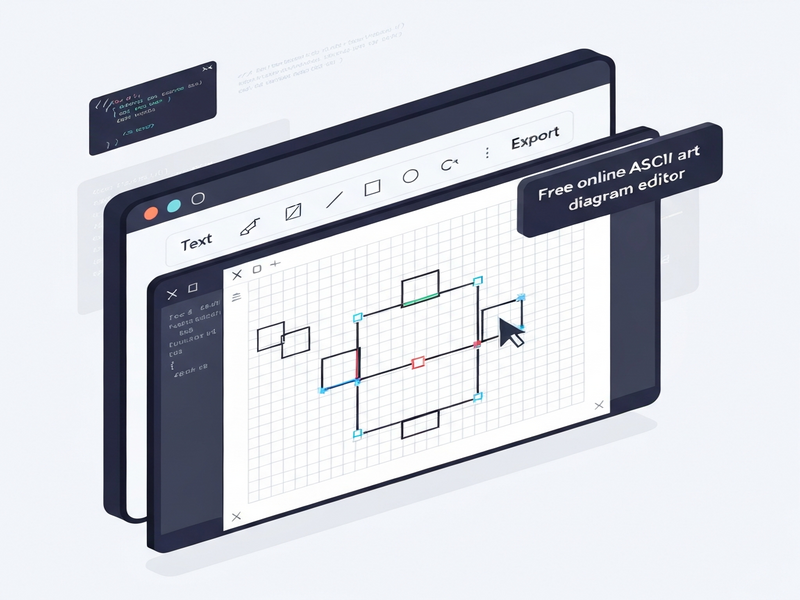
A typical AsciiSketch workspace with canvas controls and shape toolbar.
Conclusion
AsciiSketch fills a unique gap in the modern developer toolkit: a fast, free, and fully browser‑based ASCII art editor that produces clean, portable text diagrams. Its extensive shape library, customizable borders, and seamless export options make it ideal for documentation, quick prototyping, and educational demos.
By pairing AsciiSketch with UBOS’s low‑code ecosystem—such as the Enterprise AI platform by UBOS or the AI marketing agents—teams can automate the generation of ASCII diagrams as part of larger AI‑driven workflows.
Whether you’re a solo developer drafting a quick flowchart or a startup building a knowledge base, AsciiSketch offers a lightweight, no‑friction solution that keeps your documentation in plain text, ready for version control and instant sharing.
Ready to try it? Visit the official AsciiSketch page and start sketching today.
Further Reading on UBOS
- About UBOS – learn how the platform supports low‑code development.
- UBOS pricing plans – discover free and paid tiers for scaling teams.
- UBOS for startups – see why early‑stage companies choose UBOS for rapid prototyping.
- UBOS solutions for SMBs – tailored tools for small‑to‑medium businesses.
- UBOS partner program – opportunities for agencies and technology partners.
- UBOS portfolio examples – real‑world applications built on the platform.
- AI SEO Analyzer – boost your content visibility with AI‑driven insights.
- AI Article Copywriter – generate high‑quality drafts in seconds.