

- Updated: January 1, 2026
- 6 min read
Wario Synth v1.3 Brings Game Boy‑Style Chiptune to the Browser
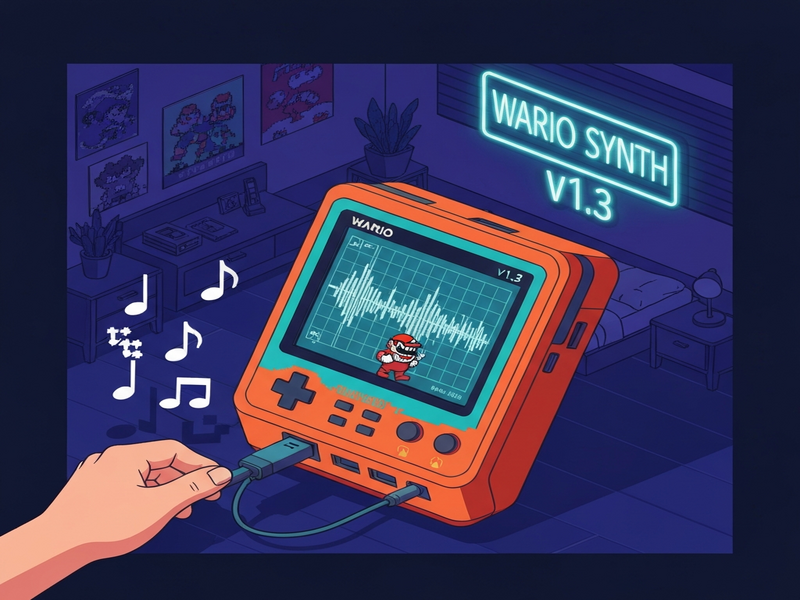
Wario Synth v1.3 is a browser‑based, open‑source plugin that instantly converts any MIDI file into authentic Game Boy‑style chiptune audio, letting musicians and retro‑gaming fans create 8‑bit soundtracks without leaving their web browser.
Wario Synth v1.3: The Ultimate MIDI‑to‑Game‑Boy Audio Engine
Since its first release, Wario Synth has become the go‑to tool for creators who crave the nostalgic timbre of the classic Game Boy sound chip. Version 1.3, launched in early 2026, adds a sleek light‑mode palette, iOS‑friendly audio handling, and a streamlined sharing workflow. In this article we break down every new feature, explain the underlying synthesis process, walk you through a step‑by‑step usage guide, and explore why this retro audio plugin is a game‑changer for modern music production and Game Boy music enthusiasts.
What’s New in Wario Synth v1.3?
- Light Game Boy palette: A fresh visual theme that mimics the original handheld’s LCD colors.
- iOS audio fixes: Reliable playback on iPhone and iPad, even when the device is in Focus mode.
- Share‑to‑X button: Instantly post a short link with an embedded audio preview to Twitter (now X).
- Local font hosting: Faster load times and offline capability.
- Improved MIDI parsing: Smarter detection of melody, bass, and chord tracks for cleaner chiptune conversion.
All processing still runs client‑side using Web Audio API, meaning your MIDI files never leave your browser—a privacy‑first design that aligns with modern data‑security expectations.
From MIDI to Chiptune: The Engine Under the Hood
Wario Synth’s synthesis engine follows a three‑stage pipeline:
- Track analysis: The engine scans the uploaded MIDI file, automatically separating melodic, bass, and chord tracks. It uses pattern‑matching heuristics to identify the most prominent voice on each channel.
- Channel mapping: Each identified track is assigned to one of the Game Boy’s four hardware channels—two pulse‑wave, one wave, and one noise channel. The mapping respects the original instrument’s timbre, ensuring that leads stay bright while bass stays warm.
- Waveform resynthesis: Web Audio oscillators generate the classic square‑wave, custom wave, and noise shapes. Frequency, duty‑cycle, and envelope parameters are tweaked to emulate the 4.19 MHz clock of the original DMG‑01 chip.
The entire process is written in TypeScript, bundled with Vite, and leverages Claude‑generated code for optimal performance. Because it runs entirely in the browser, you can experiment with different MIDI sources instantly, without waiting for server‑side rendering.
How to Turn Your MIDI into a Game Boy Masterpiece
Follow these simple steps to generate a chiptune track with Wario Synth v1.3:
- Open the web app: Navigate to the UBOS homepage and click the “Launch Wario Synth” button (the tool is hosted on the same infrastructure).
- Select a MIDI file: Drag‑and‑drop or use the file picker. The engine will instantly display a preview of the detected tracks.
- Adjust channel assignments (optional): If the automatic mapping misclassifies a part, you can manually reassign it to a different Game Boy channel using the dropdown menus.
- Preview the chiptune: Hit the
Playbutton. The audio plays through the browser’s Web Audio context. On iOS, ensure the device is not in silent mode and that Focus is disabled. - Export or share: Click the “Share to X” icon to generate a short link with an embedded audio player. You can also download the raw .wav file for further editing in your DAW.
A quick audio preview is available directly on the page—simply press the play icon next to the generated waveform. This instant feedback loop makes it easy to iterate on multiple MIDI sources until you find the perfect Game Boy vibe.
Version History: From v1.0 to v1.3
| Version | Key Improvements |
|---|---|
| v1.0 | Initial release – basic MIDI‑to‑Game Boy conversion, single‑channel preview, static dark UI. |
| v1.1 | Added search for public MIDI files, progress bar, and basic sharing link generation. |
| v1.2 | Shortened share links, dynamic audio previews, copy‑link button, and improved MIDI selection UI. |
| v1.3 | Light Game Boy palette, iOS audio fixes, Share‑to‑X integration, local font hosting, and refined track analysis. |
Each iteration has focused on reducing friction for creators, making the tool faster, more reliable, and more shareable—qualities that matter to both hobbyists and professional music producers.
Why Creators Love Wario Synth v1.3
- Zero‑install workflow: No plugins, no VSTs—just a web page.
- Instant retro authenticity: The four‑channel synthesis reproduces the exact tonal quirks of the original Game Boy hardware.
- Privacy‑first: All audio rendering happens locally; your MIDI files never touch a server.
- Social‑ready output: One‑click sharing to X accelerates community feedback and viral potential.
- Scalable for projects: Use the generated .wav files in larger productions, from indie game soundtracks to YouTube chiptune covers.
For developers building larger retro‑audio pipelines, Wario Synth can serve as a rapid prototyping layer before moving to more complex emulators or hardware synths.
Start Your Chiptune Journey with UBOS Today
Ready to experiment with Game Boy sounds? The UBOS platform overview offers a suite of low‑code tools that complement Wario Synth, from data pipelines to AI‑enhanced audio processing.
If you’re a startup looking for a fast‑track to market, explore UBOS for startups and see how you can embed the synth into your own web app in minutes.
SMBs can benefit from the UBOS solutions for SMBs, which include pre‑built integrations for content creation and marketing automation.
Enterprises seeking a robust AI backbone should check out the Enterprise AI platform by UBOS, which scales the same Web Audio engine across thousands of users.
Design your own custom interface with the Web app editor on UBOS, or automate repetitive tasks using the Workflow automation studio.
Curious about pricing? Review the transparent UBOS pricing plans to find a tier that matches your budget.
Need inspiration? Browse the UBOS portfolio examples for real‑world projects that blend AI, audio, and retro aesthetics.
Kick‑start your next chiptune with ready‑made assets from the UBOS templates for quick start. Templates like the AI Article Copywriter can even help you write blog posts about your new tracks.
Leverage AI‑driven promotion with AI marketing agents that auto‑generate social captions for your chiptune releases.
Partner with us through the UBOS partner program to co‑create exclusive retro‑audio experiences.
For developers who love chat‑based workflows, explore the Telegram integration on UBOS and the ChatGPT and Telegram integration to receive instant synth previews on your phone.
Deepen your AI capabilities with the OpenAI ChatGPT integration, or store vector embeddings with the Chroma DB integration. Want lifelike voiceovers for your game? Try the ElevenLabs AI voice integration.
Finally, experiment with conversational AI templates like the Talk with Claude AI app or boost your SEO with the AI SEO Analyzer. The possibilities are endless.
Start creating authentic Game Boy music today—your next chiptune hit is just a click away.
Original Announcement
The official release notes and live demo can be found on the developer’s site: Wario Synth official page. The article provides a concise FAQ, live preview, and direct download links for the latest build.
Andrii Bidochko
CTO UBOS
Andrii Bidochko is an AI entrepreneur and researcher focused on AI agents, reinforcement learning, and autonomous systems. He writes about the technologies shaping the future of machine intelligence, from frontier models and agent architectures to real-world AI applications.