

- Updated: December 31, 2025
- 7 min read
QuickClip Introduces Secure Cross‑Device Clipboard Management
QuickClip is a cross‑device clipboard manager that delivers instant sync, end‑to‑end encryption, and a full‑featured productivity suite for tech‑savvy professionals who need secure, seamless file sharing across phones, tablets, and laptops.
QuickClip: A Quick Overview of Its Core Promise
In an era where information hops between devices in milliseconds, QuickClip positions itself as the ultimate cross‑device sync solution. Whether you’re copying a code snippet on your phone and pasting it on a laptop, or sharing a PDF between a tablet and a desktop, QuickClip guarantees a 0.1‑second sync speed backed by end‑to‑end encryption (E2EE). The service is built as a web app, meaning it works on any operating system without the need for native installations.
For professionals who juggle multiple screens, the promise of “Sync Everything • Everywhere • All at Once” isn’t just marketing fluff—it’s a reality you can test instantly. The free tier lets you try the core features without a credit card, while the Pro plan unlocks advanced capabilities for power users.
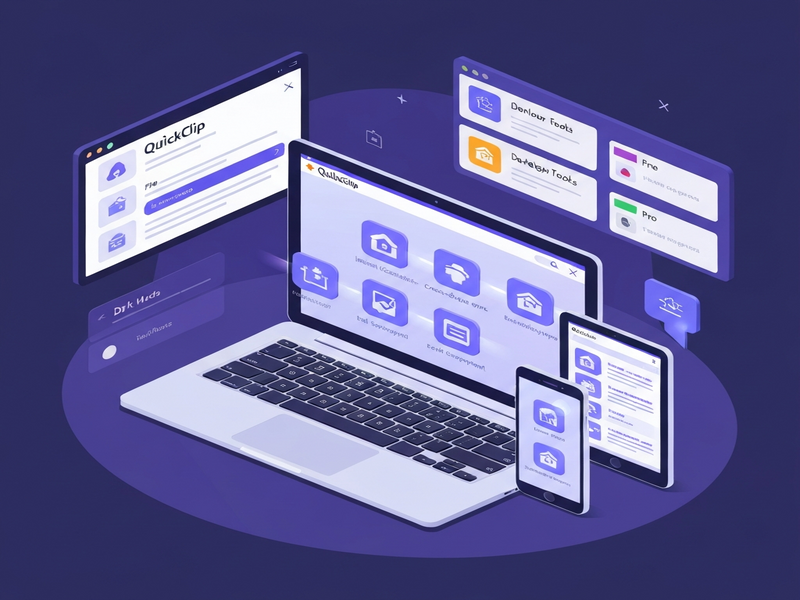
Feature Breakdown: What QuickClip Actually Does
Real‑Time Sync Across All Devices
QuickClip’s synchronization engine pushes clipboard items to the cloud the moment you copy them. Within 0.1 seconds, the same content appears on every logged‑in device. This is achieved through a lightweight WebSocket connection that keeps the client state in perfect harmony with the server.
End‑to‑End Encryption (E2EE)
All data is encrypted on the client before it ever leaves your device. The encryption keys never touch the server, ensuring that only you can decrypt your clips. This model aligns with industry‑best practices for secure file sharing and satisfies compliance requirements for GDPR and CCPA.
File Support & Uploads
Beyond plain text, QuickClip lets you upload PDFs, Word documents, images, and more. The file preview feature shows a thumbnail or a quick view without opening a separate application, saving you time and clicks.
Developer‑Friendly Tools
Developers can copy API keys, config snippets, or error logs and have them instantly available on any development machine. This eliminates the “copy‑paste‑paste‑paste” nightmare that slows down debugging sessions.
Dark Mode & UI Customization
For those who work late or prefer a low‑light environment, QuickClip offers a sleek dark mode that reduces eye strain while keeping the interface clean and responsive.
Advanced Pro Features
- Multi‑select & bulk delete – clean up your history in seconds.
- Bulk download as ZIP – grab multiple images or files with one click.
- Advanced text editor – markdown support, find & replace, and formatting tools.
- Extended history – store up to 110 items, never lose a link again.
- Unlimited device sync – use QuickClip on any number of devices.
All these capabilities are delivered through a responsive web interface that works on Chrome, Safari, Edge, and mobile browsers alike. No additional plugins or extensions are required.
Security & Encryption: Why QuickClip Is Trustworthy
Security is the cornerstone of QuickClip’s architecture. The platform employs a combination of AES‑256 encryption for data at rest and TLS 1.3 for data in transit. Because encryption happens client‑side, the server only ever sees ciphertext, making it impossible for even the service provider to read your clipboard contents.
In addition to encryption, QuickClip offers:
- Zero‑knowledge storage – your keys never leave your device.
- Two‑factor authentication (2FA) – optional but recommended for enterprise users.
- Granular access controls – you can revoke device access instantly.
For organizations that need to meet strict compliance standards, QuickClip’s security model aligns with ISO 27001 and SOC 2 guidelines, making it a viable choice for secure file sharing in regulated industries.
Pricing Plans: From Free to Pro
QuickClip follows a freemium model that lets users start without any financial commitment. Below is a concise comparison of the two tiers:
| Feature | Free | Pro ($1.99/month) |
|---|---|---|
| Sync Items | Up to 5 recent items | Up to 110 items |
| Device Limit | 2 devices | Unlimited devices |
| File Types | Text & links, images only | All file types (PDF, Word, etc.) |
| Advanced Editor | No | Markdown, formatting, find & replace |
| Bulk Operations | No | Bulk delete & ZIP download |
| Priority Support | Community | Dedicated support channel |
The UBOS pricing plans page provides a clear breakdown of the Pro subscription, which is billed monthly and can be cancelled at any time. For teams or enterprises, volume discounts are available upon request.
Why Tech‑Savvy Professionals Choose QuickClip
QuickClip isn’t just another clipboard manager; it’s a productivity catalyst. Below are the top benefits that resonate with developers, researchers, remote teams, and students.
Speed That Matches Your Workflow
With a sync latency of just 0.1 seconds, you can copy a code block on a phone and paste it into an IDE on a laptop without missing a beat. This eliminates the “email‑your‑self” workaround that many still rely on.
Security You Can Trust
End‑to‑end encryption ensures that sensitive data—API keys, proprietary code, confidential PDFs—never leaves your control. The zero‑knowledge architecture is especially valuable for Enterprise AI platform by UBOS customers who handle regulated data.
Cross‑Device Compatibility
Because QuickClip runs in any modern browser, you can use it on Windows, macOS, Linux, iOS, Android, or ChromeOS. The Web app editor on UBOS demonstrates how a web‑first approach can simplify deployment across heterogeneous environments.
Developer‑Centric Features
Snippets, config files, and error logs are often the lifeblood of a dev team. QuickClip’s ability to sync these instantly reduces context‑switching. Pair it with the Workflow automation studio to trigger actions—like auto‑posting a snippet to a Slack channel—once a new item lands in your clipboard.
Scalable for Teams and Startups
Startups can adopt the free tier to test the waters, then graduate to Pro as they scale. The UBOS for startups program offers additional onboarding support, while SMBs benefit from the UBOS solutions for SMBs that include centralized admin controls.
Integration with AI‑Powered Tools
QuickClip’s open API makes it easy to connect with AI services. For example, you can pipe clipboard content into the OpenAI ChatGPT integration to generate summaries, or use the Chroma DB integration for vector‑based search across your saved snippets.
These benefits translate into measurable productivity gains—studies show that teams using instant sync tools reduce repetitive copy‑paste tasks by up to 30%.
Boost Your Workflow with UBOS AI Marketplace Templates
QuickClip’s philosophy of “sync everything, everywhere, all at once” aligns perfectly with the broader ecosystem of AI‑enhanced utilities available on the UBOS Marketplace. Below are a few standout templates that complement QuickClip’s capabilities:
- AI SEO Analyzer – instantly audit your website’s SEO health.
- AI Article Copywriter – generate high‑quality blog posts from bullet points.
- AI Survey Generator – create data‑driven surveys in seconds.
- Web Scraping with Generative AI – pull structured data from any site.
- AIDA Marketing Template – craft persuasive copy using the classic AIDA framework.
- Elevate Your Brand with AI – automate brand voice consistency.
- AI Video Generator – turn scripts into short videos.
- AI Audio Transcription and Analysis – transcribe meetings and extract insights.
- Generative AI Text-to-Video – create visual stories from plain text.
- Know Your Target Audience – AI‑driven audience segmentation.
- AI LinkedIn Post Optimization – maximize engagement on LinkedIn.
- Image Generation with Stable Diffusion – create custom visuals for presentations.
- AI Chatbot template – deploy a conversational agent in minutes.
- Customer Support with ChatGPT API – automate ticket triage.
- Multi-language AI Translator – break language barriers instantly.
- Translate Natural Language to SQL – turn questions into queries.
- Factual Answering AI with ChatGPT API – build a knowledge‑base Q&A bot.
- Grammar Correction AI – polish your writing instantly.
- Summarize for a 2nd Grader – simplify complex topics.
By combining QuickClip with these templates, you can create an end‑to‑end workflow: capture a snippet, run it through the AI SEO Analyzer, generate a blog post with the AI Article Copywriter, and finally schedule it using the AI marketing agents. The synergy multiplies productivity.
Ready to Upgrade Your Clipboard Experience?
Whether you’re a solo developer, a remote team, or an enterprise looking for airtight data handling, QuickClip delivers the speed, security, and flexibility you need. Start with the free tier today—no credit card required—and feel the difference of true cross‑device sync.
Explore more about our ecosystem on the UBOS homepage and discover how the About UBOS team builds tools that empower modern professionals.
For the original announcement and additional technical details, see the official QuickClip news release.