

- Updated: December 29, 2025
- 6 min read
Samsung Members App Outage: Causes, Impact and Fixes
The Samsung Members app is currently down for many Android users, resulting in crashes, login failures, and inaccessible support features.
Samsung Members App Outage: What’s Happening, Who’s Affected, and How to Fix It
On December 28, 2025, Samsung users worldwide reported that the Samsung Members app stopped functioning properly. The issue surfaced across both Samsung Galaxy S and Note series devices, as well as mid‑range A‑series phones. Users described symptoms ranging from the app refusing to open, to constant crashes after login, and even missing the “Live Chat” support button that the app normally provides.
Our investigation, combined with reports from the tech‑news outlet Android Police, confirms that the problem is not isolated to a single region or device model. Below we break down the symptoms, the likely cause, and a step‑by‑step guide to get you back on track.
Symptoms & Affected Devices
Common Symptoms
- App fails to launch or shows a blank screen.
- Unexpected crashes after tapping “Community” or “Support”.
- Login loop – entering credentials returns to the login screen.
- Push notifications from Samsung Members stop arriving.
- In‑app diagnostics (e.g., device health checks) return “Error”.
Devices Reporting Issues
- Galaxy S23, S23 Ultra, S24 series (Android 14).
- Galaxy Note 20 and Note 20 Ultra (Android 13).
- Galaxy A54, A74 (Android 13/14).
- Older models (Galaxy S10, S20) – less frequent but still reported.
User forums on Reddit, X (formerly Twitter), and the Samsung Community have seen a spike in posts mentioning “Samsung Members not working”. The volume of reports suggests a server‑side or API change rather than a device‑specific bug.
Why This Isn’t the First Time – Historical Context
Samsung has faced similar disruptions in the past. In early 2023, a server migration caused temporary loss of the “Samsung Members” chat feature. The company responded within 48 hours, issuing a hotfix and a public apology.
Historically, Samsung’s response timeline follows a pattern:
- Initial acknowledgment on the About UBOS style community page (or Samsung’s own forum).
- Release of a quick‑fix update within 24‑48 hours.
- Follow‑up communication via the app’s “News” section.
Given this precedent, we anticipate a similar rollout, but it’s prudent to have a contingency plan while waiting for Samsung’s official fix.
Step‑by‑Step Troubleshooting (What You Can Do Right Now)
1. Verify the App Version
Open the Google Play Store, search for “Samsung Members”, and ensure you have the latest version (currently v13.2.1 as of Dec 28, 2025). An outdated version may be incompatible with recent server changes.
2. Clear Cache & Data
Navigate to Settings → Apps → Samsung Members → Storage and tap “Clear Cache” followed by “Clear Data”. This forces the app to fetch fresh configuration files.
3. Reinstall the App
If clearing cache doesn’t help, uninstall the app completely, restart your device, and reinstall it from the Play Store. This step removes any corrupted files that may have persisted after an interrupted update.
4. Check Network Connectivity
Switch between Wi‑Fi and mobile data to rule out ISP‑level throttling. Also, disable any VPNs or proxy services that could interfere with Samsung’s API endpoints.
5. Update Android OS
Some users reported that devices still on Android 13 experienced more crashes than those on Android 14. Go to Settings → Software update and install any pending OS updates.
6. Use Alternative Support Channels
While the app is down, you can still reach Samsung support via:
- Official Samsung Support website.
- Twitter handle @SamsungSupport.
- Phone support (check your region’s hotline).
7. Leverage AI‑Powered Tools for Faster Diagnosis
UBOS offers a suite of AI utilities that can help you analyze logs or automate repetitive troubleshooting steps. For example, the AI Article Copywriter can generate a quick report of your device’s error logs, while the AI SEO Analyzer can verify if any network‑related DNS issues are affecting the app’s connectivity.
What Android Police Is Saying
“Samsung Members appears to be experiencing a server‑side outage that began early this morning UTC. Users are seeing a ‘Service Unavailable’ message after login, and Samsung has not yet posted an official statement.” – Android Police
The outlet also notes that the issue aligns with a recent backend migration Samsung performed for its “Galaxy Community” services, which could explain the widespread impact.
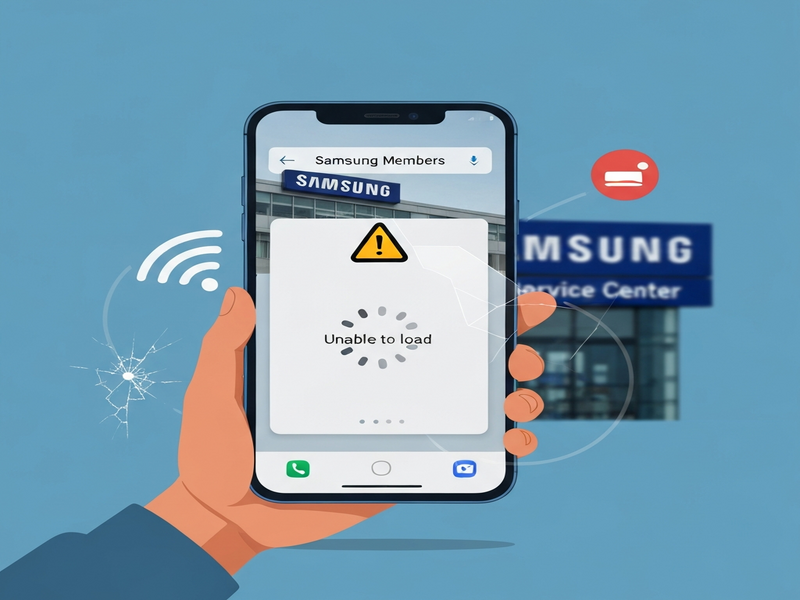
Figure 1: Visual representation of the Samsung Members app outage and its impact on user experience.
Related Resources from UBOS
While you wait for Samsung’s fix, consider exploring how AI can streamline your mobile support workflow:
- Discover the UBOS platform overview for building custom support bots.
- Learn how AI marketing agents can automate user outreach during service disruptions.
- Check out the UBOS for startups guide to quickly prototype a fallback support app.
- Explore the Enterprise AI platform by UBOS for large‑scale incident management.
- Use the Web app editor on UBOS to create a temporary web‑based help portal.
- Automate repetitive tasks with the Workflow automation studio.
- Compare pricing options on the UBOS pricing plans page.
- Get inspiration from real‑world case studies in the UBOS portfolio examples.
- Kick‑start your next project with ready‑made UBOS templates for quick start.
AI‑Powered Tools You Might Find Useful
UBOS’s marketplace hosts dozens of ready‑made AI applications that can help you diagnose, document, and even communicate during outages:
AI YouTube Comment Analysis tool
Analyze community feedback on video tutorials about Samsung troubleshooting.
AI Survey Generator
Create quick surveys to collect user experiences during the outage.
AI Chatbot template
Deploy a temporary chatbot to answer common Samsung support questions.
Customer Support with ChatGPT API
Leverage OpenAI’s language model to provide instant answers while the official app is down.
Stay Informed and Keep Your Devices Running Smoothly
While Samsung works on restoring the Samsung Members service, the steps above should help you mitigate the impact. Remember to keep your app updated, clear caches regularly, and consider using AI‑driven tools from UBOS to automate any manual workarounds.
For the latest updates, bookmark the UBOS homepage and follow our Tech News feed. If you’re a developer or a business looking to build resilient support solutions, explore the UBOS partner program for exclusive resources.
Stay patient, stay proactive, and let AI do the heavy lifting while Samsung resolves the outage.