

- Updated: December 15, 2025
- 6 min read
Chafa – High‑Quality Terminal Graphics Library
Chafa: Terminal Graphics Redefined for Linux Developers
Chafa is an open‑source terminal graphics library that converts images, videos, and animations into ANSI/Unicode art so they can be displayed directly inside any Linux terminal.
Why Terminal Graphics Matter in 2025
Modern developers spend countless hours in the command line, yet the visual experience often remains limited to plain text. With the rise of remote development environments and cloud‑based IDEs, a rich, in‑terminal visual feedback loop can dramatically boost productivity and enjoyment. Chafa fills this gap by turning raster images into high‑fidelity ANSI art, supporting a wide range of color modes, Unicode symbols, and even animated GIFs.
What Is Chafa?
Created by the original author, Chafa is written in C and offers a stable API for developers who want to embed image rendering capabilities into terminal‑based tools. It works on any POSIX‑compatible system, making it a perfect companion for Linux power users, system administrators, and hobbyist programmers.
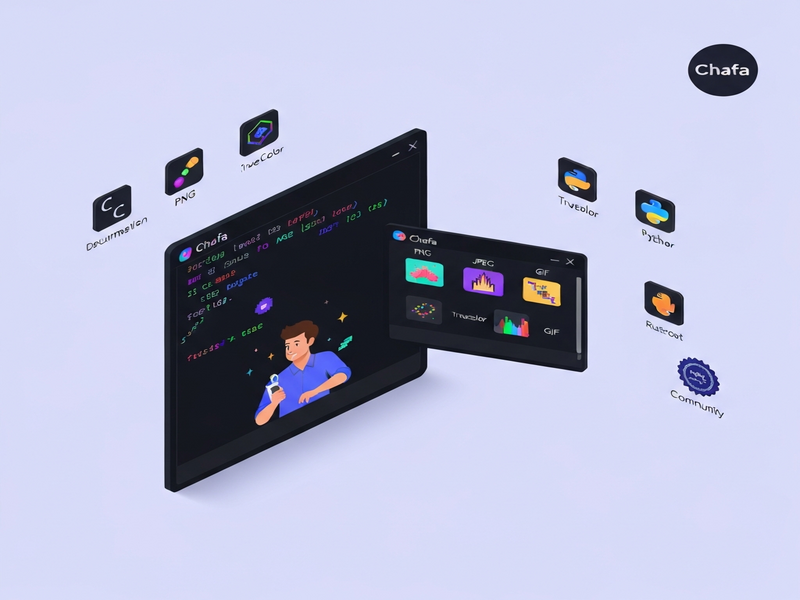
Core Features & Supported Formats
Chafa’s design follows the MECE principle: each feature addresses a distinct need without overlap. Below is a concise, non‑overlapping breakdown.
- Broad Image Compatibility: Supports PNG, JPEG, BMP, GIF (including animated GIFs), and WebP.
- Multiple Output Modes: Generates Sixel, Kitty, iTerm2, and Unicode mosaic art, allowing seamless integration with any modern terminal emulator.
- Rich Symbol Sets: By default, Chafa combines Unicode blocks, half‑blocks, and Braille patterns to maximize visual fidelity. Users can restrict output to specific symbol ranges (e.g.,
--symbols vhalffor U+2580 only). - Color Depth Flexibility: Offers Truecolor (24‑bit), 256‑color, 16‑color, and simple foreground/background modes. Advanced color spaces like DIN99d improve perceptual accuracy.
- Alpha Transparency: Handles transparent pixels in any color mode, preserving smooth edges in animations.
- Full‑Width Character Support: Correctly renders CJK characters, ensuring multilingual terminal sessions look consistent.
- Font‑Based Glyph Loading: Any FreeType‑compatible font (TTF, OTF, PCF) can be used to customize the glyph set.
- Performance Optimizations: SIMD‑accelerated processing and optional multithreading make rendering large images near‑instantaneous.
- Cross‑Terminal Compatibility: Works with classic terminals (xterm, rxvt) and modern ones (Alacritty, Kitty, iTerm2).
Supported Color Modes in Detail
| Mode | Bit Depth | Best Use‑Case |
|---|---|---|
| Truecolor | 24‑bit | High‑fidelity art on modern terminals |
| 256‑color | 8‑bit | Legacy terminals with extended palette |
| 16‑color | 4‑bit | Very old terminals or low‑bandwidth SSH sessions |
| FG/BG | 2‑color | Minimalist ASCII‑style art |
Getting Started: Simple Usage Examples
Below are three practical snippets that illustrate how quickly you can bring image rendering to your terminal.
1. One‑Liner Rendering
chafa --size 80x40 path/to/image.pngThis command scales image.png to fit an 80‑column by 40‑row area, automatically selecting the best symbol set and color mode for your terminal.
2. Animated GIF Playback
chafa --animate --size 100x30 animation.gifUse --animate to render each frame sequentially, creating a smooth animation directly in the console.
3. Embedding in a Shell Script
#!/usr/bin/env bash
IMG=$1
chafa --symbols all --colors truecolor --size "$(tput cols)x$(tput lines)" "$IMG"
This script adapts the output size to the current terminal dimensions, making it ideal for dynamic dashboards.
Language Bindings: Extending Chafa Beyond the CLI
While the command‑line tool is powerful on its own, many developers prefer to integrate Chafa into larger applications. The community maintains bindings for several popular languages:
- Python: Erica Ferrua Edwardsdóttir’s AI Chatbot template demonstrates how to call Chafa from Python for real‑time image previews in Jupyter notebooks.
- Node.js / JavaScript: Héctor Molinero Fernández’s bindings enable server‑side rendering of terminal graphics, useful for CLI tools built with ChatGPT and Telegram integration.
- Rust: A community‑driven crate wraps the C API, offering safe, zero‑cost abstractions for high‑performance CLI utilities.
- Go: The
go-chafapackage provides idiomatic Go bindings, perfect for cloud‑native tools that need terminal visualizations.
All bindings expose the same core functions: chafa_canvas_new(), chafa_canvas_draw(), and chafa_canvas_print(). This consistency lets you switch languages without relearning the API.
Community, Documentation, and Support
Chafa’s success stems from an active open‑source community and thorough documentation.
Official Resources
- Man page:
man chafa– quick reference for all flags. - GitHub repository: source code, issue tracker, and contribution guidelines.
- Online gallery: showcases real‑world examples of different symbol sets and color modes.
Community Channels
Developers gather on a Matrix chatroom for troubleshooting, feature requests, and sharing artwork. The environment is welcoming, but participants are encouraged to keep discussions respectful and on‑topic.
Learning Resources
Several blog posts walk through advanced topics such as custom glyph loading and performance tuning. For a deeper dive into color science, see the Chroma DB integration guide on UBOS, which explains how to map image palettes to terminal‑friendly color spaces.
Real‑World Use Cases
Below are three scenarios where Chafa adds tangible value.
- DevOps Dashboards: Embed live system metrics as sparklines and heatmaps directly in SSH sessions, reducing the need for separate web UIs.
- Educational Tools: Show step‑by‑step visualizations of algorithms (e.g., sorting visualizations) without leaving the terminal.
- ChatOps Bots: Combine with GPT‑Powered Telegram Bot to send rendered screenshots of logs or charts straight to a chat channel.
Integrating Chafa with UBOS: A Practical Blueprint
UBOS provides a low‑code platform for building AI‑enhanced applications. By leveraging Chafa inside a UBOS Web app editor, you can create a web‑based terminal emulator that displays image previews on the fly.
Here’s a high‑level workflow:
- Use the Workflow automation studio to trigger a server‑side script whenever a new image is uploaded.
- The script calls the Chafa CLI to generate ANSI art and stores the result in a database.
- Retrieve the ANSI string via an OpenAI ChatGPT integration and embed it in a conversational UI.
- Deploy the whole solution using the UBOS pricing plans that best fit your scale.
This pattern demonstrates how terminal graphics can become a first‑class citizen in modern AI‑driven workflows.
Getting Started with UBOS Templates
If you prefer a ready‑made starting point, explore the UBOS templates for quick start. The “AI Image Generator” template already includes Chafa as a post‑processing step, turning generated images into terminal‑friendly previews.
Call to Action
Ready to bring vivid graphics to your command line?
- Visit the UBOS homepage to explore a full suite of AI tools that complement Chafa.
- Check out the UBOS platform overview for deployment options.
- Join the UBOS partner program if you want to contribute plugins or custom bindings.
- Browse the UBOS portfolio examples for inspiration on how other teams have integrated terminal graphics into their products.
Whether you’re a solo developer, a startup, or an enterprise looking to enrich its CLI tools, Chafa offers a lightweight, performant solution that works everywhere you type.
Stay ahead of the curve—bring your images to life in the terminal with Chafa and the power of UBOS.