

- Updated: December 12, 2025
- 6 min read
Google Translate 2025 UI Redesign Boosts Travel, Business, and Development Productivity
Google Translate Gets a Major UI Overhaul and New AI‑Powered Features
Google Translate has rolled out a redesigned user interface, offline translation mode, smarter suggestion engines, and deeper AI integration, delivering faster, more accurate, and more accessible language support for users worldwide.
1. Overview of the Google Translate UI Redesign
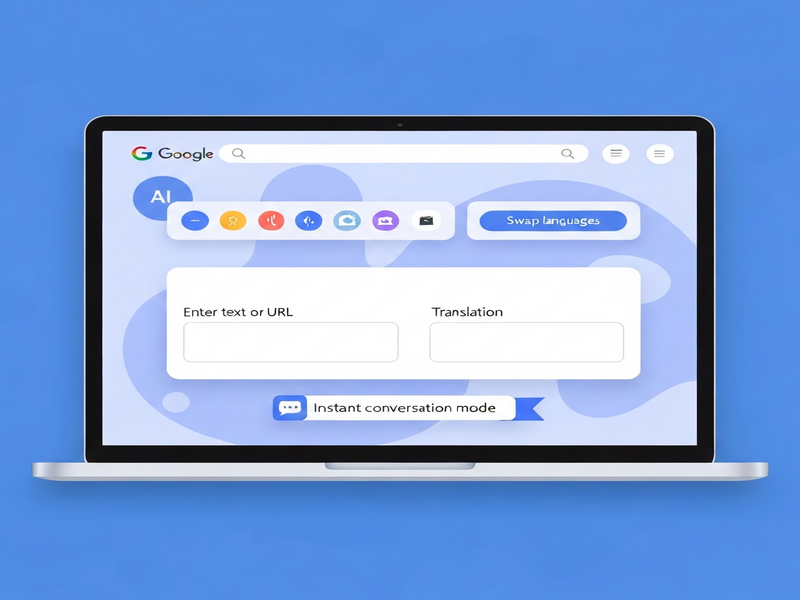
In early 2025, Google announced a sweeping visual and functional overhaul of its flagship translation app. The new design follows Material You principles, offering a cleaner layout, adaptive color palettes, and a more intuitive navigation hierarchy. Users now encounter a single, collapsible sidebar that houses language selection, recent translations, and quick‑access shortcuts, reducing the number of taps required to start a translation.
The redesign also introduces a dark mode toggle that syncs with the device’s system settings, and a voice‑first interaction model that lets users speak their source text and hear the translation instantly, without leaving the main screen. These changes aim to streamline the translation workflow for both casual travelers and power users.
Key Visual Changes
- Rounded cards for each translation result, improving readability.
- Dynamic language icons that adapt to the selected theme.
- Enhanced typography with larger, legible fonts for better accessibility.
- Integrated clipboard history that remembers the last ten copied phrases.
2. New Functionalities Added to Google Translate
Beyond aesthetics, Google has embedded several powerful features that leverage its latest AI models. Below is a MECE‑structured breakdown of the most impactful additions.
2.1 Offline Translation Mode
Users can now download language packs for offline use, a capability previously limited to a handful of languages. The new offline engine uses a compressed version of Google’s neural translation models, delivering near‑real‑time results without an internet connection. This is especially valuable for travelers in low‑connectivity regions.
2.2 AI‑Enhanced Suggestion Engine
The updated suggestion bar now offers context‑aware alternatives powered by the latest OpenAI ChatGPT integration. When a user types a phrase, the system predicts possible completions, idiomatic expressions, and even formal vs. informal tone variations. This reduces the need for manual edits and improves translation fluency.
2.3 Real‑Time Camera Translation Improvements
The camera mode now supports instant overlay translation for up to 30 languages, using on‑device AI to reduce latency. Users can point their phone at signs, menus, or documents and see the translated text appear directly on the screen, with adjustable font size and background contrast for readability.
2.4 Voice Conversation Mode
A new two‑way voice conversation feature enables seamless bilingual dialogues. Each participant speaks into the device, and the app instantly translates and vocalizes the response in the other language. The feature now supports simultaneous translation for up to five languages in a single session.
2.5 Integrated Language Learning Tools
Google Translate now includes a micro‑learning module that surfaces flashcards based on recent translations. This “Learn While You Translate” approach helps users retain new vocabulary, turning the app into a lightweight language tutor.
3. User Impact and Benefits
The combined UI and feature upgrades translate into tangible advantages for three primary user groups: travelers, professionals, and developers.
3.1 Travelers
- Offline packs eliminate reliance on roaming data.
- Instant camera overlay speeds up navigation in foreign environments.
- Voice conversation mode removes language barriers in real time.
3.2 Professionals & Enterprises
- AI‑driven suggestions reduce editing time for multilingual documentation.
- Integration with Enterprise AI platform by UBOS enables bulk translation pipelines.
- Enhanced security with on‑device processing for sensitive data.
3.3 Developers & SaaS Builders
The new API endpoints expose the offline model and suggestion engine, allowing developers to embed Google’s translation capabilities directly into their applications. For example, the ChatGPT and Telegram integration can now leverage offline translation for faster bot responses in low‑bandwidth scenarios.
“Google Translate’s AI upgrades are a game‑changer for global collaboration, especially when combined with on‑premise solutions that keep data private.” – Tech Analyst, 2025
4. External Reference – Android Police Coverage
The full details of the rollout were first reported by Android Police. Their in‑depth review highlights the performance gains and user experience improvements. You can read the original story here.
5. How UBOS Helps You Leverage the New Google Translate Features
As AI‑driven translation becomes a core component of modern workflows, UBOS offers a suite of tools that complement Google’s updates. Below are some internal resources you can explore to maximize productivity.
- UBOS homepage – Overview of our AI platform and how it integrates with translation services.
- About UBOS – Learn about our mission to democratize AI for businesses of all sizes.
- AI tools – A curated list of AI utilities, including language processing modules.
- UBOS platform overview – Deep dive into the low‑code environment that lets you build translation pipelines without writing code.
- UBOS for startups – Tailored pricing and templates for emerging companies.
- UBOS solutions for SMBs – Scalable translation workflows for small and medium businesses.
- AI marketing agents – Automate multilingual campaign creation using the new suggestion engine.
- Workflow automation studio – Drag‑and‑drop builder to orchestrate Google Translate API calls alongside other AI services.
- UBOS pricing plans – Flexible subscription tiers that include translation credits.
- UBOS portfolio examples – Real‑world case studies of multilingual chatbots and document translators.
- UBOS templates for quick start – Pre‑built templates such as the AI SEO Analyzer that can be combined with translation APIs for global SEO audits.
- AI Article Copywriter – Generate multilingual content at scale, then feed it through Google Translate’s offline mode for rapid localization.
- GPT-Powered Telegram Bot – Leverage the new Telegram integration on UBOS to deliver instant translations in chat groups.
6. Practical Tips to Get the Most Out of the Update
- Download language packs early. Open the app settings, select “Offline languages,” and choose the languages you travel to most.
- Enable suggestion mode. Turn on “Smart suggestions” in the preferences to activate the ChatGPT‑powered completions.
- Use the camera overlay for signage. Hold your device steady and tap the “Instant Translate” button for real‑time text replacement.
- Combine with UBOS automation. Build a workflow that pulls text from Google Docs, runs it through the new API, and stores the result in a multilingual knowledge base.
- Leverage voice conversation for meetings. Connect a Bluetooth headset and let the app mediate multilingual conference calls.
7. Conclusion – A New Era for AI‑Powered Translation
Google Translate’s 2025 upgrade marks a decisive step toward truly universal communication. By marrying a sleek, user‑centric UI with offline capabilities and AI‑enhanced suggestions, the service becomes more reliable, faster, and smarter than ever before. For businesses, developers, and everyday users, the changes open doors to seamless multilingual experiences that were previously limited by connectivity or manual effort.
Leveraging these advancements alongside UBOS’s low‑code platform and extensive template marketplace can accelerate your global reach, improve content localization, and reduce time‑to‑market for multilingual products. Stay ahead of the curve by exploring the resources above and integrating Google’s new translation engine into your workflows today.
© 2025 UBOS Technologies. All rights reserved.
Andrii Bidochko
CTO UBOS
Andrii Bidochko is an AI entrepreneur and researcher focused on AI agents, reinforcement learning, and autonomous systems. He writes about the technologies shaping the future of machine intelligence, from frontier models and agent architectures to real-world AI applications.