

- Updated: February 18, 2026
- 7 min read
pg_background Extension Enables Asynchronous PostgreSQL Workloads
pg_background is a PostgreSQL extension that lets you run SQL statements asynchronously in dedicated background worker processes, enabling non‑blocking queries, autonomous transactions, and fine‑grained observability for production workloads.
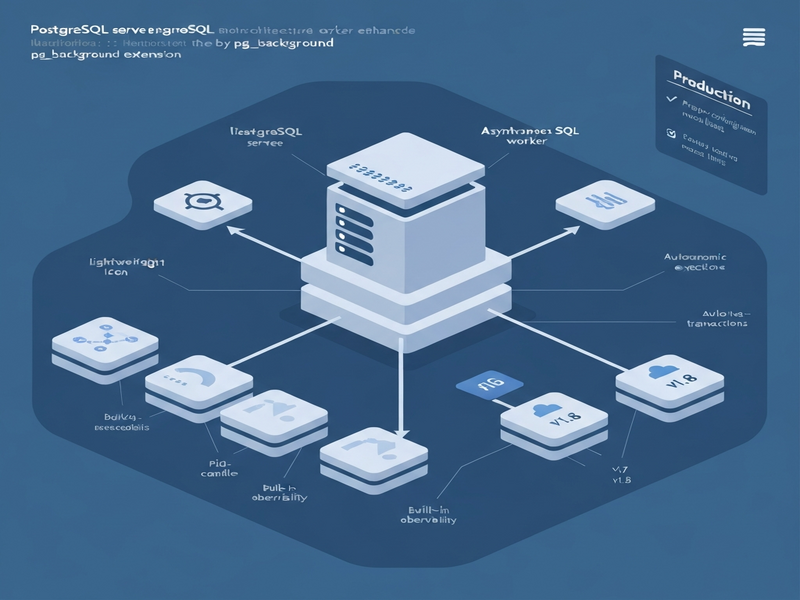
Why pg_background matters for modern PostgreSQL deployments
Database administrators and developers constantly wrestle with long‑running queries that tie up client connections, degrade latency, and complicate scaling. Traditional workarounds—such as external job queues, dblink connections, or client‑side async orchestration—add operational overhead and introduce new failure modes. UBOS platform overview often highlights the need for native, server‑side solutions that keep the data plane simple and reliable. pg_background answers that call by embedding asynchronous execution directly inside PostgreSQL, preserving the ACID guarantees while freeing the client session.
What is pg_background?
pg_background is an open‑source PostgreSQL extension that spawns background worker processes to run arbitrary SQL statements. These workers operate in their own transaction scope, independent of the caller’s transaction, and can be launched, monitored, and cancelled via a clean SQL API. It is not a full‑blown scheduler or queueing system; rather, it is a focused tool for “run this SQL in the background and let me decide how to interact with it.”
Key characteristics:
- Runs inside the PostgreSQL server, using local resources and the same security context.
- Supports autonomous transactions—workers can commit or roll back without affecting the caller.
- Provides built‑in observability functions to list, inspect, and manage active workers.
- Works across PostgreSQL 12‑18 (with v1.8+ requiring PG 14+).
Core features and benefits
Asynchronous SQL execution
By offloading heavy queries to background workers, you achieve true non‑blocking queries. Client sessions remain responsive, which is crucial for OLTP‑heavy applications where latency spikes can cascade into user‑visible slowdowns.
Autonomous transactions
Workers run in separate transactions, allowing you to commit or roll back independently. This is ideal for audit logging, outbox patterns, or any side‑effect that must survive the caller’s rollback.
Resource isolation and safety
Each worker consumes a slot from max_worker_processes. By configuring pg_background.max_workers (new in v1.8), you can cap the number of concurrent background jobs, preventing resource exhaustion.
Built‑in observability
Version 2 introduces pg_background_stats_v2(), pg_background_progress(), and pg_background_get_progress_v2(). These functions let you monitor progress, view error details, and collect per‑session statistics without leaving the database.
Production‑ready API
The v2 API uses a (pid, cookie) handle, protecting against PID reuse—a subtle bug that can cause accidental cross‑talk between workers. The cookie is generated with pg_strong_random(), ensuring cryptographic strength.
Recommended v2 API usage with pid‑cookie handles
All new deployments should adopt the v2 functions. Below is a concise pattern that demonstrates launch, result retrieval, and graceful termination.
-- Launch a background job and capture a safe handle
SELECT * FROM pg_background_launch_v2(
  'SELECT pg_sleep(5); SELECT count(*) FROM large_table'
) AS handle;

-- The result set returns two columns: pid and cookie
-- Example output:  12345 | 0x9f2b3c7d...

-- Retrieve the result (once only)
SELECT * FROM pg_background_result_v2(12345, '0x9f2b3c7d') AS (cnt BIGINT);

-- If you only need side‑effects, use submit_v2
SELECT * FROM pg_background_submit_v2(
  'INSERT INTO audit_log(ts, event) VALUES (now(), ''system_check'')'
);

-- Cancel a running worker
SELECT pg_background_cancel_v2(12345, '0x9f2b3c7d');

-- Detach (stop tracking) without cancelling
SELECT pg_background_detach_v2(12345, '0x9f2b3c7d');
Notice the clear separation between cancel and detach. Detaching tells PostgreSQL you no longer need to monitor the worker, but the worker continues until completion. This semantic distinction prevents accidental termination of critical background jobs.
Recent releases (v1.6‑v1.8) and enhancements
Since early 2026, the pg_background project has undergone a rapid hardening cycle, delivering stability, security, and operational features.
v1.6 – Production stabilization & v2 API debut
- Introduced the
pid‑cookiehandle for safe worker identification. - Added DSM (Dynamic Shared Memory) lifecycle improvements.
- Enhanced error handling and memory cleanup.
- Supported PostgreSQL 12‑18.
v1.7 – Security & performance refinements
- Cookie generation switched to
pg_strong_random()for cryptographic randomness. - Dedicated
WorkerInfoMemoryContexteliminates long‑session memory bloat. - Exponential back‑off in wait/cancel loops reduces CPU churn.
- Additional NULL checks and tighter constants improve robustness.
v1.8 – Operational controls & observability
- New GUCs:
pg_background.max_workers,pg_background.worker_timeout,pg_background.default_queue_size. - Functions
pg_background_stats_v2(),pg_background_progress(), andpg_background_get_progress_v2()give real‑time insight. - Docker‑based CI pipeline and removal of PostgreSQL 13 support to focus on modern versions.
- Packaging updates simplify installation across major Linux distributions.
For a deeper dive into each release, see the pg_background extension page on UBOS.
Production checklist and safety considerations
Deploying pg_background in a mission‑critical environment requires a disciplined approach. Follow this MECE‑structured checklist to avoid common pitfalls.
Configuration basics
- Set
shared_preload_libraries = 'pg_background'inpostgresql.conf. - Allocate sufficient
max_worker_processesandpg_background.max_workers(e.g., reserve 5‑10% of total workers for background jobs). - Restart PostgreSQL to load the extension.
Use the v2 API exclusively
- Never mix v1 functions with v2 in the same codebase; the pid‑cookie model prevents accidental PID reuse.
- Store the
pidandcookietogether in a dedicated table if you need to track jobs across sessions.
Design for idempotence
- Background workers should be safe to re‑run; use
ON CONFLICTor upserts where appropriate. - Consume results only once; if you need them later, persist them to a permanent table.
Monitoring and alerting
- Periodically query
pg_background_stats_v2()to detect stuck workers. - Set up alerts on
pg_background.worker_timeoutbreaches. - Integrate with UBOS monitoring solutions for unified dashboards.
Graceful shutdown
- Before a server restart, issue
pg_background_cancel_v2()for all active workers, or rely on the built‑in timeout. - Ensure that any critical side‑effects have been persisted, as workers may be terminated abruptly during a crash.
Testing in staging
- Validate the full lifecycle (launch → result → detach/cancel) under load.
- Simulate PID reuse scenarios by restarting the server and confirming that old cookies are rejected.
Conclusion and next steps
pg_background equips PostgreSQL with a native, low‑overhead mechanism for asynchronous work, turning long‑running queries from a performance liability into a manageable background task. By adopting the v2 API, configuring worker limits, and leveraging the new observability functions, DBAs can safely integrate pg_background into production pipelines for tasks such as asynchronous VACUUM, data backfills, audit logging, and real‑time analytics.
If you’re looking to accelerate AI‑driven data pipelines, consider pairing pg_background with UBOS’s AI marketing agents or the Workflow automation studio. These tools can trigger background jobs based on business events, creating a seamless end‑to‑end automation loop.
Ready to try pg_background in your environment? Visit the UBOS pricing plans page to explore hosted PostgreSQL options that include pre‑installed extensions, or download the source from the pg_background extension page and follow the quick‑start guide.
For a deeper technical walkthrough, see the original article that inspired this guide.
Stay ahead of the curve—empower your PostgreSQL clusters with asynchronous execution today, and let your applications stay light while the database does the heavy lifting.
Explore more about how UBOS helps startups accelerate development with ready‑made templates like the AI Article Copywriter or the AI SEO Analyzer. For enterprises, the Enterprise AI platform by UBOS offers robust scaling and compliance features.
Developers can prototype UI quickly with the Web app editor on UBOS, while operations teams benefit from the UBOS partner program for co‑selling and support.